


Category: Tutorials
- views: 145
- date: 3 July 2026
- posted by: voska89

Ship Security Officer (SSO) Course | ISPS Code Training
Published 7/2026
Created by Muhammad jabir
MP4 | Video: h264, 1920x1080 | Audio: AAC, 44.1 KHz, 2 Ch
Level: All Levels | Genre: eLearning | Language: English | Duration: 8 Lectures ( 2h 56m ) | Size: 1.4 GB
Learn ISPS Code, SSO duties, Ship Security Plan, security levels, drills, assessments, and practical Q&A.
 |
Download |  |
Post Comment [0] |
Category: Tutorials
- views: 193
- date: 3 July 2026
- posted by: voska89

SAP S/4HANA Essential Training (2026)
Released 7/2026
With Justin Valley
MP4 | Video: h264, 1280x720 | Audio: AAC, 44.1 KHz, 2 Ch
Skill Level: Beginner + Intermediate | Genre: eLearning | Language: English + subtitle | Duration: 1h 41m | Size: 177.8 MB
SAP S/4HANA powers business processes at organizations worldwide. Justin Valley teaches you to navigate the system, work with core modules, run reports, and use AI in SAP S/4HANA.
|
Download | |
Post Comment [0] |
Category: Tutorials
- views: 143
- date: 3 July 2026
- posted by: voska89

CBTNuggets – Cisco CCNP Enterprise Advanced Routing and Services (300-410 ENARSI) v1.1
Last updated 1/2026
Taught by Keith Barker, Knox Hutchinson
MP4 | Video: h264, 1920x1080 | Audio: AAC, 44.1 KHz, 2 Ch
Level: Intermediate | Genre: eLearning | Language: English + subtitle | Duration: 258 Lessons ( 29h 53m ) | Size: 18.9 GB
This ENARSI 300-410 v1.1 training focuses on implementing advanced enterprise routing technologies and services, while preparing you for the CCNP Enterprise concentration exam with unlimited practice exams and virtual labs. It's for people who want to deepen their understanding of Layer 3 routing, VPN services, infrastructure security, and core network services used in real enterprise environments. The course covers how to deploy and operate technologies like OSPF, EIGRP, BGP, MPLS, and DMVPN, along with the policies and controls that keep large networks stable and secure. Troubleshooting plays a larger role in ENARSI v1.1, so this updated course emphasizes how to diagnose routing and service issues using telemetry, NetFlow, and Cisco Catalyst Center Assurance.
|
Download | |
Post Comment [0] |
Category: Apps (SEO/Marketing/Design)
- views: 275
- date: 3 July 2026
- posted by: voska89

Autodesk Inventor Professional 2027.1 (x64) Update Only | 3.2 GB
Autodesk Inventor Professional is a professional 3D mechanical design and engineering software used for product development, simulation, and manufacturing documentation. It provides a comprehensive environment for creating precise digital prototypes that help engineers validate design form, fit, and function before physical production.
The software is widely used in mechanical engineering and industrial design workflows where accuracy and efficiency are essential. It enables users to build parametric models, assemble complex mechanical systems, and generate detailed technical drawings for manufacturing and documentation purposes.
Inventor also supports simulation and analysis tools that help evaluate product performance under real-world conditions. Its integrated design environment allows teams to work across different stages of product development, from initial concept to final production-ready output.
|
Download | |
Post Comment [0] |
Category: Apps (SEO/Marketing/Design)
- views: 86
- date: 3 July 2026
- posted by: voska89

Tracktion Waveform Pro v14.0.41 | 455 Mb
Tracktion Waveform Pro is a digital audio workstation (DAW) designed for music production, recording, editing, and mixing. It provides a streamlined creative environment focused on modern production workflows, allowing users to work with audio and MIDI in a flexible and non-linear interface.
The software is aimed at musicians, producers, and audio engineers who need a complete production toolset without unnecessary complexity. Its interface emphasizes accessibility and speed, enabling users to build projects quickly while maintaining full control over arrangement and sound design.
Waveform Pro includes tools for recording audio, arranging loops, applying real-time processing, and working with virtual instruments and effects. It supports a wide range of production styles, from electronic music and beat-making to full studio recording projects.
The application is designed to support creative experimentation, offering features such as audio warping, modular workflow customization, and a built-in collection of instruments and effects to assist in shaping sound and developing musical ideas.
|
Download | |
Post Comment [0] |
Category: Apps (SEO/Marketing/Design)
- views: 174
- date: 3 July 2026
- posted by: voska89

TickTick Premium 8.1.1 Multilingual Fast Links | 43 Mb
TickTick is a productivity and task management application designed to help users organize personal and professional activities in a structured and efficient workflow. It combines task tracking, scheduling, collaboration, and focus tools into a single desktop platform.
The application allows users to create and manage to-do lists, set deadlines, and organize tasks into projects for better clarity and control. Its interface supports quick task entry and flexible organization, making it suitable for both simple reminders and complex productivity planning.
TickTick also includes calendar-based task visualization, enabling users to view deadlines and schedules in a time-oriented layout. Collaboration features allow task sharing with teams, friends, or family, supporting group-based productivity workflows.
To improve focus and time management, the application integrates a built-in Pomodoro timer and desktop widget support, helping users stay on track while monitoring and completing tasks directly from the desktop environment.
|
Download | |
Post Comment [0] |
Category: Apps (SEO/Marketing/Design)
- views: 158
- date: 3 July 2026
- posted by: voska89
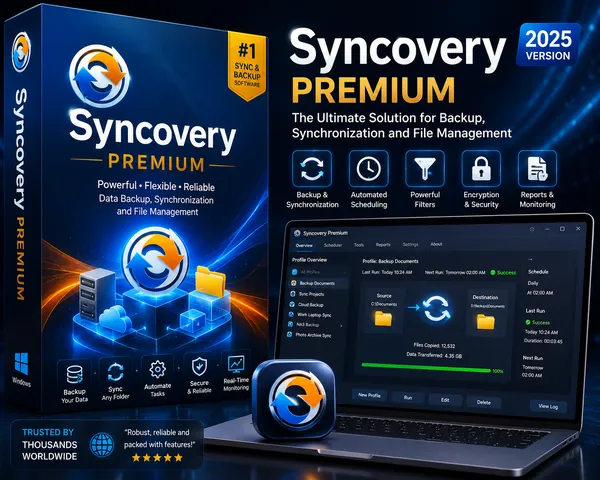
Syncovery Premium 12.2.3.43 (x64) Multilingual Fast Links | 101 Mb
Syncovery Premium is a professional file synchronization and backup solution designed to manage data transfers between local drives, network locations, and cloud storage services. It provides a structured, profile-based workflow that allows users to configure backup or synchronization tasks step by step.
The software is built to handle both simple and advanced data management scenarios, from basic file copying to complex two-way synchronization. Each job operates using a source and destination structure, enabling flexible control over how data is processed and updated across multiple locations.
Syncovery includes high-performance scanning technology capable of processing large file structures efficiently. It also supports advanced features such as block-level copying, real-time synchronization, and file versioning, making it suitable for both personal backup tasks and enterprise-level data management.
The application offers multiple execution modes, including attended, unattended, background, and preview-based workflows. These options allow users to balance control, automation, and system resource usage depending on the task requirements.
|
Download | |
Post Comment [0] |
Category: Apps (SEO/Marketing/Design)
- views: 100
- date: 3 July 2026
- posted by: voska89

SQL Backup Master 8.5.1120 Multilingual All Editions | 38 Mb
SQL Backup Master is a database backup management solution designed to simplify and automate the process of protecting SQL Server databases. It allows users to create scheduled backups and store them across a variety of local, network, and cloud-based storage destinations.
The application is aimed at database administrators and IT professionals who need a reliable and flexible backup strategy. It supports multiple backup types and provides centralized control over backup jobs, making it suitable for both small environments and enterprise-level database systems.
SQL Backup Master can send backups to popular cloud storage services as well as FTP and local storage locations. It also includes scheduling tools, compression and encryption options, and automated notification features to ensure backups are executed and monitored efficiently.
With built-in recovery support and logging capabilities, the software helps users maintain oversight of backup operations while ensuring database integrity and availability in case of data loss.
|
Download | |
Post Comment [0] |
Category: Apps (SEO/Marketing/Design)
- views: 84
- date: 3 July 2026
- posted by: voska89

GiliSoft Data Recovery 6.7 | 62.3 Mb
GiliSoft Data Recovery is a file recovery utility designed to help restore lost, deleted, or inaccessible data from a wide range of storage devices. It provides an easy-to-use recovery process that enables users to retrieve documents, photos, videos, music, emails, and other important files after accidental deletion, formatting, or partition loss.
The software supports recovery from internal and external hard drives, USB flash drives, memory cards, SSDs, RAID devices, and other removable storage media. It can also recover data from formatted, RAW, damaged, or inaccessible partitions, making it suitable for both everyday users and basic data recovery tasks.
A guided recovery interface simplifies the scanning and restoration process, allowing users with little or no technical experience to recover files safely. Operating in read-only mode, the software scans storage devices without modifying the original data, helping minimize the risk of further data loss.
|
Download | |
Post Comment [0] |
Category: Apps (SEO/Marketing/Design)
- views: 62
- date: 3 July 2026
- posted by: voska89

pdfFactory Pro 9.30 Multilingual Fast Links | 28 Mb
pdfFactory Pro is a PDF creation and document management solution that enables users to generate high-quality PDF files from any Windows application with printing support. Operating as a virtual printer, it simplifies PDF creation while providing tools for editing, organizing, and preparing documents for sharing or archiving.
The software is suitable for business, office, and professional workflows where reliable PDF generation and document distribution are essential. Users can combine multiple print jobs into a single PDF, preview documents before saving, and apply modifications without requiring additional PDF software.
In addition to standard PDF creation, the Pro edition includes advanced features such as bookmarks, automatic table of contents generation, electronic letterheads, page numbering, watermarks, and automated email functions. These capabilities help streamline document preparation while maintaining a consistent and professional appearance.
|
Download | |
Post Comment [0] |
Category: Apps (SEO/Marketing/Design)
- views: 79
- date: 3 July 2026
- posted by: voska89

FinePrint 12.30 Multilingual Fast Links | 25.7 Mb
FinePrint is a print management utility that enhances the standard Windows printing process with advanced preview, editing, and paper-saving features. It works as a virtual printer, allowing users to review and modify print jobs before they are sent to a physical printer.
The software is suitable for home users, businesses, and office environments where reducing paper usage, ink consumption, and printing costs is important. By providing greater control over print output, it helps eliminate unnecessary pages and optimize document layouts without modifying the original files.
FinePrint includes tools for editing print jobs, combining multiple pages onto a single sheet, removing unwanted content, and adding annotations or electronic letterheads. These features simplify document preparation while improving printing efficiency and reducing waste.
|
Download | |
Post Comment [0] |
Category: Apps (SEO/Marketing/Design)
- views: 161
- date: 3 July 2026
- posted by: voska89

Dr.Hardware 2026 v26.4.1 | 4.8 Mb
Dr.Hardware is a comprehensive system information and hardware diagnostic utility designed to analyze PC components and monitor overall system performance. It provides detailed information about installed hardware, operating system configuration, and connected devices, making it useful for troubleshooting, maintenance, and hardware evaluation.
The application is intended for both advanced users and IT professionals who need accurate information about processors, memory, storage devices, chipsets, and peripheral hardware. Its diagnostic tools help identify system specifications, monitor operating conditions, and evaluate component performance.
In addition to hardware detection, Dr.Hardware includes benchmarking utilities for measuring CPU, graphics, storage, network, and internet performance. It also offers monitoring features, compatibility checks, and reporting tools that simplify system analysis and documentation.
|
Download | |
Post Comment [0] |
Category: Apps (SEO/Marketing/Design)
- views: 45
- date: 3 July 2026
- posted by: voska89

Broadgun pdfMachine 20.60 All Editions | 18.3 Mb
Broadgun pdfMachine is a PDF creation and document management solution that enables users to generate PDF files from virtually any Windows application with printing support. It functions as a virtual printer, making it easy to convert documents into the widely used PDF format while preserving the original layout, fonts, and graphics.
The software is suitable for business, office, and professional environments where documents need to be shared, archived, or distributed in a consistent format. PDF files created with pdfMachine maintain their appearance across different devices and operating systems, making them ideal for long-term storage and reliable document exchange.
In addition to PDF creation, the application includes tools for editing, annotation, document security, OCR processing, and workflow automation. Integration with Microsoft Office, email clients, and other Windows applications helps streamline document generation and distribution.
Support for digital signatures, watermarks, hyperlinks, PDF/A compliance, and searchable scanned documents makes pdfMachine a practical solution for organizations that require secure and professional PDF workflows.
|
Download | |
Post Comment [0] |
Category: Apps (SEO/Marketing/Design)
- views: 113
- date: 3 July 2026
- posted by: voska89

Adobe Illustrator 2025 v29.8.9 (x64) Multilingual Portable Fast Links | 1.54 GB
Adobe Illustrator is a professional vector graphics application used to create scalable artwork for print, digital media, branding, and illustration. It enables designers to produce graphics that retain their quality at any size, making it suitable for projects ranging from small interface icons to large-format signage.
The software is widely used by graphic designers, illustrators, marketing professionals, and creative teams for developing logos, icons, technical illustrations, product packaging, advertising materials, and web graphics. Its vector-based workflow provides precise editing while maintaining full scalability without loss of image quality.
Illustrator offers a comprehensive set of drawing, shape-building, typography, and color management tools that support both creative illustration and production design. It also integrates smoothly with other Adobe Creative Cloud applications, allowing assets and projects to move efficiently between different stages of the creative workflow.
The software is widely used by graphic designers, illustrators, marketing professionals, and creative teams for developing logos, icons, technical illustrations, product packaging, advertising materials, and web graphics. Its vector-based workflow provides precise editing while maintaining full scalability without loss of image quality.
Illustrator offers a comprehensive set of drawing, shape-building, typography, and color management tools that support both creative illustration and production design. It also integrates smoothly with other Adobe Creative Cloud applications, allowing assets and projects to move efficiently between different stages of the creative workflow.
|
Download | |
Post Comment [0] |
Category: Apps (SEO/Marketing/Design)
- views: 103
- date: 3 July 2026
- posted by: voska89
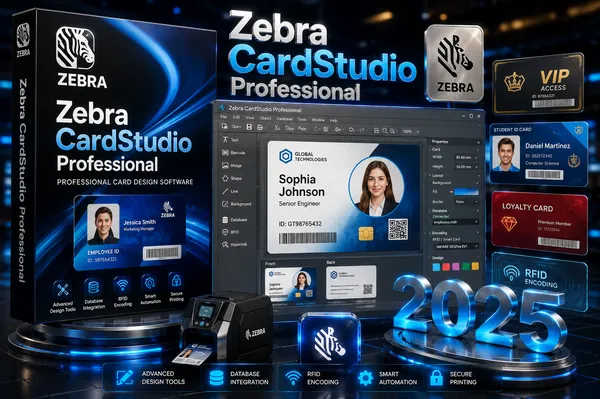
Zebra CardStudio Professional 2.5.41.0 Multilingual Fast Links | 231 Mb
Zebra CardStudio Professional is a card design and issuance application developed for creating professional ID cards, membership cards, and access control badges. It is used in environments where secure identification and credential management are required, including corporate offices, educational institutions, and enterprise access systems.
The software provides tools for designing both physical cards and digital IDs, allowing organizations to manage identity solutions across multiple formats. It supports integration with existing data sources, enabling automated generation of cards using information from databases, spreadsheets, or other enterprise systems.
|
Download | |
Post Comment [0] |
Category: Apps (SEO/Marketing/Design)
- views: 112
- date: 3 July 2026
- posted by: voska89

Toplang Monitor Brightness Switch 1.0.3 | 0.8 Mb
Toplang Monitor Brightness Switch is a lightweight utility designed to manage monitor brightness and contrast through predefined display profiles. Instead of manually adjusting settings via hardware OSD menus or slider-based software controls, it allows users to switch between customized visual modes with a single click.
The application is intended for users who frequently change display conditions, such as switching between daytime and nighttime viewing, work and gaming setups, or media consumption scenarios. It provides a more direct approach to monitor configuration by storing predefined brightness and contrast profiles that can be applied instantly.
|
Download | |
Post Comment [0] |
Category: Apps (SEO/Marketing/Design)
- views: 123
- date: 3 July 2026
- posted by: voska89

Sweet Home 3D 7.6.8.1605 (x64) Multilingual Fast Links | Microsoft Store Version | 408 Mb
Sweet Home 3D is an interior design application designed to help users create and visualize home layouts in both 2D and 3D environments. It provides a straightforward way to build floor plans, arrange furniture, and preview interior designs with real-time 3D visualization.
The software is commonly used for home planning, renovation concepts, and basic architectural visualization. It allows users to design spaces from scratch or based on existing floor plans, making it suitable for both beginners and users who need a quick layout tool.
Workflows typically start with drawing walls and defining rooms in a 2D plan. Users can then place doors, windows, and furniture using a drag-and-drop catalog, while instantly viewing updates in a 3D perspective. This dual-view system helps improve spatial understanding during the design process.
Customization options include adjusting materials, textures, colors, and object properties. The application also supports exporting projects in multiple formats, allowing designs to be reused or shared across other software platforms.
|
Download | |
Post Comment [0] |
Category: Apps (SEO/Marketing/Design)
- views: 195
- date: 3 July 2026
- posted by: voska89

Steinberg SpectraLayers Pro 13.0.0 Multilingual Portable Fast Links | 4.03 GB
Steinberg SpectraLayers Pro is a spectral audio editing application designed for detailed visual-based sound manipulation. It represents audio as layered frequency data, allowing users to inspect, isolate, and modify specific sound components with high precision. This approach is commonly used in audio restoration, post-production, and sound design workflows where detailed control over recorded material is required.
The software is built around a layered spectral environment where audio elements can be separated and processed independently. Users can work directly on noise, voice, instruments, and transient content by selecting regions within the spectrogram view. This makes it suitable for both corrective editing tasks and experimental sound design applications.
A key aspect of SpectraLayers is its integration of AI-assisted processing tools. These functions are designed to support tasks such as audio separation, restoration, and noise reduction, helping streamline complex editing operations while maintaining detailed control over the final output.
The application also supports ARA 2 integration, enabling direct use inside compatible digital audio workstations such as Cubase and Nuendo. This allows spectral editing to be performed directly on the DAW timeline, improving workflow efficiency and reducing the need for external rendering or file exchange.
|
Download | |
Post Comment [0] |
Category: Apps (SEO/Marketing/Design)
- views: 183
- date: 3 July 2026
- posted by: voska89

Serato DJ Pro Suite 4.0.8 (x64) Multilingual Fast Links | 1.66 GB
Serato DJ Pro is a professional DJ software platform designed for live mixing, performance, and music library management. It is widely used in clubs, festivals, and broadcast environments, offering a stable and performance-focused interface for DJs of all levels.
The software is built for reliability and real-time performance control, allowing users to mix tracks, apply effects, and manage playlists during live sets. It supports a wide range of DJ hardware controllers, ensuring seamless integration with industry-standard equipment.
In addition to core mixing capabilities, Serato DJ Pro includes performance tools such as cue points, loops, and pad modes, enabling creative live remixing and transitions. Its interface is optimized for fast navigation and large music libraries, making it suitable for both practice and professional stage use.
|
Download | |
Post Comment [0] |
Category: Apps (SEO/Marketing/Design)
- views: 100
- date: 3 July 2026
- posted by: voska89
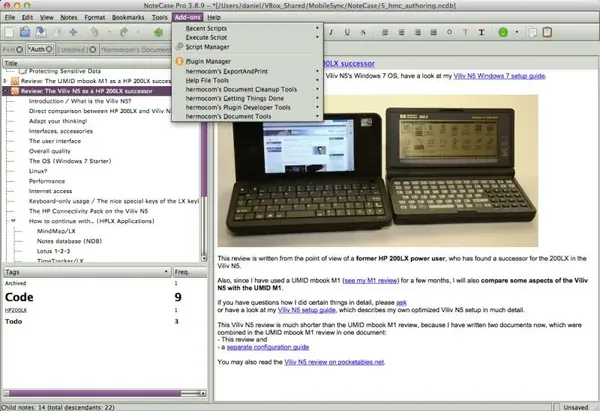
NoteCase Pro 4.9 (x64) Multilingual Fast Links | 93.3 Mb
NoteCase Pro is a cross-platform information management application designed for capturing, organizing, and structuring notes and data in a hierarchical format. It provides a flexible workspace for storing personal knowledge, tasks, and documentation in a single environment.
The application is intended for users who need a structured way to manage large amounts of information, such as researchers, writers, developers, and project managers. It supports tree-based organization, allowing users to break down content into branches and sub-items for easier navigation and categorization.
In addition to note organization, NoteCase Pro includes features for task management, attachments, and rich text editing. It also supports plugins and scripting, enabling users to extend functionality and automate workflows according to their needs.
|
Download | |
Post Comment [0] |
Category: Apps (SEO/Marketing/Design)
- views: 211
- date: 3 July 2026
- posted by: voska89
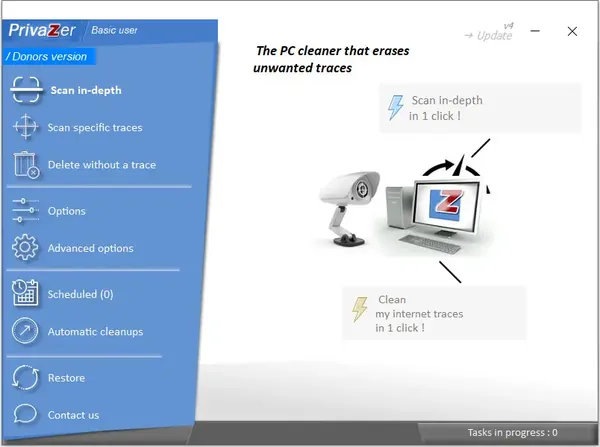
Goversoft Privazer 4.0.124.2 Multilingual Portable Fast Links | 8 Mb
PrivaZer is a Windows privacy and system cleaning utility designed to scan storage devices for residual data and traces left behind by normal system and application usage. It focuses on identifying leftover artifacts from browsing activity, software usage, and system operations, allowing users to review and remove them securely.
The application is intended for users who want to maintain privacy and reduce recoverable traces on their system. It analyzes areas such as browser activity, system logs, memory traces, and registry entries, presenting detected items for selective or complete removal.
In addition to scanning and cleaning functions, PrivaZer includes tools for deep system inspection and secure deletion, helping reduce the possibility of data recovery from previously used storage space.
|
Download | |
Post Comment [0] |
Category: Apps (SEO/Marketing/Design)
- views: 128
- date: 3 July 2026
- posted by: voska89
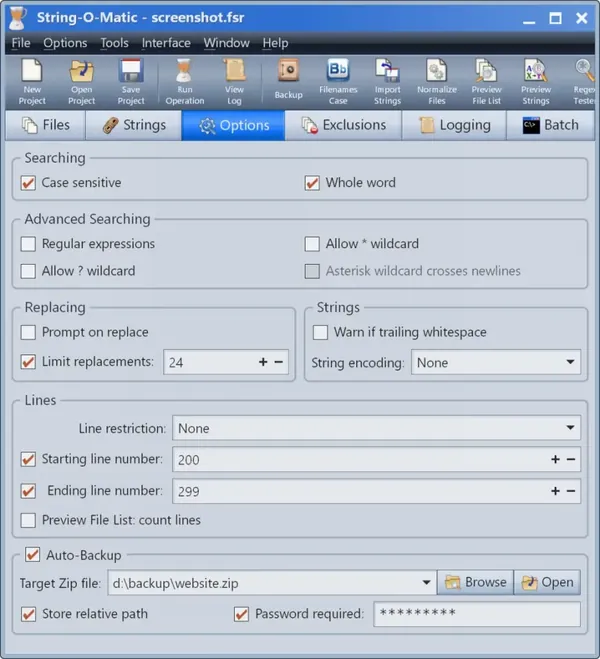
Gammadyne String-O-Matic 36.0 | 30.8 Mb
String-O-Matic is a Windows-based batch text processing utility designed to perform advanced search-and-replace operations across multiple files and folders. It is primarily used in development and large-scale file management workflows where consistent text modifications are required across many documents or source code files.
The application is intended for users who need to automate repetitive editing tasks, especially in programming or content-heavy projects. It supports operations on file contents as well as filenames, making it suitable for bulk updates, refactoring tasks, and structured data adjustments.
In addition to basic search-and-replace functionality, the tool includes support for regular expressions, filtering options, and safety mechanisms such as backups and verification steps. These features help ensure reliable processing when working with large file sets.
|
Download | |
Post Comment [0] |
Category: Apps (SEO/Marketing/Design)
- views: 252
- date: 3 July 2026
- posted by: voska89
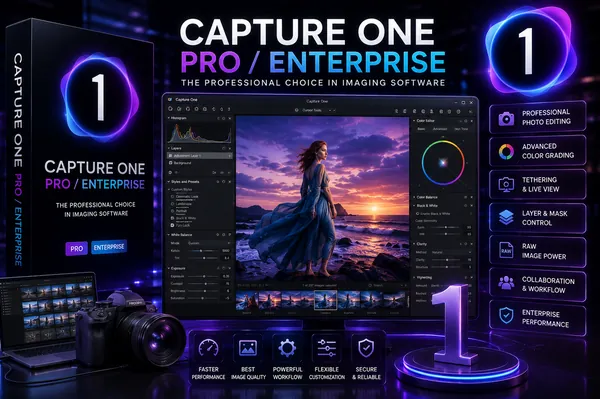
Capture One Pro / Enterprise 16.8.3.3630 (x64) Multilingual + Portable Fast Links | 1.52/3GB
Capture One Pro is a professional photo editing and RAW processing application designed for high-quality image development, tethered studio workflows, and advanced color grading. It is widely used in photography studios and commercial environments where precise color accuracy and efficient workflow management are required.
The software is built around a high-performance RAW engine that supports a wide range of camera and lens profiles, enabling consistent image rendering across different equipment. It provides tools for organizing, culling, and editing large photo collections with minimal delay, making it suitable for both studio and on-location work.
In addition to editing capabilities, Capture One Pro offers advanced tethered shooting features that allow photographers to capture images directly into the application, review them instantly, and adjust camera settings in real time. It also includes collaboration tools for remote client review and feedback during live sessions.
|
Download | |
Post Comment [0] |
Category: Apps (SEO/Marketing/Design)
- views: 80
- date: 3 July 2026
- posted by: voska89
Actual Window Rollup 8.15.4 Multilingual Fast Links | 8.5 Mb
Actual Window Rollup is a Windows desktop utility designed to improve window management by adding a "roll up" function that collapses application windows into their title bars. This allows users to keep multiple windows open while minimizing screen space usage and maintaining quick access to content.
The application is intended for users who work with many overlapping windows and need a more efficient way to organize their workspace. Instead of minimizing windows to the taskbar, it allows them to be temporarily collapsed, keeping the desktop clear while still preserving active sessions.
In addition to manual window rolling, the software supports automatic behaviors and hotkey controls. Windows can be configured to roll up when inactive or temporarily expand when hovered over, offering a more dynamic and flexible workspace management experience.
|
Download | |
Post Comment [0] |
Category: Apps (SEO/Marketing/Design)
- views: 104
- date: 3 July 2026
- posted by: voska89
Actual Window Minimizer 8.15.4 Multilingual Fast Links | 8.6 Mb
Actual Window Minimizer is a Windows desktop utility designed to extend the default window minimization behavior by adding the ability to send any application directly to the system tray. It integrates into each window's title bar and system controls, providing faster access to tray-based window management.
The software is intended for users who want to reduce taskbar clutter and keep selected applications running in the background without occupying screen space. It helps streamline multitasking by allowing windows to be hidden from the desktop while remaining easily accessible from the system tray.
In addition to manual minimization, the program supports automated rules for hiding windows based on user-defined conditions such as startup or inactivity. It also provides flexible control over how each application behaves when minimized.
|
Download | |
Post Comment [0] |
Category: Apps (SEO/Marketing/Design)
- views: 86
- date: 3 July 2026
- posted by: voska89
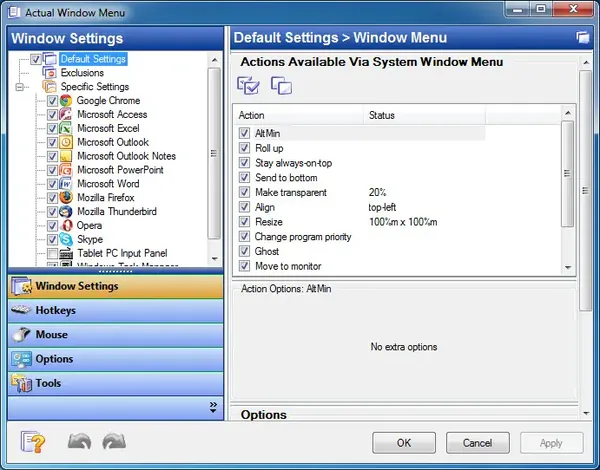
Actual Window Menu 8.15.4 Multilingual Fast Links | 8.6 Mb
Actual Window Menu is a Windows desktop enhancement utility that extends the standard system window menu with additional commands for improved window management. It integrates directly into the title-bar system menu, providing quick access to advanced controls such as transparency adjustment, window positioning, and priority management.
The application is intended for users who work with multiple open programs and need faster access to window control functions beyond those available in the default Windows interface. By expanding the system menu, it helps streamline workspace organization and reduces the need for repetitive manual window adjustments.
In addition to core window management tools, the software allows customization of menu commands for individual applications. This enables users to create tailored workflows depending on the type of software being used, improving efficiency and desktop organization.
|
Download | |
Post Comment [0] |
Category: Apps (SEO/Marketing/Design)
- views: 74
- date: 3 July 2026
- posted by: voska89
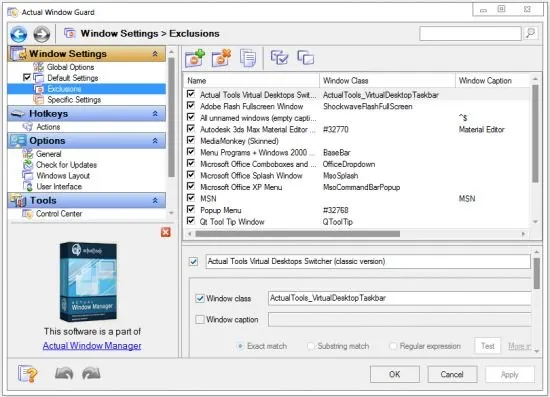
Actual Window Guard 8.15.4 Multilingual Fast Links | 8.5 Mb
Actual Window Guard is a Windows desktop utility designed to automate window management and improve workspace organization. It allows users to define rules for how application windows should appear, behave, and be positioned, helping reduce repetitive manual adjustments during daily computer use.
The application is aimed at users who work with multiple programs and want consistent window placement, sizing, and behavior across sessions. It can automatically move, resize, or modify windows according to predefined rules, making it useful for structured workflows and multi-monitor environments.
In addition to window positioning, the software provides extended control over window properties that are not normally accessible in standard Windows settings. This includes taskbar behavior, title customization, and support for managing different types of application windows, including console-based programs.
|
Download | |
Post Comment [0] |
Category: Apps (SEO/Marketing/Design)
- views: 124
- date: 3 July 2026
- posted by: voska89
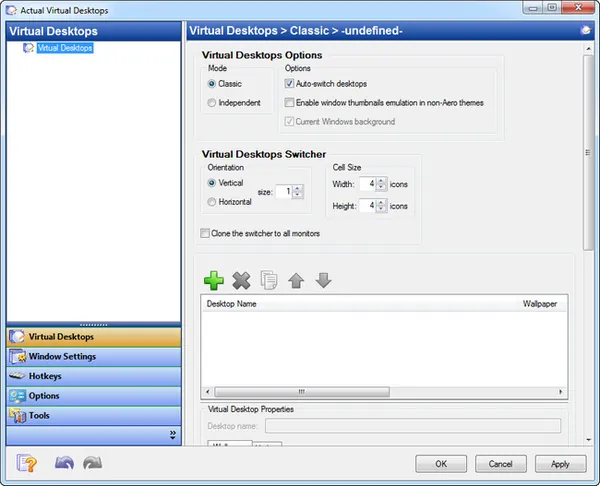
Actual Virtual Desktops 8.15.4 Multilingual Fast Links | 8.6 Mb
Actual Virtual Desktops is a Windows desktop management utility that extends the operating system by adding multiple virtual workspaces. It allows users to organize open applications across separate desktop environments, helping reduce clutter and improve multitasking efficiency.
The application is designed for users who frequently work with many programs at the same time and need a structured way to manage windows. Instead of keeping everything on a single screen, each virtual desktop can be used for a specific task or workflow, improving focus and navigation.
By providing an unlimited number of virtual desktops, the software helps simulate a multi-monitor environment on a single display. Windows can be freely moved between desktops, enabling better separation of tasks and a more organized working environment.
|
Download | |
Post Comment [0] |
Category: Apps (SEO/Marketing/Design)
- views: 190
- date: 3 July 2026
- posted by: voska89
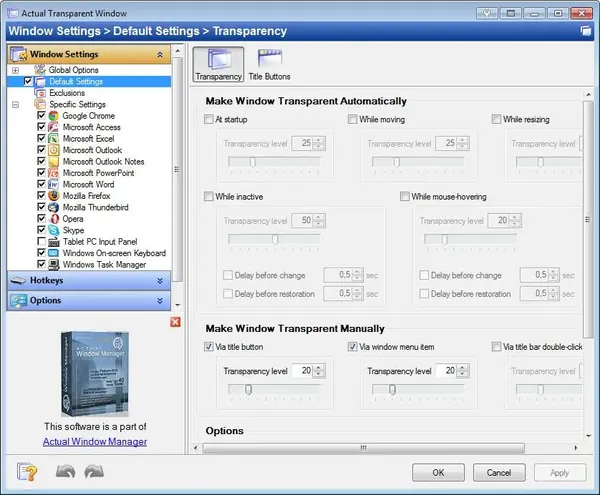
Actual Transparent Window 8.15.4 Multilingual Fast Links | 8.5 Mb
Actual Transparent Window is a Windows desktop enhancement utility designed to control the transparency level of individual application windows. It integrates into the operating system and allows users to adjust window opacity to improve multitasking, workspace organization, and visual comfort.
The application is aimed at users who work with multiple open windows simultaneously and need better screen management without constantly minimizing or switching between applications. It provides per-window transparency settings, helping users keep important reference windows visible while focusing on active tasks.
In addition to basic transparency control, the software includes advanced interaction modes such as inactive window transparency and ghost mode, along with customizable hotkeys and title-bar controls. These features make it easier to manage overlapping windows and optimize desktop space usage.
|
Download | |
Post Comment [0] |
Category: Apps (SEO/Marketing/Design)
- views: 91
- date: 3 July 2026
- posted by: voska89
Actual File Folders 1.15.4 DC 02.07.2026 Multilingual Fast Links | 8.4 Mb
Actual File Folders is a Windows shell enhancement utility designed to improve folder navigation by adding quick-access shortcuts for frequently used and recently visited directories. It integrates directly into standard file dialogs and file manager windows, allowing users to switch between folders more efficiently across different applications.
The application is intended for users who regularly work with multiple directories and need faster access to commonly used file locations. By extending system-level file dialogs, it reduces repetitive navigation through deep folder structures and improves workflow efficiency in both everyday and professional file management tasks.
In addition to shortcut management, the tool maintains a global history of recently accessed folders across the entire system. This makes it possible to quickly return to previously used locations regardless of which application was used to access them.
|
Download | |
Post Comment [0] |