


Git & GitHub Bootcamp Build, Track & Collaborate | HandsOn
Category: Tutorials
- views: 139
- date: 11 September 2026
- posted by: AD-TEAM

Git & GitHub Bootcamp - Build, Track & Collaborate | HandsOn
Published 10/2025
Duration: 5h 24m | .MP4 1280x720 30 fps(r) | AAC, 44100 Hz, 2ch | 1.72 GB
Genre: eLearning | Language: English
What you'll learn
- Understand what Version Control Systems are and why every developer needs them
- Learn the difference between Centralized and Distributed Version Control Systems (CVCS vs DVCS)
- Explore the core architecture of Git and how it tracks every change you make
- Work confidently with Git commands
- Learn to create and manage branches, merge changes, and resolve merge conflicts
- Understand the power of remote repositories and why GitHub is the go-to collaboration platform
- Practice connecting your local Git setup to GitHub using both SSH and HTTPS
- Perform essential remote operations such as pushing, pulling, fetching, and cloning repositories
- Learn to stash and rebase changes to maintain a clean and organized workflow
- Get hands-on with GitHub collaboration workflows forking, branching, pull requests, and issue tracking
- Understand how to version and tag project releases for better release management
- Explore GitHub productivity tools such as Projects, Wikis, Actions, Pages, and Insights
Requirements
- Basic knowledge of the command line
- A laptop or a Desktop
- Familiarity with any programming language (optional but helpful)
Description
Version control is the backbone of modern software development, it's how developers track changes, collaborate seamlessly, and manage complex projects with confidence. At the heart of it all liesGitandGitHub, the most widely used tools for code versioning and collaboration.
This course takes you from thevery basics of version control systemstoreal-world GitHub collaboration, ensuring you gain both practical knowledge and hands-on experience.
Whether you're abeginner, adeveloper stepping into team workflows, or aproject managerwho wants to understand how code collaboration works, this course will equip you with everything you need to confidently use Git and GitHub like a pro.
What's in this course?
We'll begin with thefundamentals of Version Control Systems, explore the differences betweenCentralized (CVCS)andDistributed (DVCS)systems, and understand why Git revolutionized version control.
From there, you'llinstall and configure Gitacross different operating systems, learn the core concepts ofrepositories, commits, branches, and merges, and then move on toGitHub, where real collaboration begins.
Through demonstrations, you'll performpush, pull, clone, and rebase operations, handlemerge conflicts, and learn how tocreate pull requests, manage issues, and collaborate with othersusing GitHub's workflow.
You will build practical projects, including:
Setting up and configuring Git across Windows, macOS, and Linux
Working with files - tracking, committing, and managing changes
Using branching, merging, and rebasing to handle project versions
Connecting your local Git with GitHub using HTTPS or SSH
Understanding the difference between git fetch, git pull, and git push
Collaborating with others viaForks, Issues, Discussions, and Pull Requests
UsingGitHub Projects, Wikis, and Actionsfor productivity and automation
Tagging and versioning project releases
By the end of this course, you'll be able to:
Use Git confidently for solo and team projects
Manage repositories and track changes like a professional developer
Collaborate effectively using GitHub's tools and workflows
Automate workflows and manage project documentation efficiently
Special Note
This course is packed withhands-on demonstrations, practical examples and real-world troubleshooting, ensuring you don't just learn Git commands, but also understand how and when to use them in real projects.
Course Structure
Lectures
Step-by-step Demonstrations
Practical Scenarios & Troubleshooting
Course Contents
Introduction to Version Control System and It's Types
Different VCS Tools and Why Git?
Working with Files in Git
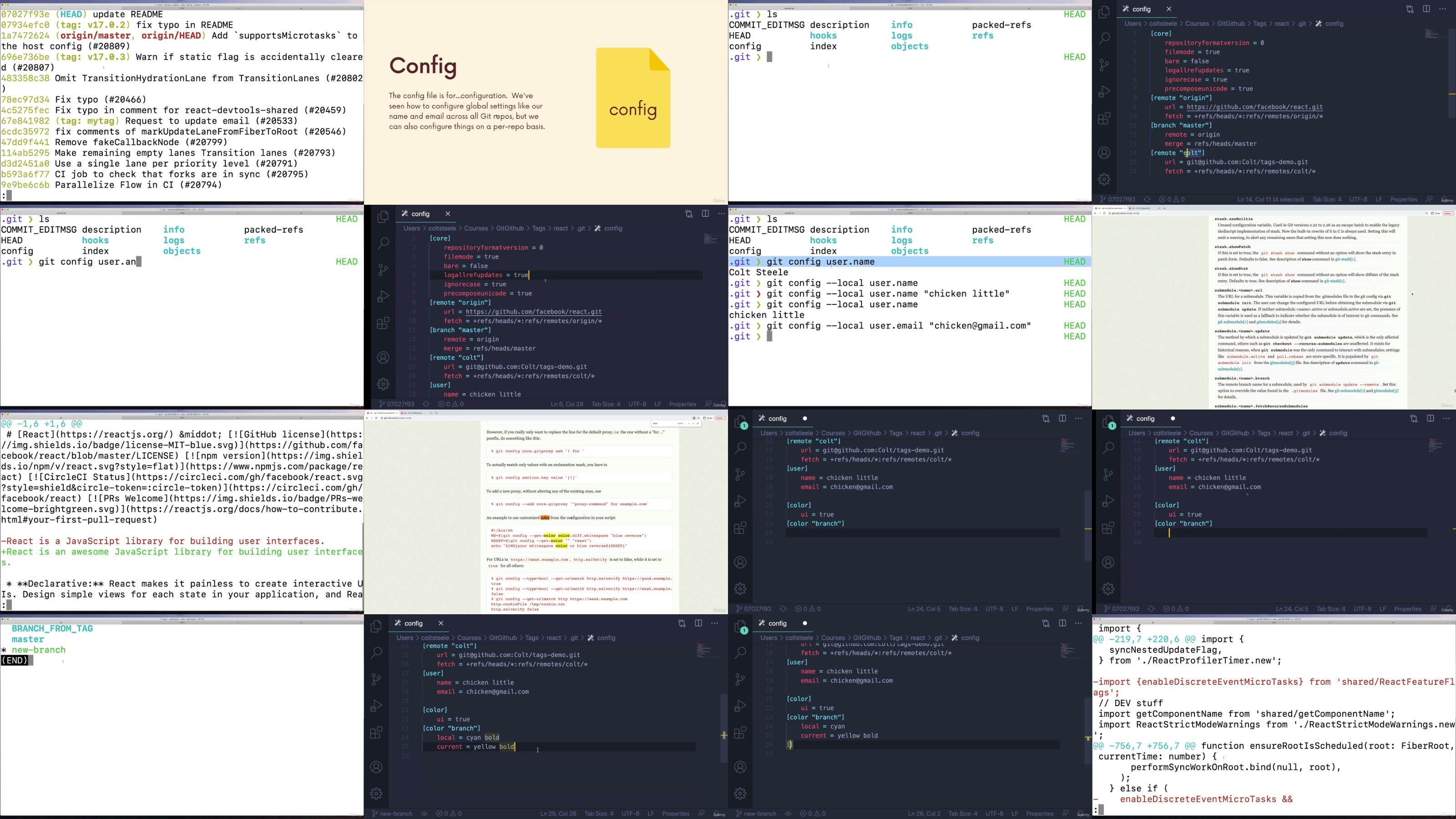
Understanding .git Folder & various git command
Various Branching Operations and Merging Strategies
GitHub Fundamentals and its need?
GitHub Remotes and Repositories
Everyday Situations in Git with Practical Scenario/Usecases
Workflow & Collaboration in GitHub
Conflict Resolutions
Tagging and Versioning
GitHub Projects, Wikis, Issues, Pages
Troubleshooting tips
All sections of this course are demonstrated live, with the goal of encouraging enrolled users to set up their own environments, complete the exercises, and learn through hands-on experience!
Who this course is for:
- Software Developers & Engineers
- DevOps, SRE & Cloud Professionals
- Students learning software development
- Anyone looking to understand Git & GitHub for project management or version control
More Info

RapidGator
https://rapidgator.net/file/88e6063944ced50acac7cf9f863144dc/yxusj.Udemy.-.The.Git..Github.Bootcamp.11.2024.part01.rar
https://rapidgator.net/file/9e02bd81704fc3e09a099c4402c29b88/yxusj.Udemy.-.The.Git..Github.Bootcamp.11.2024.part02.rar
https://rapidgator.net/file/02b5a79ab2aca129947213690c599955/yxusj.Udemy.-.The.Git..Github.Bootcamp.11.2024.part03.rar
https://rapidgator.net/file/7cfb4d7fca7576a10518a5b39e73781a/yxusj.Udemy.-.The.Git..Github.Bootcamp.11.2024.part04.rar
https://rapidgator.net/file/c0be94c82dd852b517f026262b879c53/yxusj.Udemy.-.The.Git..Github.Bootcamp.11.2024.part05.rar
https://rapidgator.net/file/77ec1e0bdd6ab017d86317cb26c8ffda/yxusj.Udemy.-.The.Git..Github.Bootcamp.11.2024.part06.rar
https://rapidgator.net/file/2b85a8aeacd0dd61276e7d3ecef161dc/yxusj.Udemy.-.The.Git..Github.Bootcamp.11.2024.part07.rar
https://rapidgator.net/file/fd54a0e772574260e4492a3da5b02bc2/yxusj.Udemy.-.The.Git..Github.Bootcamp.11.2024.part08.rar
https://rapidgator.net/file/2fc560dee831b7c46a92b76b35a255b9/yxusj.Udemy.-.The.Git..Github.Bootcamp.11.2024.part09.rar
https://rapidgator.net/file/588fd9883ab189333e2433c108e5efab/yxusj.Udemy.-.The.Git..Github.Bootcamp.11.2024.part10.rar
DDownload
https://ddownload.com/2qcadz1op7er/yxusj.Udemy.-.The.Git..Github.Bootcamp.11.2024.part01.rar
https://ddownload.com/e89s8z9vliyc/yxusj.Udemy.-.The.Git..Github.Bootcamp.11.2024.part02.rar
https://ddownload.com/yw3gy73tjmm4/yxusj.Udemy.-.The.Git..Github.Bootcamp.11.2024.part03.rar
https://ddownload.com/r3u494bwk59r/yxusj.Udemy.-.The.Git..Github.Bootcamp.11.2024.part04.rar
https://ddownload.com/rmrlqdfevkkt/yxusj.Udemy.-.The.Git..Github.Bootcamp.11.2024.part05.rar
https://ddownload.com/6oc8zb7900zm/yxusj.Udemy.-.The.Git..Github.Bootcamp.11.2024.part06.rar
https://ddownload.com/7y8e0g0d7kdo/yxusj.Udemy.-.The.Git..Github.Bootcamp.11.2024.part07.rar
https://ddownload.com/700v3lvwsc0u/yxusj.Udemy.-.The.Git..Github.Bootcamp.11.2024.part08.rar
https://ddownload.com/rxucxljp78bb/yxusj.Udemy.-.The.Git..Github.Bootcamp.11.2024.part09.rar
https://ddownload.com/hjz8p5stmik3/yxusj.Udemy.-.The.Git..Github.Bootcamp.11.2024.part10.rar
NitroFlare
https://nitroflare.com/view/B082E451A4F3001/yxusj.Udemy.-.The.Git..Github.Bootcamp.11.2024.part01.rar
https://nitroflare.com/view/BED7E913DA03360/yxusj.Udemy.-.The.Git..Github.Bootcamp.11.2024.part02.rar
https://nitroflare.com/view/D48E54EAFC63255/yxusj.Udemy.-.The.Git..Github.Bootcamp.11.2024.part03.rar
https://nitroflare.com/view/A2F4F156F24015F/yxusj.Udemy.-.The.Git..Github.Bootcamp.11.2024.part04.rar
https://nitroflare.com/view/C3F8389130633BB/yxusj.Udemy.-.The.Git..Github.Bootcamp.11.2024.part05.rar
https://nitroflare.com/view/3F038E6BBB34446/yxusj.Udemy.-.The.Git..Github.Bootcamp.11.2024.part06.rar
https://nitroflare.com/view/7B232A68A48C7C8/yxusj.Udemy.-.The.Git..Github.Bootcamp.11.2024.part07.rar
https://nitroflare.com/view/1BAAF974924F58E/yxusj.Udemy.-.The.Git..Github.Bootcamp.11.2024.part08.rar
https://nitroflare.com/view/049DB9EB8A7F2F8/yxusj.Udemy.-.The.Git..Github.Bootcamp.11.2024.part09.rar
https://nitroflare.com/view/B4CB822DFCF7E97/yxusj.Udemy.-.The.Git..Github.Bootcamp.11.2024.part10.rar
We need your support!
Make a donation to help us stay online

Bitcoin (BTC)
bc1q08g9d22cxkawsjlf8etuek2pc9n2a3hs4cdrld

Bitcoin Cash (BCH)
qqvwexzhvgauxq2apgc4j0ewvcak6hh6lsnzmvtkem

Ethereum (ETH)
0xb55513D2c91A6e3c497621644ec99e206CDaf239

Litecoin (LTC)
ltc1qt6g2trfv9tjs4qj68sqc4uf0ukvc9jpnsyt59u

USDT (ERC20)
0xb55513D2c91A6e3c497621644ec99e206CDaf239

USDT (TRC20)
TYdPNrz7v1P9riWBWZ317oBgJueheGjATm
Information |
|||
 |
Users of GUESTS are not allowed to comment this publication. | ||