


Blender Essentials For Beginners: Viewport
Category: Tutorials
- views: 197
- date: 3 June 2026
- posted by: 0nelove
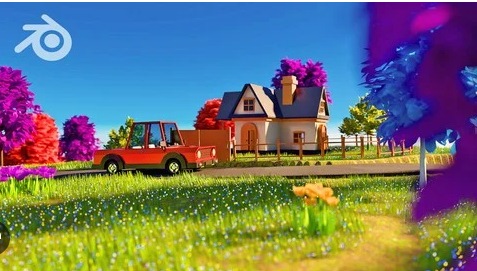
Blender Essentials For Beginners: Viewport
Published 6/2026
Created by 3D Tudor
MP4 | Video: h264, 1920x1080 | Audio: AAC, 44.1 KHz, 2 Ch
Level: Beginner | Genre: eLearning | Language: English | Duration: 11 Lectures ( 1h 2m ) | Size: 2.4 GB
The complete beginner's guide to moving around the Blender viewport with speed, precision and total confidence
What you'll learn
⚡ Navigate the Blender viewport confidently using the orientation gizmo, on-screen controls, and Middle Mouse Button shortcuts
⚡ Snap to precise orthographic views (Front, Side, Top) and build clean isometric angles with the Numpad
⚡ Understand and toggle between Perspective and Orthographic projection for distortion-free previews
⚡ Explore scenes in first person with Fly and Walk modes, including gravity, jumping, and teleporting
⚡ Frame, isolate, and reset your view instantly with Frame Selected, Frame All, Local View, and Zoom Region
⚡ Customize orbit, zoom, and input behaviour in Blender Preferences to match your hardware and workflow
⚡ Set up navigation for laptops, tablets, and 3D (NDOF) mice using Emulate Numpad and input options
Requirements
❗ A computer running Blender (Blender 4.x recommended)
❗ No prior Blender or 3D experience needed — this course starts from the very beginning
❗ A three-button mouse with a scroll wheel is recommended (the course also covers laptop / trackpad and tablet alternatives)
Description
Tired of fighting the Blender viewport instead of building in it?
Almost every beginner hits the same wall: you open Blender, try to move around your scene, and within seconds you're upside down, zoomed into nothing, or staring at a black void with no idea how you got there. Before you can model, sculpt, or texture anything, you have to be able tomove — confidently and precisely.
This course fixes that, completely.
Blender Essentials: Stop Getting Lost in the Viewport is a focused, beginner-friendly course that turns viewport navigation from your biggest frustration into second nature. Across 11 hands-on lessons, you'll master every way Blender lets you move through 3D space — from the on-screen gizmo and mouse shortcuts, to first-person Fly and Walk modes, to the precise Numpad views professionals use every day.
Here's what makes this different: we don't just show you the buttons — we explainwhy each control exists andwhen to reach for it. You'll understand the difference between Perspective and Orthographic projection, learn to snap to exact axis views, frame and isolate objects instantly, and even customize Blender's navigation Preferences so the viewport behaves exactly howyou want it to.
By the end of this course you will be able to
✨ Orbit, pan, and zoom smoothly using both on-screen controls and mouse shortcuts
✨ Snap to precise Front, Side, Top, and isometric views on demand
✨ Explore large scenes in first-person using Fly and Walk modes with gravity
✨ Frame, isolate, and reset your view with essential viewport shortcuts
✨ Tailor Blender's navigation settings to your hardware and workflow — laptop, tablet, or 3D mouse
This is the foundationevery Blender artist needs, whether you're heading into modeling, sculpting, environment art, or animation. Get the navigation right first, and everything after it gets easier.
No prior Blender experience required — just install it (it's free) and press play.
Ready to stop getting lost? Enroll now and take control of the Blender viewport.
Who this course is for
⭐ Complete beginners who have just installed Blender and feel overwhelmed by moving around the 3D viewport
⭐ Self-taught artists who can model a little but still feel clumsy or disoriented navigating their scenes
⭐ Students coming from other 3D software who need to learn Blender's specific navigation controls
⭐ Laptop, tablet, and 3D-mouse users who want to configure Blender to navigate comfortably on their setup
⭐ Anyone who wants a rock-solid foundation before moving on to modeling, sculpting, or environment art
Homepage
https://anonymz.com/?
https://www.udemy.com/course/blender-essentials-for-beginners-viewport
https://rapidgator.net/file/6fcd594bc2dba9ccaacec5026b326a83/Blender_Essentials_for_Beginners_Viewport.part3.rar.html
https://rapidgator.net/file/b987a24fce5ed7ca1aae37ac972c345a/Blender_Essentials_for_Beginners_Viewport.part2.rar.html
https://rapidgator.net/file/e987ec05f63d2fe22a229bbe2e06e1ae/Blender_Essentials_for_Beginners_Viewport.part1.rar.html
https://nitroflare.com/view/3AB2AAFF3F7FB92/Blender_Essentials_for_Beginners_Viewport.part3.rar
https://nitroflare.com/view/FAFC2533ABFFD01/Blender_Essentials_for_Beginners_Viewport.part2.rar
https://nitroflare.com/view/DF41C780E972FAB/Blender_Essentials_for_Beginners_Viewport.part1.rar
We need your support!
Make a donation to help us stay online

Bitcoin (BTC)
bc1q08g9d22cxkawsjlf8etuek2pc9n2a3hs4cdrld

Bitcoin Cash (BCH)
qqvwexzhvgauxq2apgc4j0ewvcak6hh6lsnzmvtkem

Ethereum (ETH)
0xb55513D2c91A6e3c497621644ec99e206CDaf239

Litecoin (LTC)
ltc1qt6g2trfv9tjs4qj68sqc4uf0ukvc9jpnsyt59u

USDT (ERC20)
0xb55513D2c91A6e3c497621644ec99e206CDaf239

USDT (TRC20)
TYdPNrz7v1P9riWBWZ317oBgJueheGjATm
Information |
|||
 |
Users of GUESTS are not allowed to comment this publication. | ||