


Ai For Excel: Automate Reporting And Build Dashboards Faster
Category: Tutorials
- views: 120
- date: 15 April 2026
- posted by: 0nelove
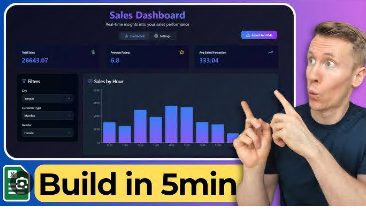
Ai For Excel: Automate Reporting And Build Dashboards Faster
MP4 | Video: h264, 2304x1440 | Audio: AAC, 44.1 KHz
Language: English | Size: 3.72 GB
Use AI to clean messy spreadsheets, generate formulas instantly, build dashboards, and create executive-ready reports.
What you'll learn
Automate Excel Reporting with AI Use AI tools to generate formulas, automate repetitive calculations, and streamline Excel workflows.
Clean and Structure Messy Data for Reliable Analysis Identify common spreadsheet data issues and use AI-assisted methods to clean, standardize, & prepare data.
Analyze Business Data and Identify Key Insights Transform raw spreadsheet data into meaningful insights by creating summary tables, and identifying trends.
Build Professional Dashboards and Executive Reports Create clear Excel dashboards and executive-ready reports that communicate key metrics and recommendations.
Requirements
Some exposure to Excel is helpful but no advanced skills are necessary, the course will take you step by step.
Description
Stop spending hours struggling with Excel.Most professionals still use Excel the old way.They manually write formulas, clean messy datasets one row at a time, and spend hours building reports that should take minutes.But AI is changing how Excel works.In this course, you will learn how to combine Excel with AI to automate reporting, clean data faster, generate formulas instantly, and build professional dashboards.Instead of fighting with spreadsheets, you'll learn a smarter workflow that allows you to move from raw data → insights → professional reports quickly.By the end of this course, you'll be able to take messy data and turn it into clear insights that decision-makers can use.What You Will LearnIn this course, you will learn how to:Use AI to generate complex Excel formulas instantlyClean messy spreadsheets in minutesAnalyze datasets and identify important trendsBuild professional dashboards that communicate insights clearlyAutomate recurring reportsGenerate executive summaries using AIYou will also learn a complete workflow used by analysts and managers in real organizations.The Real Value of This CourseMost Excel courses teach formulas.This course teaches how to think like an analyst.You'll learn how to:Diagnose messy datasetsClean and structure dataAnalyze patterns and trendsBuild dashboardsGenerate executive reportsThese are the skills professionals use every day in roles such as:Business analystMarketing analystOperations managerSales managerData analystConsultant or freelancerWho This Course Is ForThis course is ideal for:Professionals who use Excel for reportingAnalysts who want to work fasterManagers who need clearer insights from dataFreelancers who want to offer data analysis servicesAnyone who wants to combine AI with Excel to increase productivityNo advanced programming skills are required.What Makes This Course DifferentThis course is highly practical.You won't just watch lectures.You'll work through real datasets and build:automated formulasdashboardsexecutive reportsreusable templatesAI prompt librariesBy the end of the course, you will have a complete AI-powered Excel workflow you can use immediately in your job or business.Course IncludesReal-world datasetsExcel dashboardsAI prompt librariesreporting templatesstep-by-step exercisesa complete final projectAfter This CourseYou will be able to take messy spreadsheets and quickly transform them into:clean datasetsmeaningful analysisprofessional dashboardsexecutive-ready reportsThis is the skill that turns spreadsheet users into data-driven professionals.
• A basic familiarity with Microsoft Excel, such as entering data, navigating spreadsheets, and using simple formulas like SUM or AVERAGE. • Access to Microsoft Excel or a similar spreadsheet program like Google Sheets. • Access to an AI tool such as ChatGPT or another AI assistant to follow along with the exercises. • A willingness to practice with real datasets and apply the workflows demonstrated in the course. No advanced Excel skills, programming knowledge, or data science experience are required. The course is designed to guide you step-by-step from basic spreadsheet tasks to using AI for automation, analysis, and reporting.
https://nitroflare.com/view/1A42B20B97E75CD/Ai_For_Excel_Automate_Reporting_And_Build_Dashboards_Faster.part1.rar
https://nitroflare.com/view/9032E9968A67691/Ai_For_Excel_Automate_Reporting_And_Build_Dashboards_Faster.part2.rar
https://nitroflare.com/view/6B5F398290DCCED/Ai_For_Excel_Automate_Reporting_And_Build_Dashboards_Faster.part3.rar
https://nitroflare.com/view/94C60162096523A/Ai_For_Excel_Automate_Reporting_And_Build_Dashboards_Faster.part4.rar
https://rapidgator.net/file/6463c0fa9989ab35b33cb38577e36675/Ai_For_Excel_Automate_Reporting_And_Build_Dashboards_Faster.part1.rar.html
https://rapidgator.net/file/a4df9347766ff44a2582192395e9ff44/Ai_For_Excel_Automate_Reporting_And_Build_Dashboards_Faster.part2.rar.html
https://rapidgator.net/file/f2b4366909ece0971e2858bd436d6653/Ai_For_Excel_Automate_Reporting_And_Build_Dashboards_Faster.part3.rar.html
https://rapidgator.net/file/7c048676e8c89049b3e47931efe7aeda/Ai_For_Excel_Automate_Reporting_And_Build_Dashboards_Faster.part4.rar.html
We need your support!
Make a donation to help us stay online

Bitcoin (BTC)
bc1q08g9d22cxkawsjlf8etuek2pc9n2a3hs4cdrld

Bitcoin Cash (BCH)
qqvwexzhvgauxq2apgc4j0ewvcak6hh6lsnzmvtkem

Ethereum (ETH)
0xb55513D2c91A6e3c497621644ec99e206CDaf239

Litecoin (LTC)
ltc1qt6g2trfv9tjs4qj68sqc4uf0ukvc9jpnsyt59u

USDT (ERC20)
0xb55513D2c91A6e3c497621644ec99e206CDaf239

USDT (TRC20)
TYdPNrz7v1P9riWBWZ317oBgJueheGjATm
Information |
|||
 |
Users of GUESTS are not allowed to comment this publication. | ||