


Create A Professional Study Area Map In Arcgis
Category: Tutorials
- views: 196
- date: 10 April 2026
- posted by: 0nelove
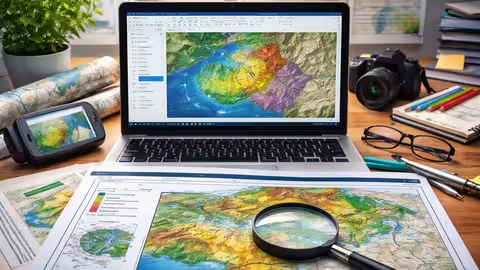
MP4 | Video: h264, 1920x1080 | Audio: AAC, 44.1 KHz
Language: English | Size: 653.52 MB
Study Area Mapping in ArcGIS: Create Professional Map Layouts | Complete Step-by-Step Process
What you'll learn
Understand the fundamentals of GIS and ArcGIS for creating accurate and meaningful spatial maps.
Prepare and manage spatial data including shapefiles, raster data, and coordinate systems.
Create a professional study area map from scratch using step-by-step procedures in ArcGIS.
Design publication-quality map layouts suitable for research papers, reports, and presentations.
Export and present maps professionally in different formats for academic and industry use.
Requirements
No prior experience in GIS or ArcGIS is required — this course is designed for beginners.
A computer or laptop (Windows preferred) with ArcGIS software installed.
Basic computer skills (such as file handling, installing software, and navigating folders).
Interest in mapping, geography, civil engineering, or research-related work. Willingness to practice along with hands-on exercises provided in the course.
Description
Are you looking to create professional study area maps for your research, projects, or reports? This course is your complete step-by-step guide to mastering study area mapping using ArcGIS.Whether you are a beginner or someone with basic GIS knowledge, this course will help you understand the full workflow—from spatial data preparation to designing publication-quality map layouts. You will learn how to work with vector and raster data, explore reliable GIS data sources, and apply essential cartographic principles to create clear, accurate, and visually appealing maps.The course is designed with a strong hands-on approach, guiding you through real-world examples in ArcGIS. By the end of the course, you will be able to confidently create, design, and export professional study area maps suitable for academic research, dissertations, and industry projects.What makes this course unique?Step-by-step practical approach for beginnersFocus on real-world study area mappingCovers both concepts and hands-on implementationDesigned for research scholars and studentsHelps you create publication-quality mapsWhat you will achieveBy completing this course, you will gain the skills to independently create high-quality study area maps, enhance your GIS knowledge, and improve your research presentation and technical profile for academic, professional, and industry-level applications with confidence and precision.
Students in Civil Engineering, Geography, Environmental Science, or related fields who want to learn practical GIS mapping skills.,Research scholars and postgraduate students who need to create professional study area maps for theses, dissertations, or journal publications.,Beginners with no prior GIS experience who want to start learning ArcGIS from scratch.,Professionals and consultants looking to enhance their mapping and spatial visualization skills for reports and projects.,Anyone interested in creating high-quality, publication-ready maps using ArcGIS.
Https://anonymz.com/?
https://www.udemy.com/course/create-a-professional-study-area-map-in-arcgis/
https://rapidgator.net/file/7a5132030ccfd6f9e57b26ec7d5e1ff6/Create_A_Professional_Study_Area_Map_In_Arcgis.rar.html
https://nitroflare.com/view/8AB39267CC91F06/Create_A_Professional_Study_Area_Map_In_Arcgis.rar
https://nitroflare.com/view/8AB39267CC91F06/Create_A_Professional_Study_Area_Map_In_Arcgis.rar
We need your support!
Make a donation to help us stay online

Bitcoin (BTC)
bc1q08g9d22cxkawsjlf8etuek2pc9n2a3hs4cdrld

Bitcoin Cash (BCH)
qqvwexzhvgauxq2apgc4j0ewvcak6hh6lsnzmvtkem

Ethereum (ETH)
0xb55513D2c91A6e3c497621644ec99e206CDaf239

Litecoin (LTC)
ltc1qt6g2trfv9tjs4qj68sqc4uf0ukvc9jpnsyt59u

USDT (ERC20)
0xb55513D2c91A6e3c497621644ec99e206CDaf239

USDT (TRC20)
TYdPNrz7v1P9riWBWZ317oBgJueheGjATm
Information |
|||
 |
Users of GUESTS are not allowed to comment this publication. | ||