


Raspberry Pi powered smart mirror
Category: Tutorials
- views: 234
- date: 5 April 2026
- posted by: 0nelove
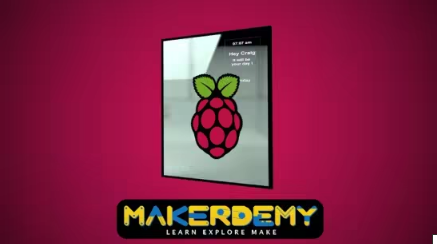
Raspberry Pi powered smart mirror
Last updated 12/2016
MP4 | Video: h264, 1280x720 | Audio: AAC, 44.1 KHz, 2 Ch
Language: English | Duration: 59m | Size: 302.43 MB
=
Learn how to build, design, and customize your very own Raspberry Pi powered smart mirror!
What you'll learn
Setup their very own Raspberry Pi powered smart mirror
Write basic HTML and CSS code for a smart mirror web page hosted on an Apache 2 HTTP server
Write jаvascript code to create a digital clock element for aforementioned web page
Write PHP code to read and display RSS feeds
Setup Chromium browser on the Raspberry Pi to autostart on boot
Requirements
You should know how to setup and work on a Raspberry Pi
You should understand basic Linux commands and utilities
Rudimentary knowledge of HTML and CSS is necessary to understand the project and to develop the project further
Elementary knowledge of jаvascript and PHP code is also necessary if you wish to understand and develop/modify the project
While this course does not teach or include any woodwork involved in completing the mirror, carpentry skills can be of use in crafting your mirror frame/cabinet
Description
This course is meant as a active learning/DIY project to learn the basics of scripting languages, while working on something fun.
This course will focus upon teaching you to setup and build your own smart mirror display. This involves creating and coding a custom web page and hosting it on a Raspberry Pi using the Apache HTTP server application.
To learn how to build your own magic mirror, we will first focus on writing a base HTML script for the website, and adding basic elements - a clock, a periodically updating news feed, and a periodically updating weather feed, to it. Once this is done, we will create a cascading style sheet (CSS) doc and customize our web page to give us the required display for a smart mirror.
This course involves the use of basic concepts from multiple programming languages. We will be using jаvascript to program the clock display. We will also be using PHP for the two RSS feeds - news and weather. Finally, we will put all this together in our HTML script and edit the presentation of our HTML document using a CSS file to make the display visible through a partially mirrored surface.
Who this course is for
This course is meant for anyone interested in setting up their own Raspberry Pi powered smart mirror
This course is also meant for programmers with a very basic working knowledge of HTML, CSS, jаvascript, or PHP, to learn the basics of the smart mirror and then customize/improve it as a learning experience
https://rapidgator.net/file/98736a4974629c67520215397700ad92/Raspberry_Pi_powered_smart_mirror.rar.html
https://nitroflare.com/view/09A2437D53A2AEC/Raspberry_Pi_powered_smart_mirror.rar
https://nitroflare.com/view/09A2437D53A2AEC/Raspberry_Pi_powered_smart_mirror.rar
We need your support!
Make a donation to help us stay online

Bitcoin (BTC)
bc1q08g9d22cxkawsjlf8etuek2pc9n2a3hs4cdrld

Bitcoin Cash (BCH)
qqvwexzhvgauxq2apgc4j0ewvcak6hh6lsnzmvtkem

Ethereum (ETH)
0xb55513D2c91A6e3c497621644ec99e206CDaf239

Litecoin (LTC)
ltc1qt6g2trfv9tjs4qj68sqc4uf0ukvc9jpnsyt59u

USDT (ERC20)
0xb55513D2c91A6e3c497621644ec99e206CDaf239

USDT (TRC20)
TYdPNrz7v1P9riWBWZ317oBgJueheGjATm
Information |
|||
 |
Users of GUESTS are not allowed to comment this publication. | ||