


Qnap Nas - Basics And Getting Started With Your Nas!
Category: Tutorials
- views: 194
- date: 19 March 2026
- posted by: 0nelove
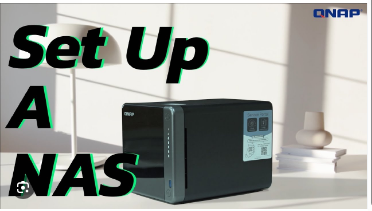
Qnap Nas - Basics And Getting Started With Your Nas!
Published 3/2026
Created by Emilio Aguero
MP4 | Video: h264, 1920x1080 | Audio: AAC, 44.1 KHz, 2 Ch
Level: All Levels | Genre: eLearning | Language: English | Duration: 17 Lectures ( 3h 21m ) | Size: 2.83 GB
Learn to set up, manage, and confidently use your QNAP NAS for storage, sharing, and backups
What you'll learn
✓ Setting up QNAP NAS for home or business use
✓ File management and sharing on QNAP NAS
✓ Using QNAP applications and services
✓ Administering, troubleshooting and maintenance of the NAS
Requirements
● Basic understanding of computer hardware and networking concepts
● Familiarity with file management on Windows or macOS
● Access to a QNAP NAS device (optional but recommended)
Description
Welcome to this beginner course on getting started with your QNAP NAS.
This course is designed for anyone new to QNAP or network storage, and will guide you step-by-step through setting up and using your NAS for everyday tasks.
QNAP NAS devices are used to store, manage, and share files across your home or business network. With their built-in operating system (QuTS/QTS), they provide an easy-to-use interface that lets you control everything from one place.
In this course, we'll focus on the essentials — helping you understand how your NAS works, how to set it up properly, and how to start using it with confidence.
What You'll Learn
Introduction to QNAP NAS
Get a simple overview of what a NAS is, how QNAP works, and the key hardware components inside your device.
Getting Started
Learn how to set up your NAS for the first time, navigate the desktop interface, and configure basic network settings.
Basic Configuration
Set up storage (including RAID), create users and groups, and configure shared folders so you can start storing and accessing your files.
File Access
Access your files from Windows and Mac devices and understand how file sharing works.
Application Management
Install and manage QNAP apps to extend what your NAS can do.
NAS Administration
Monitor system performance and keep your NAS up to date with the latest firmware.
Backups
Learn how to protect your data using built-in backup tools like Hybrid Backup Sync and Hyper Data Protector.
By the end of this course, you'll have a solid foundation in using your QNAP NAS — from initial setup through to managing storage, users, and backups — giving you the confidence to use it in your home or work environment.
Who this course is for
■ Individuals or business owners who are new to QNAP NAS
■ People who want to learn more about NAS products
https://rapidgator.net/file/4be9c31097f92ef3010a9cdfd4b42ca6/QNAP_NAS_-_Basics_and_Getting_Started_with_your_NAS!.part3.rar.html
https://rapidgator.net/file/dc0acec04b8b73d71f4d4e9850b8595f/QNAP_NAS_-_Basics_and_Getting_Started_with_your_NAS!.part2.rar.html
https://rapidgator.net/file/233b5a4363bee99d685e63679cdd6ecc/QNAP_NAS_-_Basics_and_Getting_Started_with_your_NAS!.part1.rar.html
https://nitroflare.com/view/190675D1837A34D/QNAP_NAS_-_Basics_and_Getting_Started_with_your_NAS%21.part3.rar
https://nitroflare.com/view/CBDB2DEF0B818AF/QNAP_NAS_-_Basics_and_Getting_Started_with_your_NAS%21.part2.rar
https://nitroflare.com/view/17803B7BF043453/QNAP_NAS_-_Basics_and_Getting_Started_with_your_NAS%21.part1.rar
https://rapidgator.net/file/dc0acec04b8b73d71f4d4e9850b8595f/QNAP_NAS_-_Basics_and_Getting_Started_with_your_NAS!.part2.rar.html
https://rapidgator.net/file/233b5a4363bee99d685e63679cdd6ecc/QNAP_NAS_-_Basics_and_Getting_Started_with_your_NAS!.part1.rar.html
https://nitroflare.com/view/190675D1837A34D/QNAP_NAS_-_Basics_and_Getting_Started_with_your_NAS%21.part3.rar
https://nitroflare.com/view/CBDB2DEF0B818AF/QNAP_NAS_-_Basics_and_Getting_Started_with_your_NAS%21.part2.rar
https://nitroflare.com/view/17803B7BF043453/QNAP_NAS_-_Basics_and_Getting_Started_with_your_NAS%21.part1.rar
We need your support!
Make a donation to help us stay online

Bitcoin (BTC)
bc1q08g9d22cxkawsjlf8etuek2pc9n2a3hs4cdrld

Bitcoin Cash (BCH)
qqvwexzhvgauxq2apgc4j0ewvcak6hh6lsnzmvtkem

Ethereum (ETH)
0xb55513D2c91A6e3c497621644ec99e206CDaf239

Litecoin (LTC)
ltc1qt6g2trfv9tjs4qj68sqc4uf0ukvc9jpnsyt59u

USDT (ERC20)
0xb55513D2c91A6e3c497621644ec99e206CDaf239

USDT (TRC20)
TYdPNrz7v1P9riWBWZ317oBgJueheGjATm
Information |
|||
 |
Users of GUESTS are not allowed to comment this publication. | ||