


BIM Graphic Presentation Design in Revit (2026) – Zero to Pro
Category: Tutorials
- views: 170
- date: 24 February 2026
- posted by: AD-TEAM
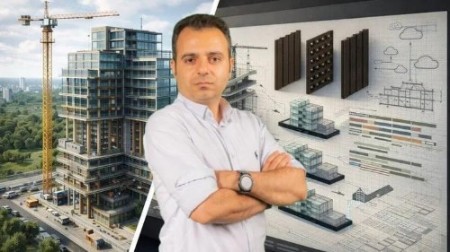
BIM Graphic Presentation Design in Revit 2026 – Zero to Pro
Published 1/2026
Duration: 1h 19m | .MP4 1920x1080 30fps(r) | AAC, 44100Hz, 2ch | 1.28 GB
Genre: eLearning | Language: English
Filters, Lighting, Visual Styles, Phasing, Exploded Diagrams, Smart Annotations + High-Quality Visualization in Revit
What you'll learn
- BIM Presentation Workflow in Revit 2026 – Complete Process for Creating Analytical and Exploded 3D Views
- BIM Presentation Techniques – Professional Methods for Enhancing Visual Communication in Projects
- BIM Presentation Graphics and Filters – Expert Control Over Visibility, Layers, Shadows, and Color Management
- Graphic Design Principles for BIM Documentation – Build Visually Engaging and Readable Presentation Sheets
- Exploded Diagrams and Analytical Models in Revit – Step-by-Step Workflow for Clear Structural Visualization
- Lighting and Shadow Control – Realistic BIM Presentation Using Artificial and Sun Lighting Settings
- Phasing and Project Staging in Revit – Show Design Evolution and Before/After Comparisons Professionally
- Tags and Smart Annotations – Transform Technical Drawings Into Analytical and Readable Graphic Diagrams
- Materials and Patterns – Create Custom Surface and Cut Patterns for Strong Graphic Identity in Sheets
- Visual Styles and Display Settings in Autodesk Revit – Enhance Presentation Clarity and Design Readability
- Backgrounds and Textures – Combine Photos, Gradients, and Colors for Artistic BIM Presentation Documents
- Sun Path and Shadow Studies – Present Environmental Behavior and Daylight Performance Accurately
- Graphic Storytelling in BIM – Communicate Design Intent from Concept Development to Final Presentation
- Real Project BIM Presentation Workflow in Revit – From Technical Accuracy to Professional Visual Delivery
Requirements
- Basic knowledge about BIM & Revit
Description
Note:This is not a typical visualization tutorial that just teaches you how to render in Revit — it's areal BIM Presentation workflow,showing how to transform technical drawings intoanalytical, artistic, and visually powerful presentationsusing design logic and real project storytelling.
Have you ever wondered how aBIM Presentationcan go beyond 3D modeling and communicate the design process itself?
Do you know howfilters, lighting, phasing, and tagswork together to turn technical sheets into graphic design narratives?
Are you looking to Learnvisual storytelling in Revit,learning how to present ideas and data with clarity and creativity?
In this course, you'll discover howtechnical precision meets graphic design principlesinside Revit.
You will learn to control every aspect of your presentation — fromVisibility Graphics, Filters, and Visual StylestoExploded Diagrams, Phasing, and Sun Path Studies.
Throughreal project examples, you'll create visually consistent and professional presentation sheets that express the design intent clearly and convincingly.
Headlines:
BIM Presentation Workflow in Revit 2026– Complete Process for Creating Analytical and Exploded 3D Views
BIM Presentation Techniques– Professional Methods for Enhancing Visual Communication in Projects
BIM Presentation Graphics and Filters– Expert Control Over Visibility, Layers, Shadows, and Color Management
Graphic Design Principles for BIM Documentation– Build Visually Engaging and Readable Presentation Sheets
Exploded Diagrams and Analytical Models in Revit– Step-by-Step Workflow for Clear Structural Visualization
Lighting and Shadow Control– Realistic BIM Presentation Using Artificial and Sun Lighting Settings
Phasing and Project Staging in Revit– Show Design Evolution and Before/After Comparisons Professionally
Tags and Smart Annotations– Transform Technical Drawings Into Analytical and Readable Graphic Diagrams
Materials and Patterns– Create Custom Surface and Cut Patterns for Strong Graphic Identity in Sheets
Visual Styles and Display Settings in Autodesk Revit– Enhance Presentation Clarity and Design Readability
Backgrounds and Textures– Combine Photos, Gradients, and Colors for Artistic BIM Presentation Documents
Sun Path and Shadow Studies– Present Environmental Behavior and Daylight Performance Accurately
Graphic Storytelling in BIM– Communicate Design Intent from Concept Development to Final Presentation
Real Project BIM Presentation Workflow in Revit– From Technical Accuracy to Professional Visual Delivery
Enroll nowand start LearnBIM Presentation Designfrom the ground up — transform your Revit skills into professional visual communication.
And remember:ask any question you have!I offer24/7 supportto help you overcome any challenge and advance confidently toward professional-levelBIM Presentation and Visualization.
Who this course is for:
- Architect
- BIM Specialist
- BIM Coordinator
- BIM Manager
- Interior Designer
- Landscape Architect
- Visualization Artist
- Architectural Illustrator
- Graphic Designer
- Design Manager
- AEC Student
- BIM Instructor
- Digital Design Professional
- Project Team Member in BIM Workflows
More Info

DDownload
https://ddownload.com/c1n2moqg5uer/BIM.Graphic.Presentation.Design.in.Revit.2026.-.Zero.to.Pro.part1.rar
https://ddownload.com/njzyrg3q0uuy/BIM.Graphic.Presentation.Design.in.Revit.2026.-.Zero.to.Pro.part2.rar
RapidGator
https://rapidgator.net/file/80df2feabf62e39122002cd427656ed6/BIM.Graphic.Presentation.Design.in.Revit.2026.-.Zero.to.Pro.part1.rar
https://rapidgator.net/file/2d54729e2d7a1369aea11db289656c25/BIM.Graphic.Presentation.Design.in.Revit.2026.-.Zero.to.Pro.part2.rar
NitroFlare
https://nitroflare.com/view/467EE40088F9B1E/BIM.Graphic.Presentation.Design.in.Revit.2026.-.Zero.to.Pro.part1.rar
https://nitroflare.com/view/9B179E94949914E/BIM.Graphic.Presentation.Design.in.Revit.2026.-.Zero.to.Pro.part2.rar
TakeFile
https://takefile.link/r0z2y0siycyq/BIM.Graphic.Presentation.Design.in.Revit.2026.-.Zero.to.Pro.part1.rar
https://takefile.link/94gx0kqml9mk/BIM.Graphic.Presentation.Design.in.Revit.2026.-.Zero.to.Pro.part2.rar
We need your support!
Make a donation to help us stay online

Bitcoin (BTC)
bc1q08g9d22cxkawsjlf8etuek2pc9n2a3hs4cdrld

Bitcoin Cash (BCH)
qqvwexzhvgauxq2apgc4j0ewvcak6hh6lsnzmvtkem

Ethereum (ETH)
0xb55513D2c91A6e3c497621644ec99e206CDaf239

Litecoin (LTC)
ltc1qt6g2trfv9tjs4qj68sqc4uf0ukvc9jpnsyt59u

USDT (ERC20)
0xb55513D2c91A6e3c497621644ec99e206CDaf239

USDT (TRC20)
TYdPNrz7v1P9riWBWZ317oBgJueheGjATm
Information |
|||
 |
Users of GUESTS are not allowed to comment this publication. | ||