


50 Powerful Excel Formulas For Data Analysis And Reporting
Category: Tutorials
- views: 107
- date: 4 February 2026
- posted by: 0nelove
50 Powerful Excel Formulas For Data Analysis And Reporting
Published 2/2026
MP4 | Video: h264, 1920x1080 | Audio: AAC, 44.1 KHz, 2 Ch
Language: English | Duration: 2h 32m | Size: 1.38 GB
Learn SUM, IF, COUNT, TEXT and DATE formulas with practical examples for daily office, business and reporting work
What you'll learn
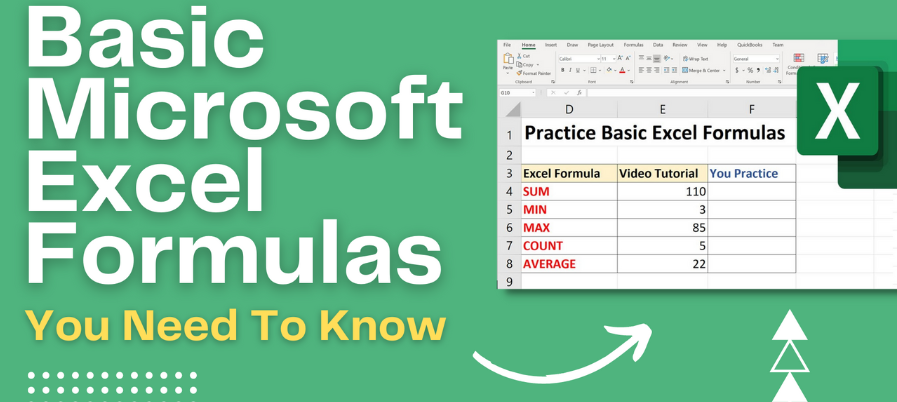
Apply essential Excel formulas like SUM, SUMIF, SUMIFS, AVERAGE, COUNT, MAX and MIN to perform daily data calculations accurately.
Use logical and error-handling formulas such as IFERROR and dynamic formulas to clean data and avoid common Excel calculation mistakes.
Master text formulas like LEFT, RIGHT, MID, LEN, TRIM, CONCATENATE, TEXTJOIN and TEXT SPLIT for professional data formatting.
Work confidently with date, time and random functions including DATE, NOW, TODAY, RAND and RANDBETWEEN for real-world Excel tasks.
Requirements
No prior Excel or formula knowledge is required. This course starts from the basics and gradually moves to advanced formulas.
A computer or laptop with Microsoft Excel installed (any version) is needed to practice along with the lectures.
Basic computer skills such as using a keyboard, mouse and opening files are enough.
Description
Microsoft Excel is one of the most important skills required in today's jobs, businesses and daily office work. This course, "50 Excel Formulas – From Basics to Advanced with Practical Examples", is designed to help you understand and use Excel formulas in a clear, simple and practical way.This course starts from the very BONUS, so no prior Excel knowledge is required. You will gradually learn how to use essential formulas like SUM, SUMIF, SUMIFS, AVERAGE, COUNT, MAX, MIN and PRODUCT to perform accurate calculations. As you move forward, you will understand logical and error-handling formulas such as IFERROR and dynamic formulas that make your work faster and cleaner.You will also master text formulas like LEFT, RIGHT, MID, LEN, TRIM, CONCATENATE, TEXTJOIN, TEXT BEFORE, TEXT AFTER and TEXT SPLIT to format and clean data professionally. Important date and time formulas such as DATE, NOW, TODAY and Day–Month–Year functions are explained with real-life examples. Random and utility formulas like RAND, RANDBETWEEN, ABS, UNIQUE, TRANSPOSE and Flash Fill magic are also covered.Each formula is explained step by step with hands-on demonstrations, making this course ideal for beginners, students, working professionals, business owners and office staff. By the end of this course, you will be confident in using Excel formulas for daily work, reports and data handling tasks.
Who this course is for
Beginners who want to learn Microsoft Excel formulas from scratch in a simple and practical way.
https://rapidgator.net/file/1ae132d772b4bba005840bee23338bf9/50_Powerful_Excel_Formulas_for_Data_Analysis_and_Reporting.part2.rar.html
https://rapidgator.net/file/d8be142062becae06a4c3aca88332e75/50_Powerful_Excel_Formulas_for_Data_Analysis_and_Reporting.part1.rar.html
https://nitroflare.com/view/22D6F94ABBE25DA/50_Powerful_Excel_Formulas_for_Data_Analysis_and_Reporting.part2.rar
https://nitroflare.com/view/1A156BE75E5C871/50_Powerful_Excel_Formulas_for_Data_Analysis_and_Reporting.part1.rar
We need your support!
Make a donation to help us stay online

Bitcoin (BTC)
bc1q08g9d22cxkawsjlf8etuek2pc9n2a3hs4cdrld

Bitcoin Cash (BCH)
qqvwexzhvgauxq2apgc4j0ewvcak6hh6lsnzmvtkem

Ethereum (ETH)
0xb55513D2c91A6e3c497621644ec99e206CDaf239

Litecoin (LTC)
ltc1qt6g2trfv9tjs4qj68sqc4uf0ukvc9jpnsyt59u

USDT (ERC20)
0xb55513D2c91A6e3c497621644ec99e206CDaf239

USDT (TRC20)
TYdPNrz7v1P9riWBWZ317oBgJueheGjATm
Information |
|||
 |
Users of GUESTS are not allowed to comment this publication. | ||