


Master Microsoft Planner: From Basics To Premium
Category: Tutorials
- views: 168
- date: 30 November 2025
- posted by: 0nelove
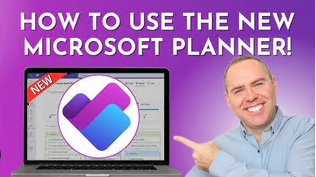
Master Microsoft Planner: From Basics To Premium
Published 11/2025
Created by Omar Koryakin
MP4 | Video: h264, 1280x720 | Audio: AAC, 44.1 KHz, 2 Ch
Level: All | Genre: eLearning | Language: English | Duration: 32 Lectures ( 2h 27m ) | Size: 891 MB
The complete guide to organizing tasks, managing projects, and collaborating effectively with the new Microsoft Planner
What you'll learn
Navigate the New Planner: Master the interface, including My Day, My Tasks, and My Plans views.
Task Management: Learn to add, move, and prioritize tasks, as well as add notes, comments, and attachments.
Plan Creation: Create basic and private plans, use templates, and manage task assignments effectively.
Visualizing Work: Utilize Grid, Schedule, and Chart views to keep your project on track.
Premium Features: Unlock advanced capabilities like Timeline (Gantt) views, dependencies, goals, custom columns, and workload management.
Collaboration: Integrate Planner with Microsoft Teams to enhance team collaboration.
Requirements
Access to a Microsoft 365 account (Business or Enterprise recommended for full features).
No prior experience with Microsoft Planner is required.
A willingness to learn and apply new productivity tools.
Description
Unlock the full potential of Microsoft Planner to streamline your workflow and manage projects like a proIn today's fast-paced work environment, staying organized is key to success. Microsoft Planner is a powerful, intuitive tool that helps teams create plans, organize and assign tasks, share files, chat about what you're working on, and get updates on progress. Whether you are using the free version or the advanced Premium features, this course covers it all.This comprehensive course is designed to take you from a beginner to an advanced user. You will start by exploring the interface and understanding the different views, then move on to mastering task management. You'll learn how to create robust plans, visualize data with charts and schedules, and finally, dive deep into the Premium features that bring Project-level capabilities to Planner.What You'll Learn:- Navigate the New Planner: Master the interface, including My Day, My Tasks, and My Plans views.- Task Management: Learn to add, move, and prioritize tasks, as well as add notes, comments, and attachments.- Plan Creation: Create basic and private plans, use templates, and manage task assignments effectively.- Visualizing Work: Utilize Grid, Schedule, and Chart views to keep your project on track.- Premium Features: Unlock advanced capabilities like Timeline (Gantt) views, dependencies, goals, custom columns, and workload management.- Collaboration: Integrate Planner with Microsoft Teams to enhance team collaboration.Why this course?We don't just show you the buttons; we explain the why and how to apply these features to real-world scenarios. Whether you're a project manager, a team lead, or just looking to organize your personal work, this course provides the skills you need.Enroll today and start managing your tasks with confidence
Who this course is for
Professionals looking to improve their task and project management skills.
Team leaders and Project Managers who need a collaborative tool for their teams.
Users upgrading from the basic Planner to the new Planner Premium.
Anyone who wants to organize their daily work and increase productivity within the Microsoft 365 ecosystem.
Homepage
https://rapidgator.net/file/a9552fbe5fc8f228b044c5d904cbdb3f/Master_Microsoft_Planner_From_Basics_to_Premium.rar.html
https://nitroflare.com/view/4F19F3EE2E8A9E8/Master_Microsoft_Planner_From_Basics_to_Premium.rar
https://nitroflare.com/view/4F19F3EE2E8A9E8/Master_Microsoft_Planner_From_Basics_to_Premium.rar
We need your support!
Make a donation to help us stay online

Bitcoin (BTC)
bc1q08g9d22cxkawsjlf8etuek2pc9n2a3hs4cdrld

Bitcoin Cash (BCH)
qqvwexzhvgauxq2apgc4j0ewvcak6hh6lsnzmvtkem

Ethereum (ETH)
0xb55513D2c91A6e3c497621644ec99e206CDaf239

Litecoin (LTC)
ltc1qt6g2trfv9tjs4qj68sqc4uf0ukvc9jpnsyt59u

USDT (ERC20)
0xb55513D2c91A6e3c497621644ec99e206CDaf239

USDT (TRC20)
TYdPNrz7v1P9riWBWZ317oBgJueheGjATm
Information |
|||
 |
Users of GUESTS are not allowed to comment this publication. | ||