


Official course OPNsense on GNS3 for LABs Emulation
Category: Tutorials
- views: 145
- date: 29 November 2025
- posted by: oaxino
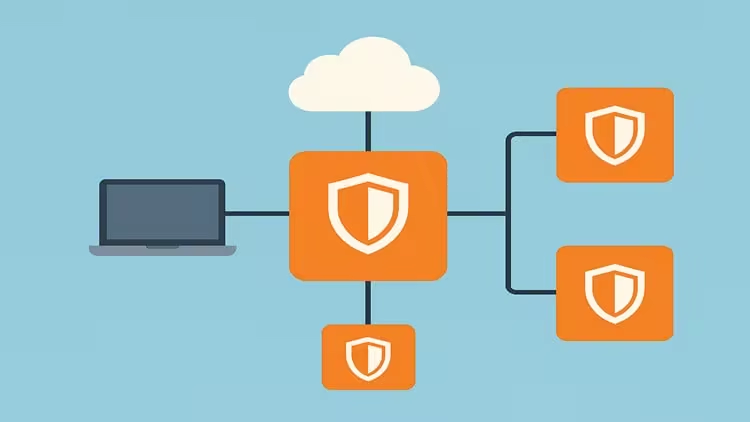
Free Download Official course OPNsense on GNS3 for LABs Emulation
Published 11/2025
MP4 | Video: h264, 1280x720 | Audio: AAC, 44.1 KHz, 2 Ch
Language: English | Duration: 1h 3m | Size: 1.14 GB
Install OPNsense on GNS3, connect it to your PC and internet, and emulate multi-router labs.
What you'll learn
and prepare OPNsense images for use in GNS3
Install and launch OPNsense in GNS3
Configure basic LAN and WAN interfaces to allow connectivity
Connect the virtual OPNsense router to your real PC
Access the OPNsense GUI from your computer's web browser
Provide internet access to the OPNsense instance inside GNS3
Add additional OPNsense routers in the same project
Reach each OPNsense router from the same PC for testing
Understand GNS3 cloud and virtual adapter configuration
Build a stable foundation for your own OPNsense lab environment
Requirements
Basic understanding of IP addressing, gateways, and subnets
No physical routers or firewalls are required
A PC connected to the internet
Description
This course is designed to help you create a fully functional OPNsense lab environment using GNS3—without purchasing any physical hardware. Many learners struggle with the initial setup phase: how to install the OPNsense image in GNS3, how to configure interfaces, how to access the GUI from the real PC, and how to connect the virtual router to the internet. In this course, you will learn these essential steps clearly and professionally, so you can start building real labs immediately.We begin by preparing the OPNsense image files and importing them into GNS3. You will learn how to assign virtual network interfaces, configure LAN and WAN connectivity, and make sure OPNsense boots properly inside the GNS3 environment. Once the first router is running, we will connect it to your real computer so you can access the web interface directly from a browser, just like using a physical firewall. You will then learn how to configure GNS3 network nodes to provide real internet connectivity to the virtual router.The course continues by showing you how to add multiple OPNsense routers in the same project. You will learn how to reach each one individually from your PC, how to organize connections, and how to maintain a clean lab environment. By the end, you will be able to run multiple OPNsense routers, test different scenarios, study routing or connectivity concepts, and prepare advanced labs later—at your own pace.This course is technical yet beginner-friendly, and focuses strictly on setup, connectivity, and emulation. No advanced firewall configuration is included, making it ideal for anyone who needs a reliable lab foundation before moving into more complex topics.
Who this course is for
Beginners who want to start using OPNsense in a lab without hardware
Networking students learning virtualization and firewall emulation
IT professionals who want to experiment with OPNsense safely
MikroTik, Cisco, or Linux users looking to try OPNsense for the first time
Anyone building lab environments for testing or learning
Homepage:
https://www.udemy.com/course/official-course-opnsense-on-gns3-for-labs-emulation/
Rapidgator
https://rapidgator.net/file/228498bdd5635b9f11baba0e021edb33/xifvf.Official.course.OPNsense.on.GNS3.for.LABs.Emulation.part1.rar.html
https://rapidgator.net/file/75a095aa72d7babeb60fa6a123fbd9ff/xifvf.Official.course.OPNsense.on.GNS3.for.LABs.Emulation.part2.rar.html
https://nitroflare.com/view/F52DAA1D21CEB43/xifvf.Official.course.OPNsense.on.GNS3.for.LABs.Emulation.part1.rar
https://nitroflare.com/view/19AAF6FAC0E39AA/xifvf.Official.course.OPNsense.on.GNS3.for.LABs.Emulation.part2.rar
We need your support!
Make a donation to help us stay online

Bitcoin (BTC)
bc1q08g9d22cxkawsjlf8etuek2pc9n2a3hs4cdrld

Bitcoin Cash (BCH)
qqvwexzhvgauxq2apgc4j0ewvcak6hh6lsnzmvtkem

Ethereum (ETH)
0xb55513D2c91A6e3c497621644ec99e206CDaf239

Litecoin (LTC)
ltc1qt6g2trfv9tjs4qj68sqc4uf0ukvc9jpnsyt59u

USDT (ERC20)
0xb55513D2c91A6e3c497621644ec99e206CDaf239

USDT (TRC20)
TYdPNrz7v1P9riWBWZ317oBgJueheGjATm
Information |
|||
 |
Users of GUESTS are not allowed to comment this publication. | ||