


Biomechanics Data in Python & AI
Category: Tutorials
- views: 93
- date: 25 November 2025
- posted by: voska89
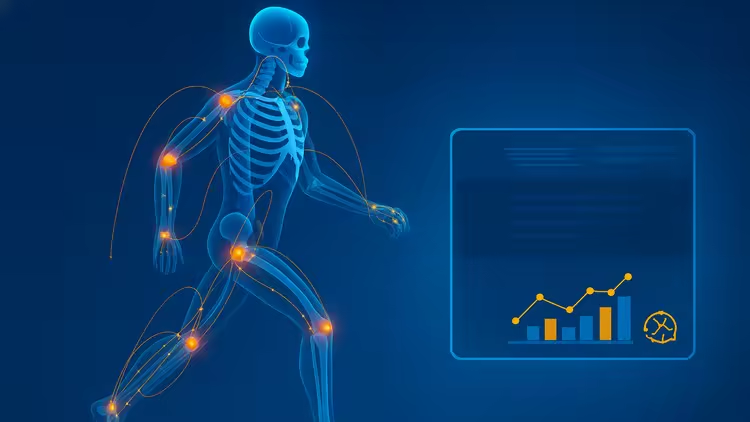
Free Download Biomechanics Data in Python & AI
Published 11/2025
MP4 | Video: h264, 1280x720 | Audio: AAC, 44.1 KHz, 2 Ch
Language: English | Duration: 3h 45m | Size: 2.28 GB
Learn to analyze, visualize, and interpret biomechanics data using Python, AI, and real human movement examples.
What you'll learn
Set up and work in Google Colab to run Python notebooks for biomechanics analysis, with zero installs.
Load and inspect C3D motion capture files, including markers, analog signals like force plates and EMG, and key metadata.
Read and write C3D in Python using ezc3d or c3dposeiq, then organize data for analysis.
Build a tidy analysis table from C3D data by extracting time, marker trajectories, vertical ground reaction force, normalizing units, and filtering noise.
Visualize biomechanics signals with matplotlib to create clear, publication-ready plots.
Apply a practical workflow from input to export that you can reuse in labs or research.
Requirements
A laptop or desktop with a modern web browser and an internet connection. You will run everything in Google Colab, in the browser, no installs needed.
A Google account for Colab access.
No prior coding or biomechanics experience required. The material is written for complete beginners, even if you have never heard of C3D.
Optional: very light Python familiarity helps. We review basics like lists, functions, assertions, arrays, and DataFrames inside the course.
Sample data is provided. If you do not have your own motion capture files, we use public C3D examples so you can practice right away.
Software is handled in-notebook. We install ezc3d and pandas with pip when needed.
Tools used in the course include NumPy and Matplotlib, which are available in Colab.
Nice to have, not required: curiosity about motion capture signals like markers, force plates, and EMG. We explain these as we go.
Description
This hands-on course bridges biomechanics and coding, built on the concepts from A Hands-On Guide to Biomechanics Data Analysis with Python and AI. You'll learn how to process, analyze, and visualize human movement data using Python, Google Colab, and AI tools—no prior programming required. Step by step, we move from raw motion capture, force, and EMG signals to clear insights about posture, performance, and efficiency.Through guided notebooks and real datasets, you'll explore:Data cleaning, filtering, and event detection in biomechanicsForce-plate and motion data analysis with NumPy and Pandas2D/3D visualization and report generation in ColabBasic machine learning for movement classification and predictionYou'll also gain practical skills for parsing C3D files, aligning markers and forces, normalizing units, detecting gait events, and computing key metrics such as stride time, GRF peaks, and symmetry indices. Each module follows the same reproducible pipeline used by biomechanics labs worldwide—Input → Parse → Analyze → Visualize → Report.By the end, you'll be able to transform complex biomechanical data into meaningful, shareable results—ready for research, clinical work, sports analysis, or AI modeling. Includes Colab notebooks, sample datasets, code templates, and report builders so you can apply everything immediately to your own projects.Who is it for? Students, clinicians, coaches, and researchers seeking a practical, modern toolkit. You'll complete bite-size projects (e.g., compare shoes or techniques) and a capstone that imports C3D/CSV, computes key features, visualizes cycles, and exports an HTML/CSV mini-report. Clear checklists, guardrails, and starter code keep you moving—from first plot to publishable, reproducible results.
Who this course is for
Beginners who want a practical, no-install path to analyzing biomechanics data in Google Colab.
Students in biomechanics, kinesiology, physical therapy, or sports science who need hands-on C3D skills.
Research assistants and lab technicians who work with motion capture, force plates, or EMG and want a clean Python workflow.
Coaches and sports scientists looking to visualize and interpret movement data without buying expensive software.
Engineers or data analysts curious about applying Python to human movement and time-series signals.
Instructors who want ready-to-run notebooks and sample datasets for teaching labs.
Anyone with C3D files who needs a clear start-to-finish pipeline for loading, cleaning, plotting, and exporting results.
Homepage
https://www.udemy.com/course/biomechanics-data-in-python-ai/DOWNLOAD LINK
DDownload
uxndi.Biomechanics.Data.in.Python..AI.part1.rar
uxndi.Biomechanics.Data.in.Python..AI.part2.rar
uxndi.Biomechanics.Data.in.Python..AI.part3.rar
Rapidgator
uxndi.Biomechanics.Data.in.Python..AI.part1.rar.html
uxndi.Biomechanics.Data.in.Python..AI.part2.rar.html
uxndi.Biomechanics.Data.in.Python..AI.part3.rar.html
AlfaFile
uxndi.Biomechanics.Data.in.Python..AI.part1.rar
uxndi.Biomechanics.Data.in.Python..AI.part2.rar
uxndi.Biomechanics.Data.in.Python..AI.part3.rar
FreeDL
uxndi.Biomechanics.Data.in.Python..AI.part1.rar.html
uxndi.Biomechanics.Data.in.Python..AI.part2.rar.html
uxndi.Biomechanics.Data.in.Python..AI.part3.rar.html
No Password - Links are Interchangeable
We need your support!
Make a donation to help us stay online

Bitcoin (BTC)
bc1q08g9d22cxkawsjlf8etuek2pc9n2a3hs4cdrld

Bitcoin Cash (BCH)
qqvwexzhvgauxq2apgc4j0ewvcak6hh6lsnzmvtkem

Ethereum (ETH)
0xb55513D2c91A6e3c497621644ec99e206CDaf239

Litecoin (LTC)
ltc1qt6g2trfv9tjs4qj68sqc4uf0ukvc9jpnsyt59u

USDT (ERC20)
0xb55513D2c91A6e3c497621644ec99e206CDaf239

USDT (TRC20)
TYdPNrz7v1P9riWBWZ317oBgJueheGjATm
Information |
|||
 |
Users of GUESTS are not allowed to comment this publication. | ||