


Godot 4: Create A Third Person Shooter Controller
Category: Tutorials
- views: 199
- date: 9 November 2025
- posted by: AD-TEAM
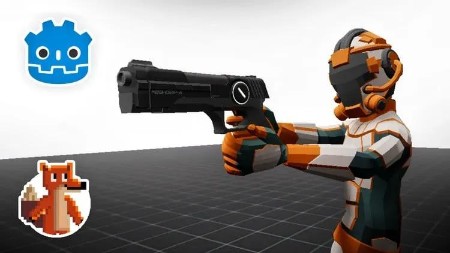
Godot 4: Create A Third Person Shooter Controller
Published 4/2025
Duration: 11h 23m | .MP4 1920x1080, 30 fps(r) | AAC, 44100 Hz, 2ch | 8.93 GB
Genre: eLearning | Language: English
Create A Player Controller With A Full Rig and Weapon Manager
What you'll learn
- Create A Third Person Shooter Controller - From non combat movement to switching to full combat mechicanics like Mass Effect, Hell Divers 2 and Fortnite
- Create a complex and Dynamic animation state machine, make your characters movements smooth and seemless with a variety of blending and transition techniques
- Use Custom Classes and Resources to build a robust system that understands what each component is without directly relying on each component
- Learn How To Use Godot Like A Pro - From Scene Structure, Composition, Custom Signals and way more
- Master The State Machine - Create a robust finite state machine that will ensure that each action has it's own set of rules and no unexpected transitions
Requirements
- A little bit of Godot Knowledge will be good and a basic understanding of programming.
Description
Have you ever wanted to make a third person shooter?
It can be challenging to know how to get the actions to work smoothly with a control rig. A careful structure must be created to ensure that the animations do not cut of jump between each other.
This Course will show you how to make a third person controller in Godot from scratch. We'll go from blank canvas, to capsule, to full control rig and finally a weapon controller. I will show you how and explain why I am making the decision I'm making. Because when you're making such a complicated controller there isn't one right way to do it. So I will tell you what I'm doing it and why, occasionally talk about alternatives and then we can move on. Nothing is skipped. Aside from collecting animations, I have included every single decision I made along the way.
We will create:
A Camera Controller.
Using Spring Arms, we will be able to rotate around our character, without clipping into walls.
Using Tweens, we will be able to switch which side we view the character from.
Using Tweens, we will be able to Zoom the camera to better aim our weapons.
We will also make sure all of these actions can happen smoothly.
A Node Based Finite State Machine.
We Will Create a State machine which will ensure our actions are clearly defined and have clear rules about what can be triggered and when.
We have a state machine for both Combat and Non combat enabling you to design dynamic play modes depending on your desires.
A Full Third Person Character Rig and Animations.
Using Blender and Mixamo we will create a rig with a complex set of animations.
We will discuss importing a rig into Godot.
How to use the Animation Tree Player.
Create a complex set of transitions and blends to ensure that each is smooth and seamless.
A Weapon Manager.
Create a dynamic weapon manger.
using classes and components create a system that will allow a diverse number of different weapons and projectiles.
Picking up Ammo and Weapons.
Dropping Weapons.
We Will also cover Inverse Kinematics
Ensure the player is always looking down camera
Adjust the weapon position to better suit the character pose
Make sure the left hand is always on the weapon
Thank you for checking out this course and I look forward to seeing work through this project and creating an amazing game.
Who this course is for:
- Beginners To Godot Looking To Learn About Developing More Complex Projects In Godot
- Beginner Programmers
- Beginner Game Developers
More Info
Please check out others courses in your favourite language and bookmark them
- - - -

RapidGator
https://rapidgator.net/file/7ccb78f949fe81fe30f2652c034e8d09/.godot.4.create.a.third.person.shooter.controller.part01.rar
https://rapidgator.net/file/2eb23e6c39827a45728d2d8017ec6c57/.godot.4.create.a.third.person.shooter.controller.part02.rar
https://rapidgator.net/file/25ce72b51a70a25928ec07015050c984/.godot.4.create.a.third.person.shooter.controller.part03.rar
https://rapidgator.net/file/d8891f9d09b7e67b5d138e7a2524f73e/.godot.4.create.a.third.person.shooter.controller.part04.rar
https://rapidgator.net/file/aead0fefbd7c2ef8660b68bd53dc0498/.godot.4.create.a.third.person.shooter.controller.part05.rar
https://rapidgator.net/file/31a995970738bbc336738bcb73229723/.godot.4.create.a.third.person.shooter.controller.part06.rar
https://rapidgator.net/file/a6c2613f4b2f16cbb26c28ea39304284/.godot.4.create.a.third.person.shooter.controller.part07.rar
https://rapidgator.net/file/a756063b1f532a6c426c23773496ac71/.godot.4.create.a.third.person.shooter.controller.part08.rar
https://rapidgator.net/file/296db5f6bc9429d90626b534ee8aba80/.godot.4.create.a.third.person.shooter.controller.part09.rar
NitroFlare
https://nitroflare.com/view/60C2D173C5805CF/.godot.4.create.a.third.person.shooter.controller.part01.rar
https://nitroflare.com/view/CBA98DE94E3276E/.godot.4.create.a.third.person.shooter.controller.part02.rar
https://nitroflare.com/view/ABAB2B92CD59E0C/.godot.4.create.a.third.person.shooter.controller.part03.rar
https://nitroflare.com/view/9DD87D16677F432/.godot.4.create.a.third.person.shooter.controller.part04.rar
https://nitroflare.com/view/1CE2F80AF9F8DCE/.godot.4.create.a.third.person.shooter.controller.part05.rar
https://nitroflare.com/view/06B46B45919B6BA/.godot.4.create.a.third.person.shooter.controller.part06.rar
https://nitroflare.com/view/9417C552AC8E43F/.godot.4.create.a.third.person.shooter.controller.part07.rar
https://nitroflare.com/view/5F694DD03612B48/.godot.4.create.a.third.person.shooter.controller.part08.rar
https://nitroflare.com/view/875CEA3FB134144/.godot.4.create.a.third.person.shooter.controller.part09.rar
DDownload
https://ddownload.com/l3ma4x2zl09n/.godot.4.create.a.third.person.shooter.controller.part01.rar
https://ddownload.com/7u80txe6227x/.godot.4.create.a.third.person.shooter.controller.part02.rar
https://ddownload.com/m26h5mea19it/.godot.4.create.a.third.person.shooter.controller.part03.rar
https://ddownload.com/8ld44oamm7qr/.godot.4.create.a.third.person.shooter.controller.part04.rar
https://ddownload.com/il0j7nu72y46/.godot.4.create.a.third.person.shooter.controller.part05.rar
https://ddownload.com/u94lp4plyui7/.godot.4.create.a.third.person.shooter.controller.part06.rar
https://ddownload.com/blt30zly90ec/.godot.4.create.a.third.person.shooter.controller.part07.rar
https://ddownload.com/iri7ypomhmlk/.godot.4.create.a.third.person.shooter.controller.part08.rar
https://ddownload.com/k3qbkveng9tf/.godot.4.create.a.third.person.shooter.controller.part09.rar
We need your support!
Make a donation to help us stay online

Bitcoin (BTC)
bc1q08g9d22cxkawsjlf8etuek2pc9n2a3hs4cdrld

Bitcoin Cash (BCH)
qqvwexzhvgauxq2apgc4j0ewvcak6hh6lsnzmvtkem

Ethereum (ETH)
0xb55513D2c91A6e3c497621644ec99e206CDaf239

Litecoin (LTC)
ltc1qt6g2trfv9tjs4qj68sqc4uf0ukvc9jpnsyt59u

USDT (ERC20)
0xb55513D2c91A6e3c497621644ec99e206CDaf239

USDT (TRC20)
TYdPNrz7v1P9riWBWZ317oBgJueheGjATm
Information |
|||
 |
Users of GUESTS are not allowed to comment this publication. | ||