


Master 3d Scanning The Pro Workflow - Blender, Maya & Unreal
Category: Tutorials
- views: 86
- date: 5 November 2025
- posted by: mitsumi
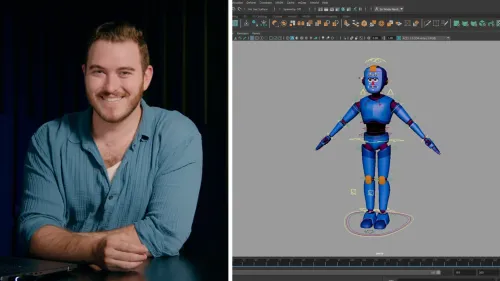
Master 3d Scanning The Pro Workflow - Blender, Maya & Unreal
Published 10/2025
MP4 | Video: h264, 1920x1080 | Audio: AAC, 44.1 KHz
Language: English | Size: 982.11 MB | Duration: 1h 7m
Learn the full photogrammetry pipeline — from real-world capture to production-ready 3D models for animation and game.
What you'll learn
Capture real-world objects using professional photogrammetry techniques.
Process scans in RealityScan, Metashape, and Blender to build clean 3D models.
Perform retopology, UV mapping, and texture baking for optimized, production-ready results.
Create and manage PBR materials and displacement maps in Blender, Maya, Unreal, and other render engines.
Understand the full 3D scanning workflow used in professional film, animation, and game pipelines.
Export and render scanned assets with accurate scale, lighting, and materials for portfolio or studio use.
Requirements
Basic familiarity with any 3D software such as Blender, Maya, or Unreal Engine.
A camera or smartphone capable of taking clear, detailed photos.
Access to photogrammetry software (RealityScan, Metashape, or similar).
Curiosity and patience — photogrammetry is a creative process that rewards precision!
Description
In this course, you'll learn how to capture real-life objects using photogrammetry and transform them into optimized, ready-to-render assets for your creative projects.You'll follow a complete production-level workflow, developed through more than a decade of real studio experience at PolyCG, to ensure your models meet the highest standards for realism and performance.What you'll learn:How to shoot perfect photo sets for photogrammetrySetting up consistent lighting and camera anglesBuilding 3D meshes from photos using RealityCapture or MetashapeCleaning, retopologizing, and texturing your modelExporting assets for Blender, Maya, Cinema 4D, and Unreal EngineManaging scale, UVs, and materials for professional pipelinesWho this course is for:3D artists, animators, and VFX professionals who want to add photogrammetry to their skill setGame environment artists who need realistic scanned assetsFilmmakers and architects who want accurate digital recreations of real objectsBeginners who have basic knowledge of Blender or Maya and want to move toward professional 3D productionCourse project:You'll scan and reconstruct a small rock or similar object using real reference photos.All example photos used in this course are included for download, so you can follow every step before scanning your own models.By the end of this course:You'll be able to scan, clean, and export your own high-quality 3D assets using a proven professional workflow that fits right into production for film, animation, and games.
3D artists and modelers who want to add photogrammetry to their workflow.,VFX and animation professionals looking to create realistic digital assets.,Game environment artists who need real-world scanned materials and props.,Architects and product designers interested in using 3D scans for visualization.,Beginners in 3D graphics who know the basics of Blender or Maya and want to move toward professional-grade results.
DOWNLOAD
We need your support!
Make a donation to help us stay online

Bitcoin (BTC)
bc1q08g9d22cxkawsjlf8etuek2pc9n2a3hs4cdrld

Bitcoin Cash (BCH)
qqvwexzhvgauxq2apgc4j0ewvcak6hh6lsnzmvtkem

Ethereum (ETH)
0xb55513D2c91A6e3c497621644ec99e206CDaf239

Litecoin (LTC)
ltc1qt6g2trfv9tjs4qj68sqc4uf0ukvc9jpnsyt59u

USDT (ERC20)
0xb55513D2c91A6e3c497621644ec99e206CDaf239

USDT (TRC20)
TYdPNrz7v1P9riWBWZ317oBgJueheGjATm
Information |
|||
 |
Users of GUESTS are not allowed to comment this publication. | ||