


Linux Mint For The Casual Computer User
Category: Tutorials
- views: 93
- date: 2 November 2025
- posted by: 0nelove
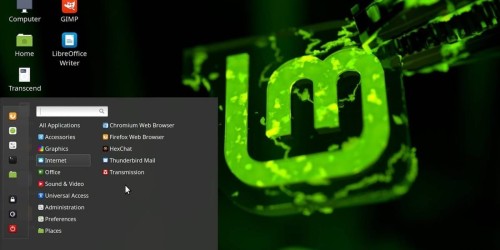
Linux Mint For The Casual Computer User
Published 10/2025
MP4 | Video: h264, 1920x1080 | Audio: AAC, 44.1 KHz
Language: English | Size: 1.57 GB | Duration: 4h 16m
Using Linux Mint for everyday activities
What you'll learn
Evaluate Linux Mint using a Live USB; "try before you buy"
Install Linux Mint on a permanent basis, either as a second operating system or standalone
Install additional applications, using different methods
Learn about additional useful features in Cinnamon Spices: Desklets, Applets and Actions
Network a mix of Linux and Windows PC's to share files on a home network
Requirements
No programming experience needed, bust some familiarity with Windows operating system will be helpful
Description
Windows 10 has reached End of Life, and Microsoft no longer supports it with free security upgrades. If the user's current computer does not meet the system requirements to upgrade to Windows 11, they are faced with the possibility of purchasing a new computer. Linux is a free and open source operating system, with multiple distributions available. This course presents the option of using Linux Mint as an alternate operating system.The course will lead the user through the process of downloading Linux Mint, and evaluating it on a trial basis. If the user decides to make the change permanent, instructions are provided for installation either as a second operating system ("dual boot"), or a full install as the only operating system.Once installed, the course will cover:- Tuning the appearance and convenience settings on the desktop.- The file structure of the Linux operating system, compared with Windows.- Backup and Restore functions of the Operating System, using TimeShift.- Stopping an unresponsive app using System Monitor.- Learning about app repositories, and installing apps using different methods.- Additional features of the Cinnamon desktop, called Applets, Desklets and Actions.- Accessing and sharing files over the network between a mix of Linux and Windows computers.Linux Mint serves as an easy transition from Windows. The course learning applies to any other Linux distribution.
The casual computer user who just uses a computer for everyday functions, and does not seek to become a computer expert
Screenshot
https://rapidgator.net/file/b89f10283d07f287caacee253e3ae01b/Linux_Mint_for_the_Casual_Computer_User.part2.rar.html
https://rapidgator.net/file/356b8f0df270458f34fb84887716e8ad/Linux_Mint_for_the_Casual_Computer_User.part1.rar.html
https://nitroflare.com/view/F7D0E0171C2732D/Linux_Mint_for_the_Casual_Computer_User.part2.rar
https://nitroflare.com/view/6D1A6D3864F38D1/Linux_Mint_for_the_Casual_Computer_User.part1.rar
We need your support!
Make a donation to help us stay online

Bitcoin (BTC)
bc1q08g9d22cxkawsjlf8etuek2pc9n2a3hs4cdrld

Bitcoin Cash (BCH)
qqvwexzhvgauxq2apgc4j0ewvcak6hh6lsnzmvtkem

Ethereum (ETH)
0xb55513D2c91A6e3c497621644ec99e206CDaf239

Litecoin (LTC)
ltc1qt6g2trfv9tjs4qj68sqc4uf0ukvc9jpnsyt59u

USDT (ERC20)
0xb55513D2c91A6e3c497621644ec99e206CDaf239

USDT (TRC20)
TYdPNrz7v1P9riWBWZ317oBgJueheGjATm
Information |
|||
 |
Users of GUESTS are not allowed to comment this publication. | ||