


The Complete Blender Guide: From Beginner To Pro
Category: Tutorials
- views: 101
- date: 18 October 2025
- posted by: 0nelove
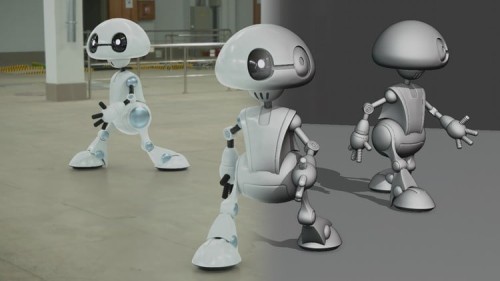
The Complete Blender Guide: From Beginner To Pro
Published 10/2025
MP4 | Video: h264, 1920x1080 | Audio: AAC, 44.1 KHz
Language: English | Size: 493.72 MB | Duration: 1h 34m
Turn your imagination into 3D reality with Blender and unlock your full creative potential.
What you'll learn
Master Blender's interface.
Model and sculpt 3D objects.
Apply materials, textures, lighting
Master animation and rendering
Customize your 3D workflow.
Work faster with pro techniques.
Requirements
A willingness to learn and explore 3D modeling, animation, and rendering.
No prior experience with Blender or any 3D software is needed.
Description
Discover the full power of Blender from navigating the interface to creating complex 3D models, stunning materials, and smooth animations. This course is divided into five clear sections that guide you step by step through Blender's most essential tools and techniques.What You'll LearnInterface, Navigation & SettingsLearn how to navigate and customize Blender's interface.Adjust colors, grids, units, and viewport settings for a smoother workflow.Enable wireframe and X-ray modes for precision modeling.Manage overlays, collections, and transform tools.Master quick actions like undo, redo, and rotation resets.Modeling & Geometry EditingBuild and modify 3D models from scratch.Use essential mesh tools like extrude, bevel, bridge, and mirror.Create and connect vertices, edges, and faces.Cut holes, merge objects, and shape smooth or rounded surfaces.Learn precise selection, transformation, and geometry cleanup techniques.Materials, Colors & TexturesApply and edit materials on multiple objects.Add textures, gradients, and color palettes for realistic effects.Control lighting, shadows, and reflections.Render beautiful images using GPU acceleration.Understand how to create both realistic and stylized looks.Text, Animation & Camera ControlCreate and style 3D text with full control over fonts, colors, and alignment.Animate objects using keyframes, interpolation, and motion paths.Set up dynamic camera movement and tracking.Learn how to light and compose cinematic 3D scenes.Add storytelling and motion to your projects.File Management, Utilities & RecoveryImport and export models in different formats.Manage data efficiently and remove unused elements.Recover files after a crash and restore settings quickly.Optimize performance and organize your workflow.Keep your projects clean, fast, and professional.
Complete beginners who have never used Blender or any 3D software.,Hobbyists and creative enthusiasts looking to explore 3D modeling and animation.,Aspiring graphic designers, game developers, and 3D artists.,Photographers or content creators who want to create 3D visuals for projects.
https://rapidgator.net/file/8bfa02ea9eb4ff9d91dc0c468cfc7f5d/The_Complete_Blender_Guide_From_Beginner_to_Pro.rar.html
https://way4share.com/4Wl3/The_Complete_Blender_Guide_From_Beginner_to_Pro.rar
https://way4share.com/4Wl3/The_Complete_Blender_Guide_From_Beginner_to_Pro.rar
We need your support!
Make a donation to help us stay online

Bitcoin (BTC)
bc1q08g9d22cxkawsjlf8etuek2pc9n2a3hs4cdrld

Bitcoin Cash (BCH)
qqvwexzhvgauxq2apgc4j0ewvcak6hh6lsnzmvtkem

Ethereum (ETH)
0xb55513D2c91A6e3c497621644ec99e206CDaf239

Litecoin (LTC)
ltc1qt6g2trfv9tjs4qj68sqc4uf0ukvc9jpnsyt59u

USDT (ERC20)
0xb55513D2c91A6e3c497621644ec99e206CDaf239

USDT (TRC20)
TYdPNrz7v1P9riWBWZ317oBgJueheGjATm
Information |
|||
 |
Users of GUESTS are not allowed to comment this publication. | ||