


N8n Self-Hosting Masterclass: Disaster-Proof Your System
Category: Tutorials
- views: 108
- date: 13 October 2025
- posted by: 0nelove
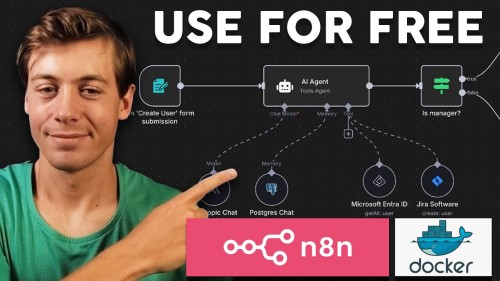
N8n Self-Hosting Masterclass: Disaster-Proof Your System
Published 10/2025
MP4 | Video: h264, 1920x1080 | Audio: AAC, 44.1 KHz
Language: English | Size: 1.70 GB | Duration: 3h 52m
Deploy self-hosted n8n on Google Cloud with HTTPS, layered off-site backups, restore drills, and backup-first updates
What you'll learn
Provision a Debian VM on Google Cloud and connect your domain via DNS A-record.
Install Docker & Docker Compose v2; deploy n8n behind Nginx with HTTPS via Certbot.
Configure persistent storage and verify your data survives crashes and reboots.
Automate daily (data) and weekly (full) backups to pCloud with rclone and logs.
Monitor backup jobs with Healthchecks and confirm successful runs.
Restore your n8n stack (full) or data-only from backups using the provided scripts.
Perform safe n8n updates using the included scripts.
Understand when to use provider snapshots (theory-only) vs. file-level backups, and cloud vs. local tradeoffs.
Requirements
Need to have Google Cloud, pCloud, Domain or Subdomain. Can be done during the tutorials.
No coding experience required
Description
Build a reliable, cloud-hosted n8n server you fully control, without platform lock-in. In this hands-on masterclass, you will provision a Debian VM on Google Cloud, point your domain via DNS, deploy n8n with Docker and Docker Compose v2, place it behind Nginx with HTTPS using Certbot, and set up layered off-site backups so your data is portable and protected. You will run full restore drills to prove you can recover fast, and use safe update procedures that back up first so you can update without fear of losing data. Everything is delivered as a step by step system you can duplicate anytime.By the end, you will have a production-ready, platform-agnostic, self-hosted n8n at your own domain or subdomain—with portable backups on pCloud, Healthchecks monitoring, and a tested recovery path you can execute in minutes.This is the setup that you need before you start building your workflows.What you will buildA Debian-based VM on Google Cloud, reachable at your own domain or subdomainn8n running in Docker, orchestrated with Docker Compose v2Nginx reverse proxy with valid HTTPS certificates via CertbotPersistent data volumes so n8n survives container restarts and host rebootsLayered off-site backups, daily data plus weekly full, to pCloud via rclone, with logs and Healthchecks monitoringFull restore drills, full stack or data only, to validate recovery in minutesSafe updates with backup-first scripts to upgrade n8n confidentlyWho this course is forNew n8n users who want a cloud self-hosted deployment they can access from anywhereTeams and builders moving from local installs to the cloud for accessibility, resilience, or brandingSubscription users considering a switch to self-hosting for ownership and cost controlAnyone who needs portable, offsite backups and a clear, testable restore pathWho this course is not forPeople who are looking to learn how to build n8n workflows. This course only focuses on establishing the foundation for a robust, disaster-proof, platform-agnostic self-hosted n8n setup.What is inside, step by stepPlan your deployment: domain, DNS A record, Google Cloud VM sizingPrepare the server: package updates, Docker engine, Docker Compose v2Launch n8n with Compose and confirm persistence across restarts and rebootsPut n8n behind Nginx and issue HTTPS certificates with CertbotSet up layered off-site backups to pCloud with rclone and verify backup logsAdd monitoring with Healthchecks to track backup success or failureRun full restore drills, full and data only, and measure time to recoveryPerform safe updates with backup using the included scripts and checksSnapshots versus file-level backups: when to use each, theory and decision-makingPrerequisitesGoogle Cloud account with billing enabledA registered domain with DNS accesspCloud account and Healthchecks account, these can be created during the tutorial with guidanceWillingness to follow along during the tutorialYou will walk away withA live self-hosted n8n instance at your own domain or subdomain, secured with HTTPSA repeatable, step by step deployment system you can clone for new environmentsLayered off-site backups and alerts when jobs runConfidence to update safely, backup first, and to restore fast when things go wrongNote: We use "disaster-proof" as shorthand in the title, but no system is immune to every failure. This course emphasizes resilience, tested backups, and rapid recovery.
Anyone, either a small business owner, solopreneur, a startup team, or a student, who is new to n8n, who wants to self-host it in the cloud so that it is available anywhere online, server works 24/7 with minimal downtime, secured, and disaster-proof.,Anyone who is already using the subscription-based n8n and wants to try self-hosting.,Anyone who is already self-hosting n8n on their local computer and want to switch to cloud either for accessibility, convenience, resilience or branding purposes.,Anyone who want full control over their n8n data and uptime,Anyone who need portable external backups that they can download and transfer to any platforms and a clear, testable restore path
Screenshot
https://rapidgator.net/file/768f60efbad7c1bfee8281ce1616cea3/n8n_SelfHosting_Masterclass_DisasterProof_Your_System.part2.rar.html
https://rapidgator.net/file/d167e900c619cfe109e76c3798c18c36/n8n_SelfHosting_Masterclass_DisasterProof_Your_System.part1.rar.html
https://nitroflare.com/view/68C735EEBB10057/n8n_SelfHosting_Masterclass_DisasterProof_Your_System.part2.rar
https://nitroflare.com/view/15D73FAEA2B2FBB/n8n_SelfHosting_Masterclass_DisasterProof_Your_System.part1.rar
We need your support!
Make a donation to help us stay online

Bitcoin (BTC)
bc1q08g9d22cxkawsjlf8etuek2pc9n2a3hs4cdrld

Bitcoin Cash (BCH)
qqvwexzhvgauxq2apgc4j0ewvcak6hh6lsnzmvtkem

Ethereum (ETH)
0xb55513D2c91A6e3c497621644ec99e206CDaf239

Litecoin (LTC)
ltc1qt6g2trfv9tjs4qj68sqc4uf0ukvc9jpnsyt59u

USDT (ERC20)
0xb55513D2c91A6e3c497621644ec99e206CDaf239

USDT (TRC20)
TYdPNrz7v1P9riWBWZ317oBgJueheGjATm
Information |
|||
 |
Users of GUESTS are not allowed to comment this publication. | ||