


Blender Animation Using Constrain Function
Category: Tutorials
- views: 160
- date: 10 October 2025
- posted by: AD-TEAM
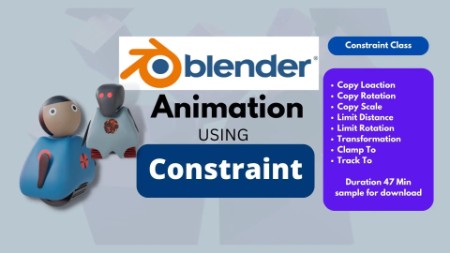
Blender Animation Using Constrain Function
2022-11-18
MP4 | Video: h264, 1920x1080 | Audio: AAC, 44.1 KHz
Language: English | Size: 440.81 MB | Duration: 49m
Blender Animation Using Constrain Function
What you'll learn
Description
Blender animation using Constrain function
Class Overview
Welcome to amazing series of blender application on the skillshare.com
The basic animation process in blender ,strat with keyframing just like moving objects, rotating or scaling and much more and all blender users are familiar with these terms.
Using keyframing is difficult and sometimes it becomes confusing. So to make the process easy we use constraints.
Constraint list located on the viewport right side in the properties menu.
All these constraints you see on the screen are very useful with a combination of key framing.
For example, If we want, one object should change its location and the other object must rotate at the same time.
Yes we can get this animation using keyframing both the objects. But by using constraints,we can simultaneously do it very fast and easily.
What You Will Learn
In this class you will learn the basics of constraint bits application.
Why You Should Take This Class
Keyframing and constraint are the basic of animation so every blender user must know about it
Learning constraints make workflow easy and enhance creative level.
Simple language of explanation which helps you learn easily and fast.
Who This Class is For
This class is for both beginner and advanced users.
Any blender user to gain clear and accurate knowledge of blender animation..
Materials/Resources
User must be familiar with fundamental of blender interface
Blender 2.8 and above.
Minimum knowledge of blender interface
Overview
Lesson 1:Introduction To Constraint in Blender
Lesson 2:Copy location
Lesson 3:Copy Location Example
Lesson 4:Example 2
Lesson 5:Copy Rotation
Lesson 6:Example
Lesson 7:Copy Scale
Lesson 8:Limit Location
Lesson 9:Limit Distance
Lesson 10:Transformation
Lesson 11:Example
Lesson 12:Clamp to
Lesson 13:Track to
Lesson 14:example animation using constraint
Lesson 15:COMING SOON.
RapidGator
NitroFlare
DDownload
https://ddownload.com/5s7ktbrlqzaf/yxusj.Skillshare.-.Blender.Animation.using.Constrain.function.rar
We need your support!
Make a donation to help us stay online

Bitcoin (BTC)
bc1q08g9d22cxkawsjlf8etuek2pc9n2a3hs4cdrld

Bitcoin Cash (BCH)
qqvwexzhvgauxq2apgc4j0ewvcak6hh6lsnzmvtkem

Ethereum (ETH)
0xb55513D2c91A6e3c497621644ec99e206CDaf239

Litecoin (LTC)
ltc1qt6g2trfv9tjs4qj68sqc4uf0ukvc9jpnsyt59u

USDT (ERC20)
0xb55513D2c91A6e3c497621644ec99e206CDaf239

USDT (TRC20)
TYdPNrz7v1P9riWBWZ317oBgJueheGjATm
Information |
|||
 |
Users of GUESTS are not allowed to comment this publication. | ||