


IT Hardware Essentials Desktop Support and Troubleshooting
Category: Tutorials
- views: 100
- date: 8 October 2025
- posted by: voska89
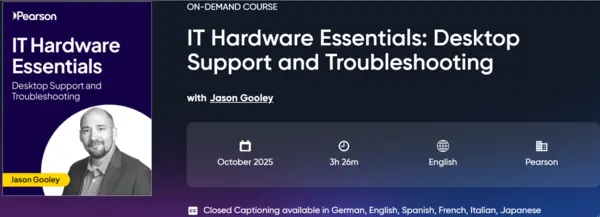
Free Download IT Hardware Essentials Desktop Support and Troubleshooting
Released 10/2025
With Jason Gooley
MP4 | Video: h264, 1280x720 | Audio: AAC, 44.1 KHz, 2 Ch
Genre: eLearning | Language: English + subtitle | Duration: 3h 26m | Size: 1.52 GB
Master essential IT hardware skills with our Desktop Support and Troubleshooting course, perfect for starting a career in tech support.
This beginner-friendly course is the perfect starting point for anyone looking to launch a career in IT support. You will begin by learning how to identify and work with common computer ports and cable types, including video ports, USB, Thunderbolt, Ethernet, and power cables.
You will also discover how cable converters and adapters are used to connect different hardware components. As you move forward, you will explore the inside of a desktop computer and gain hands-on knowledge about installing essential hardware such as RAM, hard drives, graphics cards, and wireless adapters. The course also demonstrates how to use built-in tools such as device managers to manage and update drivers, while explaining the difference between internal and external storage device
Once you have built a strong understanding of computer components, the course focuses on practical troubleshooting skills. You will learn how to diagnose and fix common issues related to power, connectivity, usability, and hardware compatibility for CPUs, memory, graphics, and storage. You will also understand how to read device status indicators, identify problems using Device Manager, and when to consider firmware updates. The final part of the course covers troubleshooting a wide range of peripherals including printers, speakers, microphones, keyboards, scanners, webcams, and conferencing tools.
By the end of the course, you will have real-world skills to confidently support computer systems, solve hardware and device problems, and take your first step toward roles such as help desk technician or IT support specialist.
Learn How to
Identify common physical ports and cable types used in desktop and mobile devices, including video, USB, Thunderbolt, Ethernet, and power connectors.
Differentiate between various cable converters and adapters to support hardware compatibility and connectivity in IT environments.
Describe the internal components of a desktop computer, including CPU, RAM, storage drives, and expansion cards to build foundational hardware knowledge.
Demonstrate how to install and upgrade desktop hardware such as memory, hard drives, graphics cards, and wireless adapters.
Use system tools such as Device Manager to manage, update, and troubleshoot software drivers and connected devices.
Explain the functions of internal and external storage devices and how to choose the appropriate solution for different use cases.
Apply diagnostic steps to troubleshoot common hardware problems including power failures, connectivity issues, and hardware compatibility conflicts.
Analyze system requirements to determine compatibility between components such as processors, memory, graphics cards, and storage devices.
Interpret hardware status indicators and use troubleshooting tools to identify device issues effectively.
Evaluate the benefits and risks of firmware updates and decide when and how they should be applied in a support environment.
Diagnose and resolve issues related to peripheral devices including printers, scanners, webcams, speakers, and input tools like keyboards and mice.
Apply best practices for the setup, maintenance, and support of common peripherals in both office and remote work settings.
Develop critical thinking and technical troubleshooting skills needed for real-world IT support tasks, preparing you for help desk and technician roles.
Who Should Take This Course
This course is perfect for anyone who wants to start a career in IT support. It is ideal for beginners, students, career changers, and anyone preparing for entry-level IT roles. It also supports those studying for the CompTIA A+ certification or looking to build hands-on troubleshooting skills. No prior experience is needed.
DOWNLOAD LINK
Uploady
kswiq.IT.Hardware.Essentials.Desktop.Support.and.Troubleshooting.part1.rar
kswiq.IT.Hardware.Essentials.Desktop.Support.and.Troubleshooting.part2.rar
Fileaxa
kswiq.IT.Hardware.Essentials.Desktop.Support.and.Troubleshooting.part1.rar
kswiq.IT.Hardware.Essentials.Desktop.Support.and.Troubleshooting.part2.rar
Rapidgator
HardwareEssentialsDesktopSupportandTroubleshooting.html
Fikper
kswiq.IT.Hardware.Essentials.Desktop.Support.and.Troubleshooting.part1.rar.html
kswiq.IT.Hardware.Essentials.Desktop.Support.and.Troubleshooting.part2.rar.html
FreeDL
kswiq.IT.Hardware.Essentials.Desktop.Support.and.Troubleshooting.part1.rar
kswiq.IT.Hardware.Essentials.Desktop.Support.and.Troubleshooting.part2.rar
No Password - Links are Interchangeable
We need your support!
Make a donation to help us stay online

Bitcoin (BTC)
bc1q08g9d22cxkawsjlf8etuek2pc9n2a3hs4cdrld

Bitcoin Cash (BCH)
qqvwexzhvgauxq2apgc4j0ewvcak6hh6lsnzmvtkem

Ethereum (ETH)
0xb55513D2c91A6e3c497621644ec99e206CDaf239

Litecoin (LTC)
ltc1qt6g2trfv9tjs4qj68sqc4uf0ukvc9jpnsyt59u

USDT (ERC20)
0xb55513D2c91A6e3c497621644ec99e206CDaf239

USDT (TRC20)
TYdPNrz7v1P9riWBWZ317oBgJueheGjATm
Information |
|||
 |
Users of GUESTS are not allowed to comment this publication. | ||