


Macos 26(tahoe) Ultimate Guide: Complete Mac Beginner To Pro
Category: Tutorials
- views: 136
- date: 8 October 2025
- posted by: 0nelove
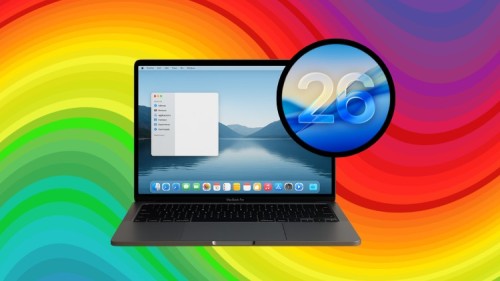
Macos 26(tahoe) Ultimate Guide: Complete Mac Beginner To Pro
Published 10/2025
MP4 | Video: h264, 1280x720 | Audio: AAC, 44.1 KHz
Language: English | Size: 1.53 GB | Duration: 3h 35m
Learn macOS 26 setup, Finder, apps, system settings, backups, productivity tips, Siri & security tools from scratch.
What you'll learn
Set up, customize, and navigate macOS 26 Tahoe like a pro — even if you're a complete beginner.
Master Finder, file management, and productivity shortcuts to streamline your daily Mac usage.
Install, update, and manage apps from the App Store and external sources confidently.
Secure your Mac with password management, backups, Siri, and macOS privacy tools.
Requirements
A Mac computer running macOS 26 (Tahoe). No prior macOS experience is required — this course is beginner-friendly.
Description
Unlock the full potential of your Mac with this all-in-one beginner-to-pro course for macOS 26 (Tahoe). Whether you're new to macOS, switching from Windows, or want to become more efficient on your Mac, this course is for you.What You'll Learn:- Set up your Mac for the first time, step by step- Customize system settings: appearance, battery, lock screen, and more- Connect wired and Bluetooth accessories, printers, and external drives- Master macOS Finder: file management, shortcuts, Spotlight, Quick Look- Install and uninstall apps from the Mac App Store and DMG files- Use essential macOS apps: Safari, Mail, Calendar, Photos, Maps, Notes- Boost productivity with gestures, keyboard shortcuts, and Stage Manager- Use Siri for hands-free tasks and everyday voice commands- Set up and manage multiple user accounts (Admin, Guest, etc.)- Explore full-screen, split view, and multitasking features- Format drives, create partitions, and back up with Time Machine- Manage and secure passwords using macOS built-in tools- Stay protected with privacy, security, and system update settingsWho This Course Is For:- Beginners with no prior Mac experience- Windows switchers looking to adapt to the macOS ecosystem- Students, professionals, seniors, and everyday usersBy the end of this course, you'll be able to confidently navigate, customize, secure, and optimize your Mac using macOS 26 — even if you've never used a Mac before.No experience? No problem. Start mastering your Mac today.
This course is for new Mac users, switchers from Windows, students, seniors, and anyone who wants to confidently use macOS 26 from day one.
https://nitroflare.com/view/ACF4464220295D1/macOS_26Tahoe_Ultimate_Guide_Complete_Mac_Beginner_to_Pro.part1.rar
https://nitroflare.com/view/9E82FD83C61EFA1/macOS_26Tahoe_Ultimate_Guide_Complete_Mac_Beginner_to_Pro.part2.rar
https://rapidgator.net/file/99f0013c604f348b505a610c7c0b8192/macOS_26Tahoe_Ultimate_Guide_Complete_Mac_Beginner_to_Pro.part1.rar.html
https://rapidgator.net/file/ea7caea01e649d2238c18081d65c84c8/macOS_26Tahoe_Ultimate_Guide_Complete_Mac_Beginner_to_Pro.part2.rar.html
We need your support!
Make a donation to help us stay online

Bitcoin (BTC)
bc1q08g9d22cxkawsjlf8etuek2pc9n2a3hs4cdrld

Bitcoin Cash (BCH)
qqvwexzhvgauxq2apgc4j0ewvcak6hh6lsnzmvtkem

Ethereum (ETH)
0xb55513D2c91A6e3c497621644ec99e206CDaf239

Litecoin (LTC)
ltc1qt6g2trfv9tjs4qj68sqc4uf0ukvc9jpnsyt59u

USDT (ERC20)
0xb55513D2c91A6e3c497621644ec99e206CDaf239

USDT (TRC20)
TYdPNrz7v1P9riWBWZ317oBgJueheGjATm
Information |
|||
 |
Users of GUESTS are not allowed to comment this publication. | ||