


Build A Cybersecurity Lab Using Proxmox
Category: Tutorials
- views: 193
- date: 17 September 2025
- posted by: AD-TEAM
Build A Cybersecurity Lab Using Proxmox
Published 8/2025
MP4 | Video: h264, 1920x1080 | Audio: AAC, 44.1 KHz
Language: English | Size: 853.31 MB | Duration: 2h 1m
Your first step towards mastering Cyber Security using a hands on approach
What you'll learn
Cyber Security enthusiasts
Penetration Testers
Red team operations aspirants
Cyber Security trainers
Requirements
Basic experience using Virtual Machines is recommended but not mandatory
Description
Learn how to build your own professional-grade cybersecurity laboratory from scratch! This hands-on course guides you through creating a secure testing environment where you can safely practice security techniques, malware analysis, and penetration testing. Whether you're a beginner or an experienced IT professional, this course provides the foundation for your cybersecurity journey.You'll learn to set up essential virtualization tools, configure isolated networks, and deploy the most important security tools used by professionals. Starting with basic lab safety and setup, we'll progress to advanced configurations including:Multiple virtual machines running various operating systemsNetwork isolation and segmentationSecurity tools like Wireshark, Nmap, and MetasploitVulnerable machines for practicing ethical hackingMalware analysis environmentsIntrusion Detection Systems (IDS)Security logging and monitoring solutionsPerfect for aspiring cybersecurity professionals, IT administrators, and security enthusiasts, this course provides practical, real-world skills that you can immediately apply. No prior lab experience required – just basic computer knowledge and a desire to learn. Our step-by-step approach ensures you'll understand each component of your security lab.By the end, you'll have a fully functional security lab that you can use for certifications like CompTIA Security+, CEH, or OSCP, as well as continuing education and security research. You'll also learn best practices for maintaining and updating your lab environment to keep it current with emerging threats.Requirements:Computer with minimum 8GB RAM (16GB recommended)100GB free storage spaceBasic networking knowledge
Overview
Section 1: Introduction
Lecture 1 Course Introduction
Section 2: Getting started with Proxmox setup
Lecture 2 Access Proxmox Management Interface
Lecture 3 Lab Architecture
Lecture 4 Downloading ISO images
Lecture 5 Uploading ISO files to Proxmox
Section 3: Building Domain Controller
Lecture 6 Installing Windows Server 2025
Lecture 7 Setting up Active Directory Environment
Lecture 8 Creating a Service Account and Service Principle Name (SPN)
Lecture 9 Creating Network Shares
Section 4: Building User Workstation
Lecture 10 Installing Windows 10
Lecture 11 Joining the Domain
Lecture 12 Installing Third Party Applications
Section 5: Building Active Directory Certificate Services
Lecture 13 Installing Windows Server 2022
Lecture 14 Configuring ADCS Administrator
Lecture 15 Configuring Active Directory Certificate Services (ADCS)
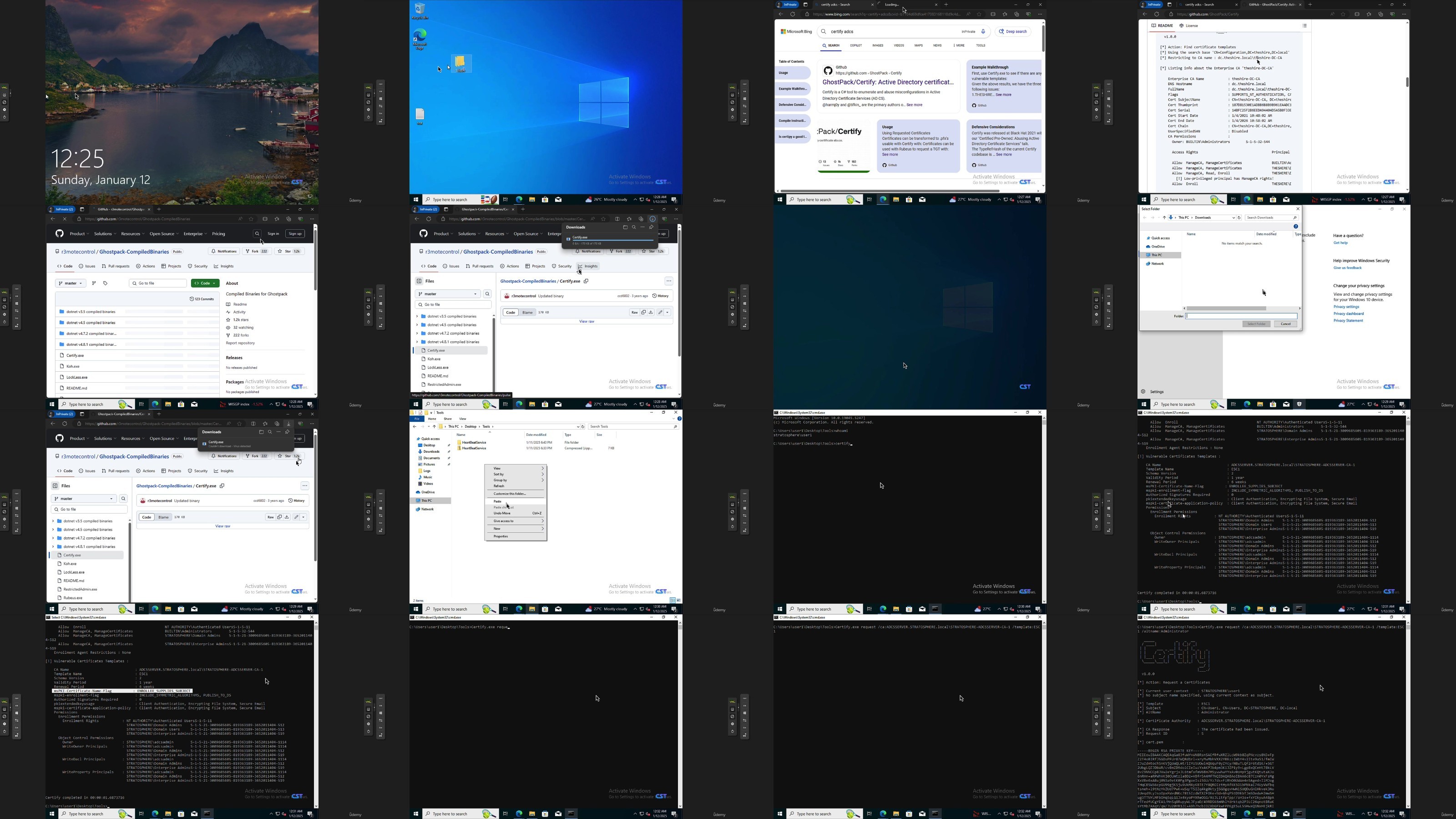
Lecture 16 Creating a Vulnerable Certificate Template (ESC1)
Lecture 17 Validating Vulnerable Certificate Template (ESC1) using Cerify.exe
Section 6: Building Web Server Environment
Lecture 18 Installing Ubunut 24.04 Server
Lecture 19 Installing Docker environment
Section 7: Conclusion
Lecture 20 Course Conclusion
Cyber Security Professionals
RapidGator
NitroFlare
DDownload
We need your support!
Make a donation to help us stay online

Bitcoin (BTC)
bc1q08g9d22cxkawsjlf8etuek2pc9n2a3hs4cdrld

Bitcoin Cash (BCH)
qqvwexzhvgauxq2apgc4j0ewvcak6hh6lsnzmvtkem

Ethereum (ETH)
0xb55513D2c91A6e3c497621644ec99e206CDaf239

Litecoin (LTC)
ltc1qt6g2trfv9tjs4qj68sqc4uf0ukvc9jpnsyt59u

USDT (ERC20)
0xb55513D2c91A6e3c497621644ec99e206CDaf239

USDT (TRC20)
TYdPNrz7v1P9riWBWZ317oBgJueheGjATm
Information |
|||
 |
Users of GUESTS are not allowed to comment this publication. | ||