


Command Line Mastery for Windows
Category: Tutorials
- views: 89
- date: 14 September 2025
- posted by: AD-TEAM
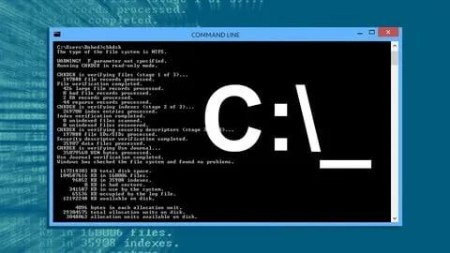
Command Line Mastery for Windows
MP4 | Video: h264, 1920x1080 | Audio: AAC, 44.1 KHz
Language: English (US) | Size: 3.06 GB | Duration: 6h 4m
Learn Essential Windows Commands, Linux Basics, and Boost Your Command-Line Skills for IT Efficiency
What you'll learn
How to use the command line in both Windows and Linux
How to navigate the file systems and directories
How to create, edit, and manipulate directories and files
How to run the commands using the right syntax
How to Troubleshooting the Network and the System
Generate a Full Report about Software and Hardware
An A-Z Index of the Windows & Linux Command Line
Requirements
Basic computer proficiency (Everything else is covered in the course)
You can take this course even if you have never worked with Linux before.
Description
It doesn't matter if you're working with Windows or Linux operating system: taking a good command line tutorial is something every programmer and system administrator should do. Using the terminal gives you greater control and more options, thus making you more flexible and able to deal with a broader set of tasks on hand. In addition to that, it's faster, uses less RAM than other interfaces, and doesn't care about the quality of your monitor one bit.Fettah Ben has been working as a system administrator for over a decade. He knows perfectly well how to use command line the right way – in this 4-hour command line crash course, he will share his knowledge with you too!Learn command prompts from scratch!It's true: we're living in a world of graphical user interfaces, drag-and-drops, and a multitude of other tools that simplify using technologies to the maximum. However, most programmers will agree you need to understand how to use the command line, which was created back when the only way to call a specific command was by typing.In this command line tutorial, you will learn all about the command line interface (CLI) and its elements: command line, shell, and terminal window. Fettah Ben will introduce you to the basics file and system navigation and administration in both Linux and Windows:You will get to know the terminal and understand the benefits of using it in your daily workYou will find out all there is to know about shell scripts and the ways to write them yourselfLast but not least, you will learn command prompts by reviewing syntax patterns. There's no use in knowing the commands if you're not writing them properly, right?Completing this command line tutorial will provide you with enough knowledge to start working on your own server administration projects on Windows or Linux terminals.A command line crash course – learn in half a day!Having worked professionally with the command line interface for the last decade, Fettah Ben knows perfectly well what you need to know to begin working on your own projects. In this 4-hour command line tutorial, you will find 71 lessons, conveniently grouped into six distinct sections:Introduction to the terminology and subjectPicking the terminal: different options you can choose fromWorking with files and directoriesYour first steps: using cat and echo programsTips and tricks to simplify your daily workScripting for all your database and OS needsYou might notice some of the lectures are free to review. They offer introductions to the command line tutorial so you know what you can expect from the course. It is also a chance to check whether the instructor's accent is clear and understandable to you, so make sure to watch them before enrolling in the course.Learning to work with the command line interface doesn't take a lot of time, but it can save a lot. Enroll in the comprehensive course introduced by Fettah Ben and master it yourself!
Who this course is for:
The Course is Designed for Beginners and Seasoned Professional Looking to use Command Line, Anyone who Works - or wants to Work with Microsoft Windows, Linux or Unix OS, Anyone interested in shell scripting or shell programming., Linux system administrators
For More Courses Visit & Bookmark Your Preferred Language Blog
From Here: English - Français - Italiano - Deutsch - Español - Português - Polski - Türkçe - Русский
RapidGator
https://rapidgator.net/file/a5e7c6928f1185dc08c6235cdccd16bd/yxusj.Udemy.-.Command.Line.Mastery.for.Windows.part1.rar
https://rapidgator.net/file/8ffb9bd26c5d76c2be69c456588d1a1d/yxusj.Udemy.-.Command.Line.Mastery.for.Windows.part2.rar
NitroFlare
https://nitroflare.com/view/F55DF7809F32177/yxusj.Udemy.-.Command.Line.Mastery.for.Windows.part1.rar
https://nitroflare.com/view/DFB9E0425D5EEAA/yxusj.Udemy.-.Command.Line.Mastery.for.Windows.part2.rar
DDownload
https://ddownload.com/b8bydgxy9et8/yxusj.Udemy.-.Command.Line.Mastery.for.Windows.part1.rar
https://ddownload.com/4y5ww8e8f3dj/yxusj.Udemy.-.Command.Line.Mastery.for.Windows.part2.rar
We need your support!
Make a donation to help us stay online

Bitcoin (BTC)
bc1q08g9d22cxkawsjlf8etuek2pc9n2a3hs4cdrld

Bitcoin Cash (BCH)
qqvwexzhvgauxq2apgc4j0ewvcak6hh6lsnzmvtkem

Ethereum (ETH)
0xb55513D2c91A6e3c497621644ec99e206CDaf239

Litecoin (LTC)
ltc1qt6g2trfv9tjs4qj68sqc4uf0ukvc9jpnsyt59u

USDT (ERC20)
0xb55513D2c91A6e3c497621644ec99e206CDaf239

USDT (TRC20)
TYdPNrz7v1P9riWBWZ317oBgJueheGjATm
Information |
|||
 |
Users of GUESTS are not allowed to comment this publication. | ||