


How To Create A Cinematic Map Animation
Category: Tutorials
- views: 95
- date: 5 September 2025
- posted by: 0nelove
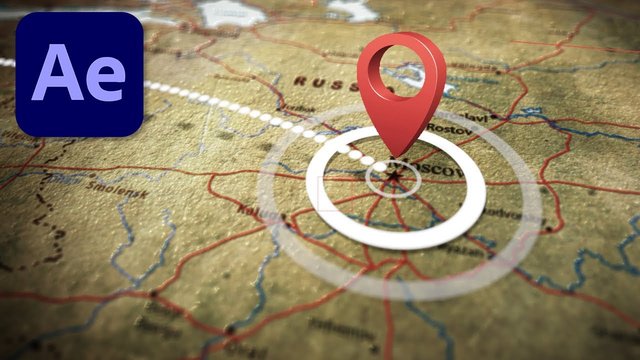
How To Create A Cinematic Map Animation
Published 9/2025
MP4 | Video: h264, 1280x720 | Audio: AAC, 44.1 KHz, 2 Ch
Language: English | Duration: 34m | Size: 584 MB
with Google Earth Studio & Adobe After Effects
What you'll learn
Create professional-quality map animations from scratch using Google Earth Studio and Adobe After Effects
Master keyframe animation and camera controls in Google Earth Studio to produce smooth, cinematic movements
Import, edit, and enhance map footage in Adobe After Effects, including text animations, trim paths, and 3D tracking
Develop a complete workflow for designing, animating, and exporting maps for documentaries, travel vlogs, real estate, or commercial projects
Gain the confidence to use After Effects even as a beginner, applying its core tools to bring your ideas to life
Requirements
No prior experience with animation, Google Earth Studio, or After Effects is required — this course starts from the basics.
A computer (Windows or Mac) capable of running Adobe After Effects and Google Earth Studio smoothly.
Access to Adobe After Effects (a free trial is available from Adobe if you don't already have it).
A Google account to access Google Earth Studio (free to use once approved).
A willingness to learn and experiment, that's all you really need!
Description
Have you ever watched a documentary or travel video where the story seamlessly zooms across a map, and thought, "Wow, that looks amazing—I wish I could do that"? Good news: you can. And this course will show you how.Whether you're a filmmaker, vlogger, educator, real estate professional, or simply a storyteller looking to add depth to your videos, map animations are one of the most powerful ways to guide your audience, give context, and make your projects look cinematic. The best part? You don't need prior animation experience to get started.In this step-by-step course, you'll learn how to create stunning map animations using Google Earth Studio and Adobe After Effects—two industry-standard tools that, when combined, give you incredible creative control. We'll start completely from scratch and work all the way to exporting your polished video, ready to share with the world.Here's a glimpse of what you'll master inside the course:How to research and design your base map for storytelling impactA complete Google Earth Studio overview, plus quick start projects so you can begin right awayKeyframe animation techniques to bring your map movements to lifeMastering camera controls in Google Earth Studio for cinematic zooms and pansExporting and integrating Earth Studio footage into After EffectsThe essentials of Adobe After Effects (even if you've never opened it before)Animation techniques like trim paths, text animation, and 3D trackingExporting your final project for YouTube, social media, or professional useAnd plenty of insider tips, shortcuts, and creative ideas along the way!By the end of this course, you'll not only understand the software, but you'll also have a repeatable workflow to design map animations for any project. That means you'll be able to confidently create visuals that elevate your documentaries, impress clients in real estate or commercial projects, and captivate audiences in your travel vlogs.This class is designed for absolute beginners—no prior knowledge of Google Earth Studio, After Effects, or animation is required. Each lesson builds on the previous one, giving you both the technical know-how and the creative confidence to apply what you learn right away.So if you're ready to transform your videos with engaging, professional map animations, let's dive in. By the time you finish, you'll have the skills to turn a flat location into a cinematic journey—and the best part? You'll be able to do it anytime, for any project.
Who this course is for
Filmmakers, vloggers, and storytellers who want to bring their projects to life with cinematic map animations.
Professionals and educators who need engaging, easy-to-follow map visuals for presentations, real estate videos, or online content.
Beginners in animation or video editing who want a step-by-step, beginner-friendly introduction to Google Earth Studio and After Effects.
https://way4share.com/2BX6/How_to_Create_a_Cinematic_Map_Animation.rar
https://rapidgator.net/file/8c8a48baa473dcd5197298ebbac40cd1/How_to_Create_a_Cinematic_Map_Animation.rar.html
https://rapidgator.net/file/8c8a48baa473dcd5197298ebbac40cd1/How_to_Create_a_Cinematic_Map_Animation.rar.html
We need your support!
Make a donation to help us stay online

Bitcoin (BTC)
bc1q08g9d22cxkawsjlf8etuek2pc9n2a3hs4cdrld

Bitcoin Cash (BCH)
qqvwexzhvgauxq2apgc4j0ewvcak6hh6lsnzmvtkem

Ethereum (ETH)
0xb55513D2c91A6e3c497621644ec99e206CDaf239

Litecoin (LTC)
ltc1qt6g2trfv9tjs4qj68sqc4uf0ukvc9jpnsyt59u

USDT (ERC20)
0xb55513D2c91A6e3c497621644ec99e206CDaf239

USDT (TRC20)
TYdPNrz7v1P9riWBWZ317oBgJueheGjATm
Information |
|||
 |
Users of GUESTS are not allowed to comment this publication. | ||