


Blender – Expert In Hard Surface Modeling
Category: Tutorials
- views: 46
- date: 31 August 2025
- posted by: AD-TEAM
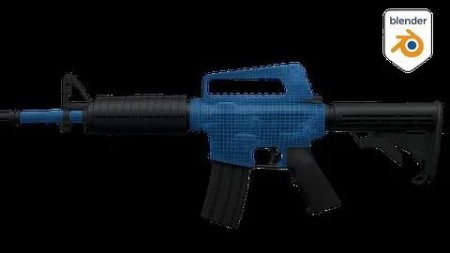
Blender – Expert In Hard Surface Modeling
Published 5/2025
MP4 | Video: h264, 1920x1080 | Audio: AAC, 44.1 KHz
Language: English | Size: 12.30 GB | Duration: 11h 22m
Learn Hard Surface modeling from scratch, applying professional techniques and avoiding the most common mistakes.
What you'll learn
We'll start with a brief intro so you can grasp the basic concepts.
We'll model, texture, and add particle effects for pro-level renders.
You'll learn professional modeling techniques.
Discover key tools and how to avoid common design mistakes.
Requirements
No prior experience with Blender 3D is required.
A mid-range PC, Mac, or Linux is recommended for better performance.
Blender 3D is free and easy to install — make sure it's set up.
Description
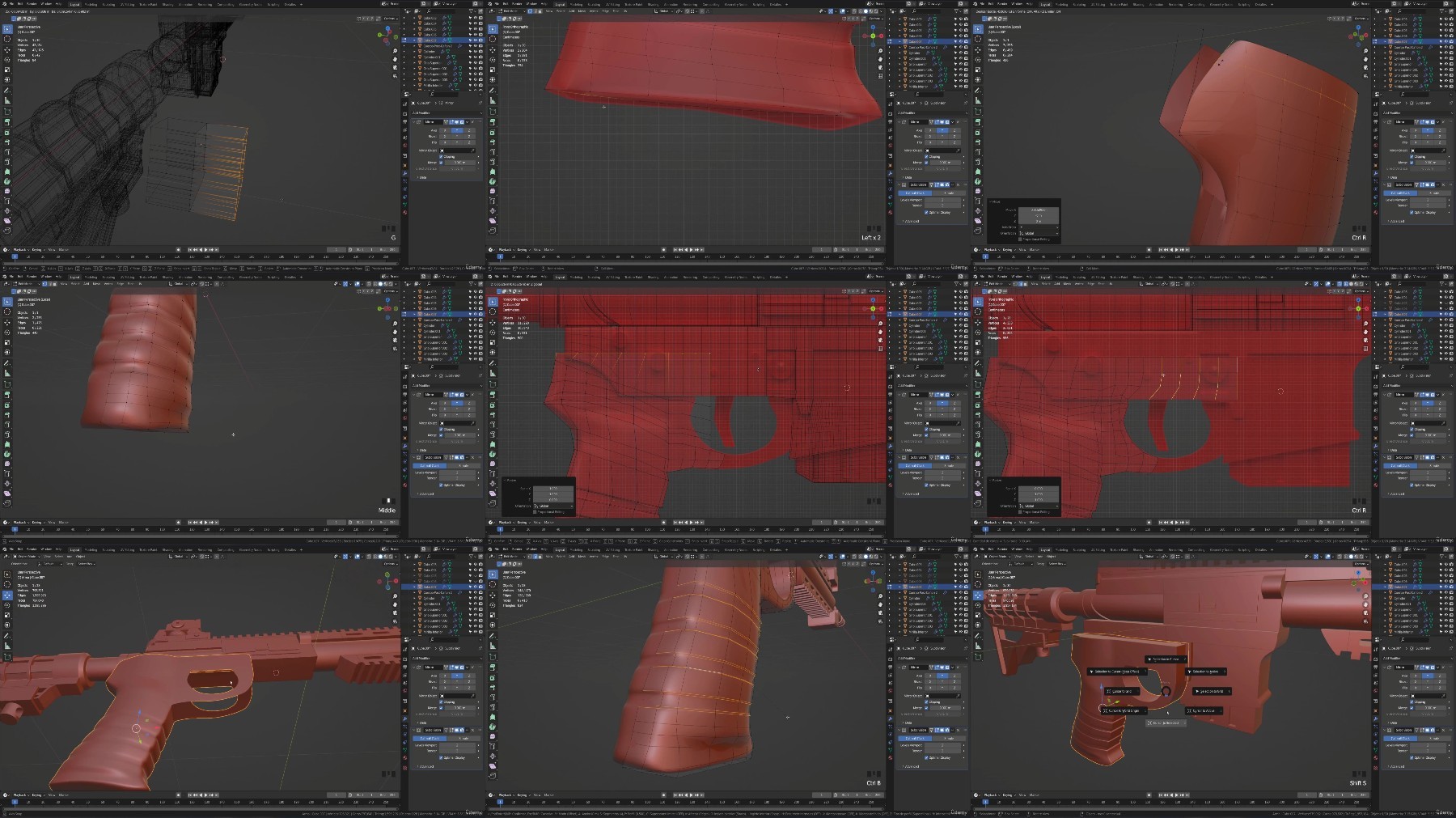
In this course, we will learn from scratch all the necessary tools so you can create your own Hard Surface models using Blender 3D as your sole and main tool. You will be able to master the workflow with ease and face any Hard Surface challenge at a professional level.We will study and fully configure the interface from scratch.You will learn how to navigate the workspace.We will study potential mistakes and advanced techniques used in the industry.We will carry out the complete modeling of two objects, including all their details, using the most commonly used tools.We will dive into advanced tools, learning how and why they are used.We will create a model with water special effects, simulating condensation around the object, using textures, adjusting a surface, and implementing a lighting system.The course will gradually increase in level, allowing you to clearly assimilate all the main concepts. Everything will be explained in detail—why it happens and what it's for.We will carry out Hard Surface modeling exercises. You will have access to all course materials and files, as well as support in the Q&A forum, which will help you with any doubts.The course brings together all the knowledge and mastery of the tools necessary to complete a Hard Surface model from start to finish using techniques employed in the professional industry.Once you finish the course, you will be able to create your own designs and face any challenge that arises, as you will have a solid foundation that will allow you to do it effortlessly. It's important to practice as much as possible to become fully aware of the workflow.
Overview
Section 1: Basic Concepts for Hard Surface Modeling
Lecture 1 Introduction to the section.
Lecture 2 Modeling Categories and Styles
Lecture 3 Modifier: Subdivision Surface
Lecture 4 Control loops, support edges, and face filling
Lecture 5 Loop Tools Addon, Merge Tool, and Hole Closing
Lecture 6 Surface holes and redirecting loops
Lecture 7 Boolean Modifier – Side hole in a cylinder
Lecture 8 Snap Face Projection – Perfect miters
Lecture 9 Shrinkwrap Modifier – Miters and other shapes
Lecture 10 Array Modifier and Empties
Lecture 11 Bevel Modifier
Lecture 12 Section Practice: Chess Tower
Section 2: Practice – Coca-Cola Can
Lecture 13 Introduction to the section
Lecture 14 Setting up references and modeling the top part
Lecture 15 Grooves and top details
Lecture 16 Modeling the top edge and main body
Lecture 17 Modeling the tab and rivet
Lecture 18 Materials, UVs, and applying textures
Lecture 19 Particles – Water drop effect
Lecture 20 Removing top Ngon and bottom triangles
Section 3: Assault Rifle Modeling
Lecture 21 Introduction to the section
Lecture 22 Studying the model to be created
Lecture 23 Project start, placing reference images
Lecture 24 Barrel Modeling – Part 1
Lecture 25 Barrel Modeling – Part 2
Lecture 26 Modeling Top and Bottom Grip – Array and Mirror Modifiers
Lecture 27 Top Sight Modeling – Part 1
Lecture 28 Top Sight Modeling – Part 2
Lecture 29 Bottom Sight Modeling – Using Grid Fill for Square Shapes
Lecture 30 Modeling Grip Without Holes
Lecture 31 Modeling Decorative Bottom Grip – CHALLENGE: Loop Redirection
Lecture 32 CHALLENGE Solution
Lecture 33 Post-Barrel Piece Modeling 2 – Part 1
Lecture 34 Post-Barrel Piece Modeling 2 – Part 2
Lecture 35 Top Decorative Modeling
Lecture 36 Stock Modeling – Part 1
Lecture 37 Stock Modeling – Part 2
Lecture 38 Lower Stock Modeling
Lecture 39 Lower Sight Modeling
Lecture 40 Lower Sight Circular Ornament (Engraved)
Lecture 41 Top Sight Modeling – Bevel Modifier (Engraved)
Lecture 42 Rear Piece in Sight Modeling (Engraved)
Lecture 43 Top Sight Details (Engraved)
Lecture 44 Lower Stock Detail
Lecture 45 Cylindrical Piece with Boolean Cut – Lower Stock
Lecture 46 Bullet Magazine – Part 1
Lecture 47 Bullet Magazine – Part 2
Lecture 48 Bullet Slots in Magazine
Lecture 49 Cleaning the Piece and Redirecting Loops
Lecture 50 Intermediate Decoration
Lecture 51 Grip Modeling
Lecture 52 Trigger Modeling
Lecture 53 Side Rivets
Lecture 54 Linked Meshes
Lecture 55 Assigning Materials
Lecture 56 Lighting and Final Renders
For anyone who wants to master Hard Surface modeling in Blender.,For those who want to learn how to texture their Blender models.,For anyone looking to learn new modeling techniques and improve their skills.
RapidGator
https://rapidgator.net/file/0bcce527e5ceba88785150e2dfba9ecc/blender.expert.in.hard.surface.modeling.part01.rar
https://rapidgator.net/file/27b525dddb3ac511f6b21be2fbc51b55/blender.expert.in.hard.surface.modeling.part02.rar
https://rapidgator.net/file/f0302a92518c4839619447d490731eb1/blender.expert.in.hard.surface.modeling.part03.rar
https://rapidgator.net/file/f2049ed971e73e3f39940e929d2dd7a2/blender.expert.in.hard.surface.modeling.part04.rar
https://rapidgator.net/file/917455afe3dd14db680886acbe849290/blender.expert.in.hard.surface.modeling.part05.rar
https://rapidgator.net/file/16102fa1018202088fd9e60c023c8e49/blender.expert.in.hard.surface.modeling.part06.rar
https://rapidgator.net/file/16e72c1bd68eb1ef1a12abb8993fbbe9/blender.expert.in.hard.surface.modeling.part07.rar
https://rapidgator.net/file/708eac4952e6fc7b88d9cb08e86d3976/blender.expert.in.hard.surface.modeling.part08.rar
https://rapidgator.net/file/9195a82eb8f129b2ec8eaf0268220462/blender.expert.in.hard.surface.modeling.part09.rar
https://rapidgator.net/file/d0f7e6c230ead48707ca3a6a4cc592eb/blender.expert.in.hard.surface.modeling.part10.rar
https://rapidgator.net/file/5d6f5b448aa6c9f8f6df208595a3efe5/blender.expert.in.hard.surface.modeling.part11.rar
https://rapidgator.net/file/af2876bee5941b7d15245c39167f073c/blender.expert.in.hard.surface.modeling.part12.rar
NitroFlare
https://nitroflare.com/view/369200D67593249/blender.expert.in.hard.surface.modeling.part01.rar
https://nitroflare.com/view/14B7C104AF5543A/blender.expert.in.hard.surface.modeling.part02.rar
https://nitroflare.com/view/29DF0BAF086F951/blender.expert.in.hard.surface.modeling.part03.rar
https://nitroflare.com/view/C8AA4A5AD5E21C0/blender.expert.in.hard.surface.modeling.part04.rar
https://nitroflare.com/view/0F511418BA868CB/blender.expert.in.hard.surface.modeling.part05.rar
https://nitroflare.com/view/03175925C62D13E/blender.expert.in.hard.surface.modeling.part06.rar
https://nitroflare.com/view/56F809153AFCE9C/blender.expert.in.hard.surface.modeling.part07.rar
https://nitroflare.com/view/5D0C6B9D869CE87/blender.expert.in.hard.surface.modeling.part08.rar
https://nitroflare.com/view/49C8D0AE82E9C28/blender.expert.in.hard.surface.modeling.part09.rar
https://nitroflare.com/view/FEFABDE99287C13/blender.expert.in.hard.surface.modeling.part10.rar
https://nitroflare.com/view/C136B05BDD9001C/blender.expert.in.hard.surface.modeling.part11.rar
https://nitroflare.com/view/BB41513D972A004/blender.expert.in.hard.surface.modeling.part12.rar
DDownload
https://ddownload.com/wmn9u5efejud/blender.expert.in.hard.surface.modeling.part01.rar
https://ddownload.com/m74ty1ak26ne/blender.expert.in.hard.surface.modeling.part02.rar
https://ddownload.com/j7lz1g0864uv/blender.expert.in.hard.surface.modeling.part03.rar
https://ddownload.com/kv8vzm4vk9x1/blender.expert.in.hard.surface.modeling.part04.rar
https://ddownload.com/ftzqn6bexv06/blender.expert.in.hard.surface.modeling.part05.rar
https://ddownload.com/6fh87rhv3ooo/blender.expert.in.hard.surface.modeling.part06.rar
https://ddownload.com/gry0vc7evzlj/blender.expert.in.hard.surface.modeling.part07.rar
https://ddownload.com/nmu9bb29mk5n/blender.expert.in.hard.surface.modeling.part08.rar
https://ddownload.com/ft7yyumfuim3/blender.expert.in.hard.surface.modeling.part09.rar
https://ddownload.com/a2r850kcodc0/blender.expert.in.hard.surface.modeling.part10.rar
https://ddownload.com/fzdy2ulj6xmj/blender.expert.in.hard.surface.modeling.part11.rar
https://ddownload.com/wf6xtpi61ew4/blender.expert.in.hard.surface.modeling.part12.rar
We need your support!
Make a donation to help us stay online

Bitcoin (BTC)
bc1q08g9d22cxkawsjlf8etuek2pc9n2a3hs4cdrld

Bitcoin Cash (BCH)
qqvwexzhvgauxq2apgc4j0ewvcak6hh6lsnzmvtkem

Ethereum (ETH)
0xb55513D2c91A6e3c497621644ec99e206CDaf239

Litecoin (LTC)
ltc1qt6g2trfv9tjs4qj68sqc4uf0ukvc9jpnsyt59u

USDT (ERC20)
0xb55513D2c91A6e3c497621644ec99e206CDaf239

USDT (TRC20)
TYdPNrz7v1P9riWBWZ317oBgJueheGjATm
Information |
|||
 |
Users of GUESTS are not allowed to comment this publication. | ||