


The Complete Yammer Course From Basics To Best Practices
Category: Tutorials
- views: 139
- date: 27 August 2025
- posted by: AD-TEAM

The Complete Yammer Course From Basics To Best Practices
Published 7/2025
MP4 | Video: h264, 1920x1080 | Audio: AAC, 44.1 KHz
Language: English | Size: 288.91 MB | Duration: 1h 20m
A Step-by-Step Guide to Creating Connected, Collaborative Communities in Microsoft 365
What you'll learn
Understand the purpose and benefits of Yammer within Microsoft 365 and how it supports enterprise communication.
Navigate the Yammer interface confidently, including the home feed, communities, notifications, and settings
Create and manage posts, announcements, and polls to engage colleagues and encourage participation.
Set up and organize communities to connect teams, departments, or interest groups across the organization.
Communicate effectively by replying to conversations, tagging people, and sharing files and resources
Use Yammer on desktop and mobile devices so you can stay connected anytime, anywhere.
Manage notifications and preferences to avoid information overload and focus on what matters most.
Apply best practices for fostering a positive, collaborative culture that encourages sharing and learning.
Integrate Yammer with other Microsoft 365 tools to create a seamless workflow.
Requirements
Internet connection to access Yammer and course materials
Description
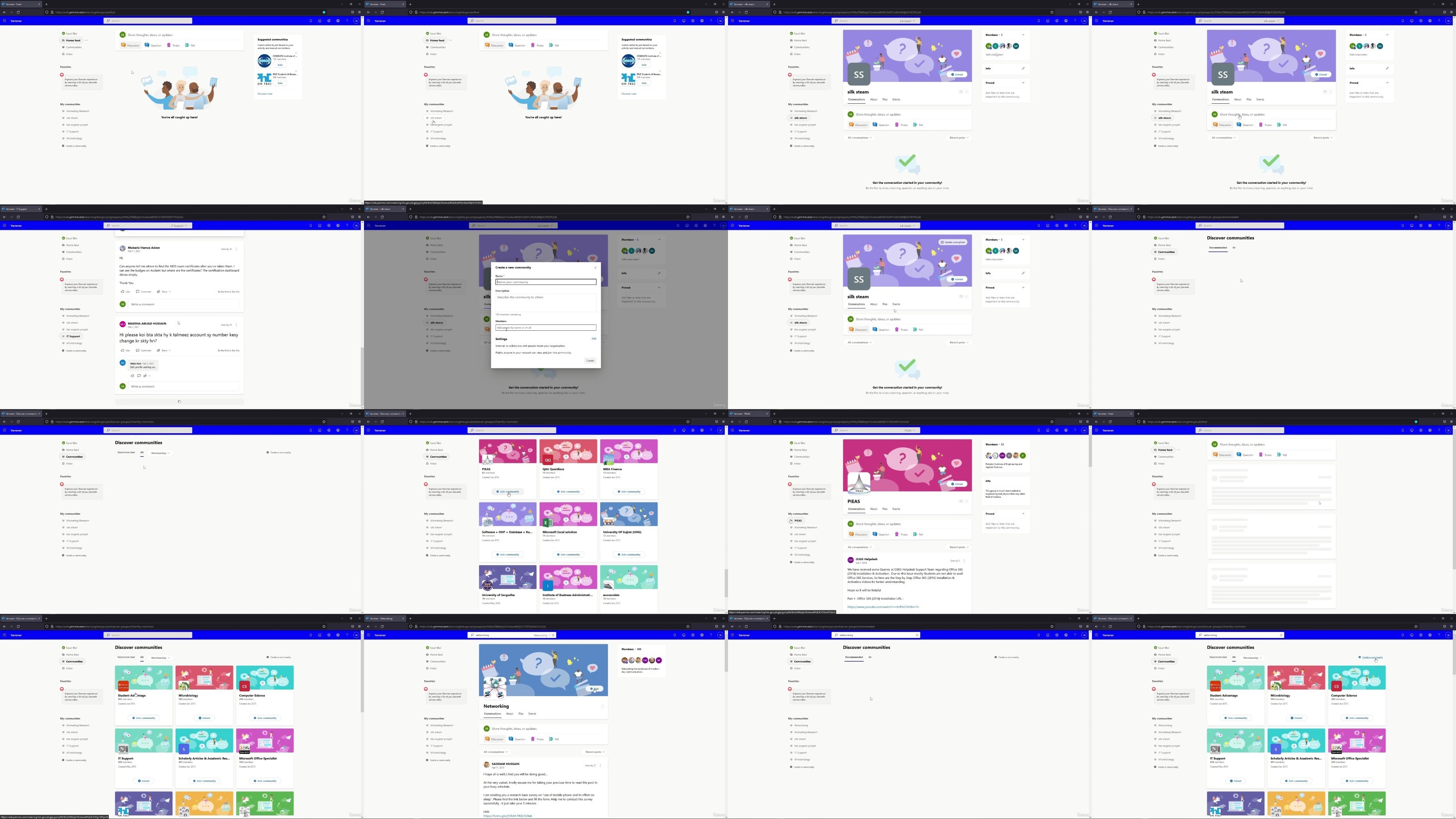
Yammer is an enterprise social network that helps organizations connect, communicate, and collaborate across teams and locations. This course is designed to guide you step by step through using Yammer effectively within your organization. Whether you are completely new to Yammer or already have some experience, you will find clear explanations and practical examples to help you build confidence and develop your skills.Inside this course, you will explore how Yammer fits into the Microsoft 365 ecosystem and why so many companies use it to encourage open dialogue and knowledge sharing. You will see how to create communities where employees can engage, ask questions, share ideas, and stay informed. The course explains how to navigate the interface, post messages, participate in discussions, and manage notifications to stay up to date without feeling overwhelmed.You will also discover ways to promote collaboration, build a positive culture, and encourage participation from different teams. We cover best practices for creating posts, using announcements, and organizing content so everyone can easily find what they need. This course is suitable for professionals in any industry who want to improve internal communication and create a sense of community within their workplace.By the end, you will feel more confident using Yammer as a central hub for connection and engagement, helping your organization benefit from better collaboration and shared knowledge. Join us to get started with Yammer and see how it can make a positive impact on your work environment.
Overview
Section 1: GETTING START
Lecture 1 WHAT IS YAMMER
Lecture 2 YAMMER INTERFACE
Section 2: COMMUNITIES
Lecture 3 HOME FEED
Lecture 4 COMMUNITIES
Lecture 5 SEARCHING
Section 3: CONVERSATION
Lecture 6 INTERACTION WITH MESSAGE AND CONVERSATION
Lecture 7 FOLLOWING
Lecture 8 CREATE A MESSAGE
Lecture 9 EDIT POST
Lecture 10 TOPICS AND TAGS
Lecture 11 PRIVATE MESSAGE
Lecture 12 YAMMER MOBILE
Section 4: WORK IN A COMMUNITY
Lecture 13 TYPES OF COMMUNITY
Lecture 14 PRAISE A COLLEAGUE
Lecture 15 POLLS
Lecture 16 ASK A QUESTION
Lecture 17 MOVE CONVERSATION
Lecture 18 EVENTS
Section 5: WORKING WITH FILES
Lecture 19 UNLOAD FILES
Lecture 20 EDITING FILES
Section 6: ADMINISTATOR COMMUNITY
Lecture 21 CREATE COMMUNITY
Lecture 22 ADD ADMIN
Lecture 23 CUSTOMIZE COMMUNITY
Lecture 24 ANNOUNCEMENT
Lecture 25 MORE ADMINS STUFF
Employees who want to stay informed, share ideas, and connect with colleagues.,Managers and Team Leaders looking to improve team communication and collaboration,HR Professionals interested in building a more connected and engaged workplace culture.,Internal Communications Specialists who need tools for company-wide messaging and feedback.,Microsoft 365 Users who want to integrate Yammer into their daily workflow.,IT Administrators responsible for managing Yammer settings and community structure.,Remote or Hybrid Workers who need better ways to stay connected with teams.,Nonprofits, educators, or government staff using Microsoft tools for internal communication.,Anyone new to Yammer who wants a clear, easy introduction without technical complexity.
RapidGator
NitroFlare
DDownload
We need your support!
Make a donation to help us stay online

Bitcoin (BTC)
bc1q08g9d22cxkawsjlf8etuek2pc9n2a3hs4cdrld

Bitcoin Cash (BCH)
qqvwexzhvgauxq2apgc4j0ewvcak6hh6lsnzmvtkem

Ethereum (ETH)
0xb55513D2c91A6e3c497621644ec99e206CDaf239

Litecoin (LTC)
ltc1qt6g2trfv9tjs4qj68sqc4uf0ukvc9jpnsyt59u

USDT (ERC20)
0xb55513D2c91A6e3c497621644ec99e206CDaf239

USDT (TRC20)
TYdPNrz7v1P9riWBWZ317oBgJueheGjATm
Information |
|||
 |
Users of GUESTS are not allowed to comment this publication. | ||