


How To Create In 3D: Character Concept Art
Category: Tutorials
- views: 154
- date: 21 August 2025
- posted by: AD-TEAM
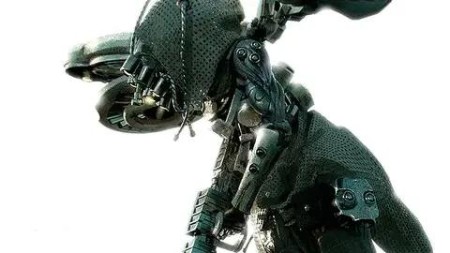
How To Create In 3D: Character Concept Art
Published 12/2023
MP4 | Video: h264, 1920x1080 | Audio: AAC, 44.1 KHz
Language: English | Size: 10.73 GB | Duration: 9h 3m
Character Concept Creation in 3D. Full process of concept art character creation.
What you'll learn
You will learn to create realistic character concept art from an idea to final result.
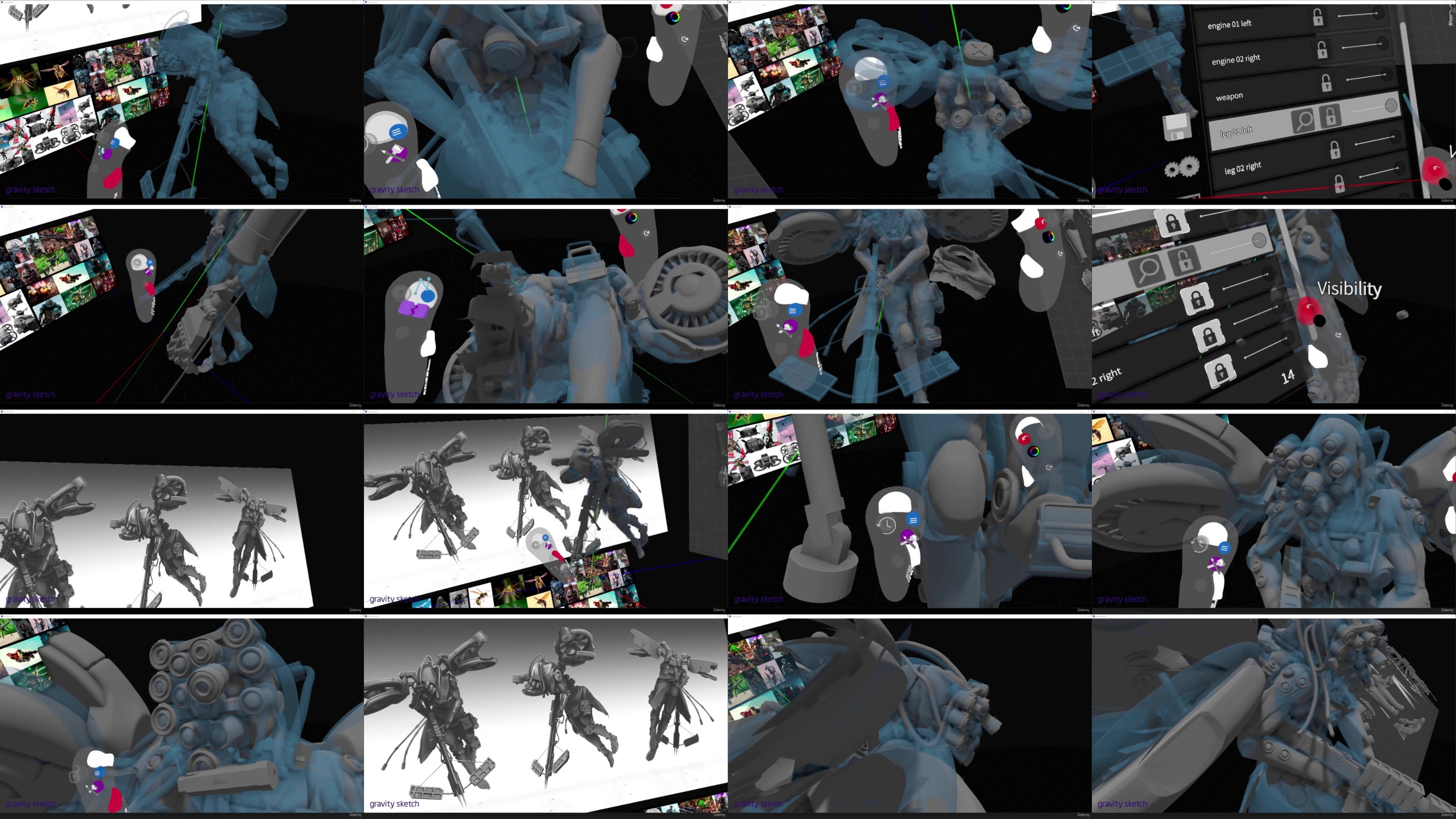
You will learn to work with Blender, Photoshop, VR Gravity Sketch (optional).
You will learn how to create 3D sketches
You will learn how to model, sculpt and create clothes, how to work with light, create materials, render and make the final overpaint.
Requirements
Course includes all basic tools you will need for sketching, modeling, sculpting, creating materials and rendering in Blender
Description
You will learn to create realistic character concept art from an idea to final result. You will learn to work with Blender, Photoshop, VR Gravity Sketch (optional). You will learn to create 3D sketch, how to model, sculpt and create clothes, how to work with light, create materials, render and make the final overpaint. I share full character creation process from idea to final result. Course includes 5 lessons. Each lesson is based on the next one. How to speed up production process. All basic tools for sketching, modelling and sculpting. Pipeline allows to create any ideas.I show new, modern pipeline of realistic 3D character creation, which I use everyday in my professional work. This pipeline allows to speed up production process as well as to create any ideas for your characters. It also allows to check your ideas at an early production stage, so you won't waste your time, fix the character quickly where/if needed and achieve great result at the end. Also one of the most important bits, this pipeline allows to create 3D characters even with the base knowledge of 3D software, because it is based on assets creation and their combination in one character, which works greatly for character concept artists.Knowledge you gained in this course can be used in scenes, environment creation, etc. Because the course contains lots of information on modelling, lighting, materials creation and rendering.
Overview
Section 1: Basic Idea and 3D Sketch
Lecture 1 Introduction and Course Overview
Lecture 2 Brief
Lecture 3 Ideas
Lecture 4 References
Lecture 5 Design Principles
Lecture 6 Sketches
Lecture 7 3D Sketch and Render - Demo
Lecture 8 Overpaint - Demo
Lecture 9 Sketching Summary
Lecture 10 Summary and Homework
Lecture 11 Bonus
Lecture 12 Homework
Section 2: Tools and Assets
Lecture 13 Overview
Lecture 14 Blender Basics and Interface
Lecture 15 Blender Basic Tools
Lecture 16 Blender Modifies and Demo
Lecture 17 Blender Add-ons
Lecture 18 Blender Assets - Demo
Lecture 19 Blender Sculpting
Lecture 20 Blender Sculpting - Demo
Lecture 21 VR Gravity Sketch Basic
Lecture 22 Blender Clothes
Lecture 23 Blender Clothes Demo
Lecture 24 VR Basics
Lecture 25 Model Kits
Lecture 26 Homework
Lecture 27 Design Functionality
Lecture 28 Final Assets Summary
Section 3: Final Model
Lecture 29 Overview
Lecture 30 VR Process Demo
Lecture 31 VR Process Summary - Demo
Lecture 32 Blender Process - Demo
Lecture 33 Summary
Lecture 34 Homework
Section 4: Lighting, Materials and Rendering
Lecture 35 Overview
Lecture 36 Blender Lighting
Lecture 37 Blender Renders
Lecture 38 Blender Materials Overview
Lecture 39 Blender Materials Creation - Demo
Lecture 40 Blender Material Add-ons
Lecture 41 Blender Final Scene Set-up
Lecture 42 Blender Colouring Demo
Lecture 43 Blender Rendering
Lecture 44 Render Passes
Lecture 45 Blender Turntable
Lecture 46 Render Summary
Lecture 47 Summary
Lecture 48 Homework
Section 5: Overpaint and Post Processing
Lecture 49 Overview
Lecture 50 Overpaint Basics
Lecture 51 Photosbashing
Lecture 52 Photoshop Overpaint Demo
Lecture 53 Photoshop Post Process Demo
Lecture 54 Overpaint Summary
Lecture 55 Summary
Lecture 56 Last Tips
Lecture 57 Homework
Suitable for all levels.
RapidGator
https://rapidgator.net/file/992c8edb2fe0fb3be97a831fa3a70842/yxusj.Gumroad.-.How.to.Create.in.3D.Character.Concept.Art.part1.rar
https://rapidgator.net/file/68b9dd46d6d2a9c87ba0fc43448e97ae/yxusj.Gumroad.-.How.to.Create.in.3D.Character.Concept.Art.part2.rar
https://rapidgator.net/file/cec8d5f139178e089de07cbc18203b1e/yxusj.Gumroad.-.How.to.Create.in.3D.Character.Concept.Art.part3.rar
https://rapidgator.net/file/2a0ef3826f218e3d3fbbd045fadfa985/yxusj.Gumroad.-.How.to.Create.in.3D.Character.Concept.Art.part4.rar
https://rapidgator.net/file/712ce24d15f1f7d49df62765d4355ec1/yxusj.Gumroad.-.How.to.Create.in.3D.Character.Concept.Art.part5.rar
https://rapidgator.net/file/e60355531d2a840bb6302c41d0a41fff/yxusj.Gumroad.-.How.to.Create.in.3D.Character.Concept.Art.part6.rar
https://rapidgator.net/file/524946d81d0bf592ed6638fa0e34010b/yxusj.Gumroad.-.How.to.Create.in.3D.Character.Concept.Art.part7.rar
https://rapidgator.net/file/a31c5146403347f718740428aa6ab032/yxusj.Gumroad.-.How.to.Create.in.3D.Character.Concept.Art.part8.rar
NitroFlare
https://nitroflare.com/view/E8F7E33D244BFFF/yxusj.Gumroad.-.How.to.Create.in.3D.Character.Concept.Art.part1.rar
https://nitroflare.com/view/FAA9862AB7748AD/yxusj.Gumroad.-.How.to.Create.in.3D.Character.Concept.Art.part2.rar
https://nitroflare.com/view/05349EB0F74021B/yxusj.Gumroad.-.How.to.Create.in.3D.Character.Concept.Art.part3.rar
https://nitroflare.com/view/7842D28B7EC4F78/yxusj.Gumroad.-.How.to.Create.in.3D.Character.Concept.Art.part4.rar
https://nitroflare.com/view/691536A5C933AF3/yxusj.Gumroad.-.How.to.Create.in.3D.Character.Concept.Art.part5.rar
https://nitroflare.com/view/49C78C6D6C61AF4/yxusj.Gumroad.-.How.to.Create.in.3D.Character.Concept.Art.part6.rar
https://nitroflare.com/view/7667163A410D9CE/yxusj.Gumroad.-.How.to.Create.in.3D.Character.Concept.Art.part7.rar
https://nitroflare.com/view/05AC09DF9A5F5A4/yxusj.Gumroad.-.How.to.Create.in.3D.Character.Concept.Art.part8.rar
DDownload
https://ddownload.com/3hd8svqtpzo1/yxusj.Gumroad.-.How.to.Create.in.3D.Character.Concept.Art.part1.rar
https://ddownload.com/0i3ubgdzc04t/yxusj.Gumroad.-.How.to.Create.in.3D.Character.Concept.Art.part2.rar
https://ddownload.com/l1eg0v5rvfrh/yxusj.Gumroad.-.How.to.Create.in.3D.Character.Concept.Art.part3.rar
https://ddownload.com/e6ayf94gu06r/yxusj.Gumroad.-.How.to.Create.in.3D.Character.Concept.Art.part4.rar
https://ddownload.com/ykqy3k9glqy8/yxusj.Gumroad.-.How.to.Create.in.3D.Character.Concept.Art.part5.rar
https://ddownload.com/usxfqh9sepux/yxusj.Gumroad.-.How.to.Create.in.3D.Character.Concept.Art.part6.rar
https://ddownload.com/778zme9itbj8/yxusj.Gumroad.-.How.to.Create.in.3D.Character.Concept.Art.part7.rar
https://ddownload.com/pygr4cetaq89/yxusj.Gumroad.-.How.to.Create.in.3D.Character.Concept.Art.part8.rar
We need your support!
Make a donation to help us stay online

Bitcoin (BTC)
bc1q08g9d22cxkawsjlf8etuek2pc9n2a3hs4cdrld

Bitcoin Cash (BCH)
qqvwexzhvgauxq2apgc4j0ewvcak6hh6lsnzmvtkem

Ethereum (ETH)
0xb55513D2c91A6e3c497621644ec99e206CDaf239

Litecoin (LTC)
ltc1qt6g2trfv9tjs4qj68sqc4uf0ukvc9jpnsyt59u

USDT (ERC20)
0xb55513D2c91A6e3c497621644ec99e206CDaf239

USDT (TRC20)
TYdPNrz7v1P9riWBWZ317oBgJueheGjATm
Information |
|||
 |
Users of GUESTS are not allowed to comment this publication. | ||