


Solidworks Automation With Driveworksxpress - English
Category: Tutorials
- views: 191
- date: 15 July 2025
- posted by: 0nelove
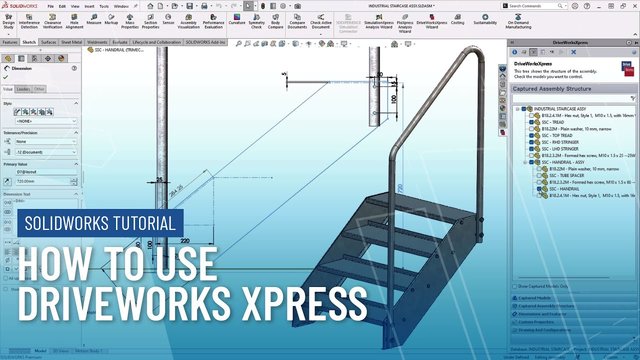
Solidworks Automation With Driveworksxpress - English
Published 7/2025
Created by Basem Hesham
MP4 | Video: h264, 1280x720 | Audio: AAC, 44.1 KHz, 2 Ch
Level: Beginner | Genre: eLearning | Language: English | Duration: 7 Lectures ( 59m ) | Size: 745 MB
Learn to Automate SOLIDWORKS Designs Using DriveWorksXpress — Explained in English
What you'll learn
Understand the fundamentals of DriveWorksXpress and its role in SOLIDWORKS automation
Activate and set up DriveWorksXpress inside SOLIDWORKS
Capture models, create custom forms, and apply basic rule logic without coding
Run, test, and refine your DriveWorksXpress project for reliable, repeatable results
Requirements
A working version of SOLIDWORKS (any version that includes DriveWorksXpress)
Basic knowledge of SOLIDWORKS part and assembly modeling
DriveWorksXpress must be activated using the free product code (explained in the course)
No programming or automation experience required
The course content is explained entirely in Arabic for native speakers
Description
Are you tired of repeating the same modeling tasks in SOLIDWORKS?Do you want to automate your design process without writing any code?Start your journey into design automation today with practical, step-by-step instruction in English.This course, DriveWorksXpress – Beginner's Guide to Design Automation, teaches you how to use DriveWorksXpress, the free automation tool included with every SOLIDWORKS license. You will learn how to build simple yet powerful automation projects that generate custom parts, assemblies, and drawings based on form inputs.Whether you are a student, engineer, or designer, this course is designed to help you understand and apply rule-based design automation using DriveWorksXpress. All lessons are explained in English.What you will learn:How to activate and access DriveWorksXpress in SOLIDWORKSThe four-step workflow for creating an automation projectHow to capture model features, dimensions, and propertiesHow to create input forms for usersHow to build logic and rules to drive your designsHow to run and test your automation projectThis course is ideal for SOLIDWORKS users looking to save time, reduce repetitive work, and improve design consistency through automation. No programming experience is required.Start your journey into design automation today with practical, step-by-step instruction in English.
Who this course is for
Beginners who want to understand how to automate part, assembly, and drawing generation without any programming
Mechanical designers and engineers looking to speed up daily modeling tasks and reduce manual errors
Students and fresh graduates who want to gain a competitive edge by learning design automation early
Anyone curious about DriveWorks and considering upgrading to DriveWorks Solo or Pro
Buy Premium From My Links To Get Resumable Support and Max Speed
https://rapidgator.net/file/8ae012b44dc9728a82d2f90193944954/SOLIDWORKS_Automation_with_DriveWorksXpress_-_English.rar.html
https://nitroflare.com/view/EB5A0C31E83A7FF/SOLIDWORKS_Automation_with_DriveWorksXpress_-_English.rar
https://rapidgator.net/file/8ae012b44dc9728a82d2f90193944954/SOLIDWORKS_Automation_with_DriveWorksXpress_-_English.rar.html
https://nitroflare.com/view/EB5A0C31E83A7FF/SOLIDWORKS_Automation_with_DriveWorksXpress_-_English.rar
We need your support!
Make a donation to help us stay online

Bitcoin (BTC)
bc1q08g9d22cxkawsjlf8etuek2pc9n2a3hs4cdrld

Bitcoin Cash (BCH)
qqvwexzhvgauxq2apgc4j0ewvcak6hh6lsnzmvtkem

Ethereum (ETH)
0xb55513D2c91A6e3c497621644ec99e206CDaf239

Litecoin (LTC)
ltc1qt6g2trfv9tjs4qj68sqc4uf0ukvc9jpnsyt59u

USDT (ERC20)
0xb55513D2c91A6e3c497621644ec99e206CDaf239

USDT (TRC20)
TYdPNrz7v1P9riWBWZ317oBgJueheGjATm
Information |
|||
 |
Users of GUESTS are not allowed to comment this publication. | ||