


Advanced Stable Diffusion With Comfyui And Sdxl
Category: Tutorials
- views: 113
- date: 5 July 2025
- posted by: AD-TEAM

Advanced Stable Diffusion With Comfyui And Sdxl
Published 8/2023
MP4 | Video: h264, 1280x720 | Audio: AAC, 44.1 KHz
Language: English | Size: 3.49 GB | Duration: 4h 23m
Get Ahead in Design-related Generative AI with ComfyUI, SDXL and Stable Diffusion 1.5
What you'll learn
Gain a thorough understanding of ComfyUI, SDXL and Stable Diffusion 1.5
Understand the use of Control-loras, ControlNets, Loras, Embeddings and T2I Adapters within ComfyUI
Learn about the use of Generative Adverserial Networks and CLIP Neural Networks in the Stable Diffusion workflow
Understanding fully how to create and assess complex ComfyUI Workflows
Requirements
An understanding of how to create simple and complex Stable Diffusion prompts
An beginner's understanding of the workflow within ComfyUI OR an intermediate understanding of the use of other versions of Stable Diffusion
A PC with an Nvidia RTX Graphics card with at least 8GB of VRAM. (Students without an Nvidia GPU can run ComfyUI but will struggle with some course material.)
An open-minded approach to art and a real commitment to doing things the ComfyUI way
Description
Do you want to learn how to create stunning images from text using the latest AI technology? If so, this course is for you!In this course, you will learn how to use Stable Diffusion, ComfyUI, and SDXL, three powerful and open-source tools that can generate realistic and artistic images from any text prompt. You will discover the principles and techniques behind latent diffusion models, a new class of generative models that can produce high-quality images in seconds. You will also learn how to use ComfyUI, a graphical user interface that lets you design and execute complex Stable Diffusion workflows without coding. And you will explore SDXL, the next-generation Stable Diffusion model that can generate images with more detail, resolution, and intelligence than ever before.By the end of this course, you will be able to:Generate images of anything you can imagine using Stable Diffusion 1.5 and Stable Diffusion XL - SDXLFine-tune and customize your image generation models using ComfyUICreate photorealistic and artistic images using SDXLApply your skills to various domains such as art, design, entertainment, education, and moreThis course is suitable for anyone who is interested in AI image synthesis, whether you are someone with prior knowledge of Stable Diffusion and are a beginner in ComfyUI or an Intermediate stage learner of ComfyUI who wants to know and understand more. You don't need any prior experience or knowledge of coding or machine learning to follow along. All you need is a computer with a GPU and an Internet connection.The course will be suitable for students with an Nvidia RTX GPU with at least 8 GB of VRAM. Setups with less VRAM may or may not be able to complete all the steps outlined in the lecturesDon't miss this opportunity to unleash your creativity and learn from the best in the field. Enroll in this course today and start making your own amazing ComfyAI images!
Overview
Section 1: Introduction
Lecture 1 Demonstration
Lecture 2 Introduction
Section 2: Getting Started
Lecture 3 Installation - Installing the ComfyUI version of Stable Diffusion
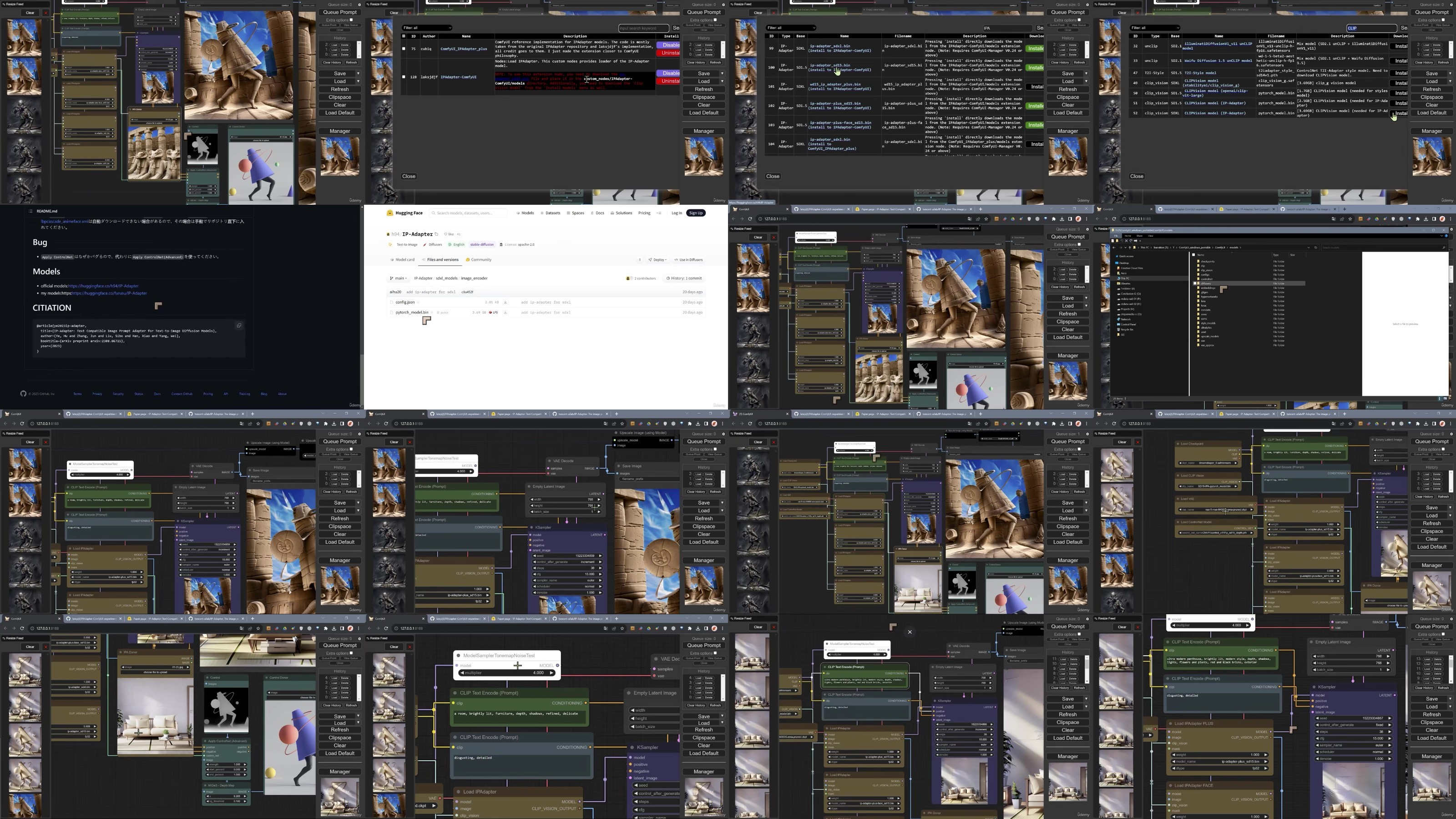
Lecture 4 ComfyUI - Manager and Course Extensions
Lecture 5 Working Alongside Automatic 1111 - Sharing Checkpoints and Other Models
Section 3: ComfyUI Workflow Fundamentals
Lecture 6 Basic Workflows and Prompts - Stable Diffusion 1.5
Section 4: Working with Loras and Control Loras in SDXL and Stable Diffusion 1.5
Lecture 7 Working with Loras Stable Diffusion 1.5
Lecture 8 Working with Unorthodox Stable Diffusion SDXL Schemes
Lecture 9 Working with Loras - SDXL
Lecture 10 Control-Loras SDXL - an Introduction
Lecture 11 Control-Loras SDXL - Depth Map
Lecture 12 Control-Loras SDXL - Recolor
Lecture 13 Control-Loras SDXL - Sketch
Lecture 14 Control-Loras SDXL - Remix and Revision
Section 5: Working with ControlNets
Lecture 15 ControlNets SDXL - Introduction
Lecture 16 SDXL ControlNet Canny
Lecture 17 SDXL ControlNet Depth Map
Lecture 18 ControlNets for Stable Diffusion 1.5 Introduction and Setup
Lecture 19 ControlNet SD1.5 - Setup and Scribble, Lineart and Openpose
Lecture 20 SDXL and Stable Diffusion 1.5 - OpenPose Editor
Lecture 21 ControlNet Stable Diffusion 1.5 Using Multiple ControlNets
Lecture 22 ControlNets for Stable Diffusion 1.5 Depth Map Exercise
Section 6: Post Processing
Lecture 23 Super Resolution using Latent Upscale and Generative Adverserial Networks
Section 7: Working with T2I Adaptors and Understanding Auxiliary Downloads
Lecture 24 T2i Adaptors for SDXL and Stable Diffusion 1.5 Introduction - Depth Map
Lecture 25 Auxiliary ControlNet Downloads in Stable Diffusion
Section 8: Achieving Professional Results with Embeddings and 'Textual Inversions'
Lecture 26 Embeddings and Textual Inversions in ComfyUI for SDXL and Stable Diffusion 1.5
This course is ideal for learners who want to understand the differences between ComfyUI and other versions of Stable Diffusion like Automatic1111 and Invoke,Students wanting to learn the very latest features available for SDXL,Students wanting to learn about the very latest models available for use with ComfyUI, SDXL and Stable Diffusion 1.5,Creatives with prior experience of ComfyUI who want to expand their skill range
DDownload
https://ddownload.com/3sydsv4yyqoh/yxusj.Advanced.Stable.Diffusion.with.ComfyUI.and.SDXL.part1.rar
https://ddownload.com/38sspvuo0ypv/yxusj.Advanced.Stable.Diffusion.with.ComfyUI.and.SDXL.part2.rar
https://ddownload.com/7hq9gvs9xj6e/yxusj.Advanced.Stable.Diffusion.with.ComfyUI.and.SDXL.part3.rar
RapidGator
https://rapidgator.net/file/c7bd512db5e9f0f067032d9540ee6c11/yxusj.Advanced.Stable.Diffusion.with.ComfyUI.and.SDXL.part1.rar
https://rapidgator.net/file/86ea68755d409adaa4ca2c4c4df9737c/yxusj.Advanced.Stable.Diffusion.with.ComfyUI.and.SDXL.part2.rar
https://rapidgator.net/file/7fa48c97f28c867fddc7ab825388c08a/yxusj.Advanced.Stable.Diffusion.with.ComfyUI.and.SDXL.part3.rar
NitroFlare
https://nitroflare.com/view/59BD015E7C48ED4/yxusj.Advanced.Stable.Diffusion.with.ComfyUI.and.SDXL.part1.rar
https://nitroflare.com/view/F5488CA04AAE36B/yxusj.Advanced.Stable.Diffusion.with.ComfyUI.and.SDXL.part2.rar
https://nitroflare.com/view/48C3DB4136EF36A/yxusj.Advanced.Stable.Diffusion.with.ComfyUI.and.SDXL.part3.rar
We need your support!
Make a donation to help us stay online

Bitcoin (BTC)
bc1q08g9d22cxkawsjlf8etuek2pc9n2a3hs4cdrld

Bitcoin Cash (BCH)
qqvwexzhvgauxq2apgc4j0ewvcak6hh6lsnzmvtkem

Ethereum (ETH)
0xb55513D2c91A6e3c497621644ec99e206CDaf239

Litecoin (LTC)
ltc1qt6g2trfv9tjs4qj68sqc4uf0ukvc9jpnsyt59u

USDT (ERC20)
0xb55513D2c91A6e3c497621644ec99e206CDaf239

USDT (TRC20)
TYdPNrz7v1P9riWBWZ317oBgJueheGjATm
Information |
|||
 |
Users of GUESTS are not allowed to comment this publication. | ||