


MCP - Model Context Protocol Quickstart
Category: Tutorials
- views: 221
- date: 7 April 2025
- posted by: AD-TEAM

MCP - Model Context Protocol Quickstart
Published 3/2025
MP4 | Video: h264, 1280x720 | Audio: AAC, 44.1 KHz, 2 Ch
Language: English | Duration: 45m | Size: 467 MB
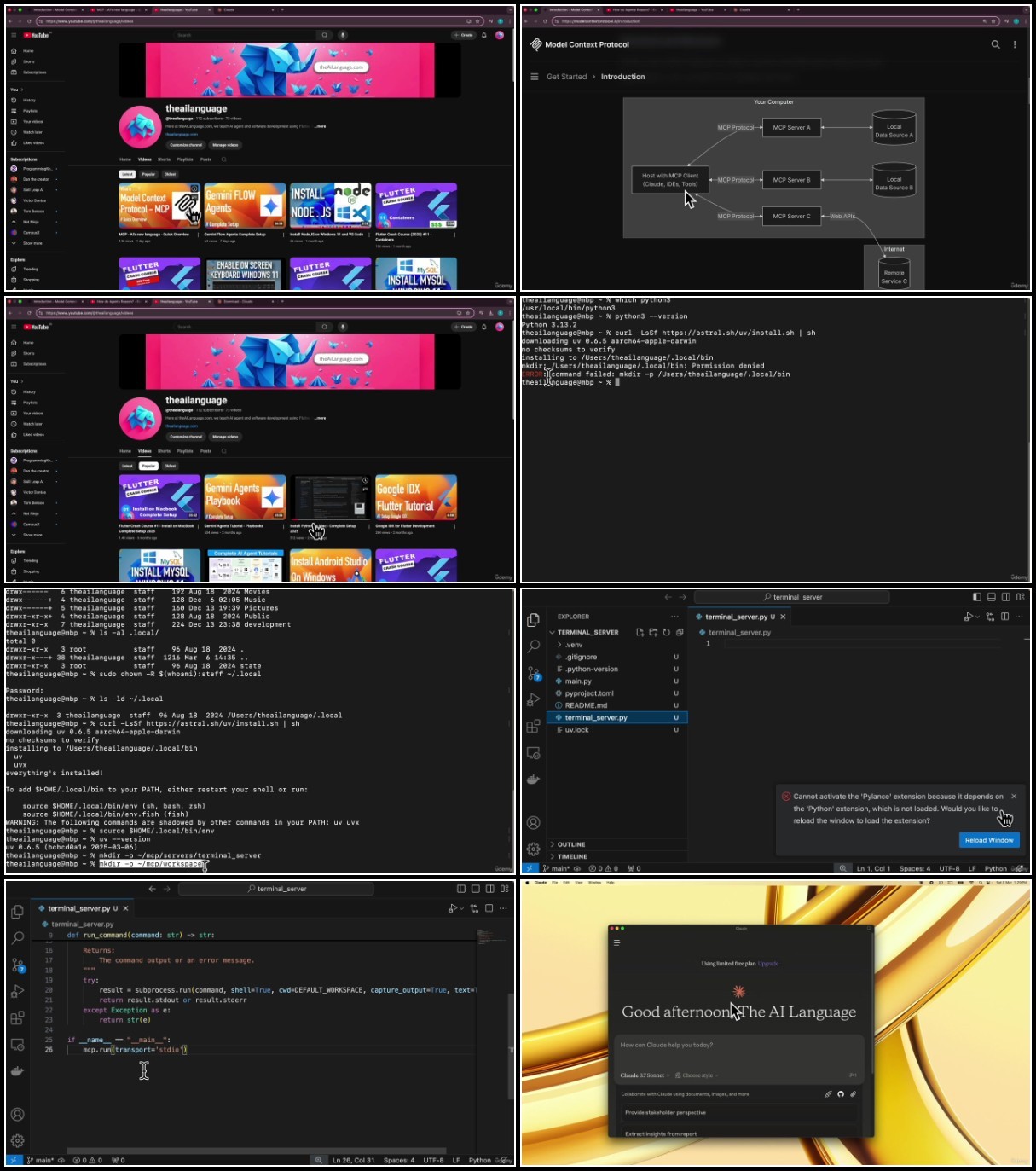
Build your own MCP Client & Server from Scratch using Python, Google Gemini API on MacOS. Connect server to Claude App
What you'll learn
Basics of Model Context Protocol (MCP)
Build your own MCP Server using Python on MacBook, Connect it to Claude Desktop
Get Free API Key for Google Gemini
Build your own MCP Client using Python, Google Gemini API on MacBook
Use your MCP Client with your MCP Server
Requirements
Basic Python
Basic familiarity with LLMs like Google Gemini/Claude
Code WalkThroughs Included, no in-depth experience needed
Course Recorded using MacOS. Windows Users can follow at their discretion
Description
In this hands-on course, you will gain a solid foundation in the Model Context Protocol (MCP) and its bidirectional client-server architecture. We begin by exploring the fundamentals of MCP, equipping you with the conceptual understanding needed to work confidently with this powerful protocol.Next, you will implement your own MCP server in Python, hosted on a MacBook. This server will be connected to Claude Desktop, showcasing how you can interact with external tools. As part of this quick start, you'll build and test a tool that executes terminal commands via MCP using Claude Desktop.Building on this foundation, we'll guide you through developing your own MCP client in Python, integrating it with Google's Gemini API. With a free Gemini API Key from Google, you'll connect your client to your MCP server and perform tool invocations just like Claude Desktop.By the end of this course, you will:Understand the basic architecture and flow of MCPLearn to build and run an MCP server using PythonConnect your custom MCP server to Claude DesktopObtain and configure a free Google Gemini API KeyDevelop your own Python-based MCP client powered by Google GeminiTest the interaction between your client and server to run real commandsWhat This Course Does Not Cover:Advanced MCP primitives beyond tool-calling (for now, we focus only on tool invocation)Windows-specific setup: While many steps are applicable across platforms, this course uses a MacBook for demonstrations. Windows users may follow along at their discretion.Important Notes:This course uses tools, APIs, and services provided by third-party companies and open source projects. We do not offer any warranties or guarantees related to these services. Learners are responsible for understanding and agreeing to the terms and policies of each provider.While many resources exist in fragments across the web, this course brings everything together in a streamlined, tested, and learner-friendly format based on real-world implementations.Whether you're a developer, tinkerer, or AI enthusiast, this course will empower you to build practical systems using cutting-edge AI and modern protocol design. Join us and build your own MCP client and server from scratch!
Who this course is for
AI Agent Developers
Software Engineers
Entrepreneurs looking for a QuickStart on MCP
AusFile
RapidGator
TurboBit
We need your support!
Make a donation to help us stay online

Bitcoin (BTC)
bc1q08g9d22cxkawsjlf8etuek2pc9n2a3hs4cdrld

Bitcoin Cash (BCH)
qqvwexzhvgauxq2apgc4j0ewvcak6hh6lsnzmvtkem

Ethereum (ETH)
0xb55513D2c91A6e3c497621644ec99e206CDaf239

Litecoin (LTC)
ltc1qt6g2trfv9tjs4qj68sqc4uf0ukvc9jpnsyt59u

USDT (ERC20)
0xb55513D2c91A6e3c497621644ec99e206CDaf239

USDT (TRC20)
TYdPNrz7v1P9riWBWZ317oBgJueheGjATm
Information |
|||
 |
Users of GUESTS are not allowed to comment this publication. | ||