


Send/Rec SMS via SIM800L GSM module via PIC16F877A & PC
Category: Tutorials
- views: 76
- date: 4 April 2025
- posted by: AD-TEAM
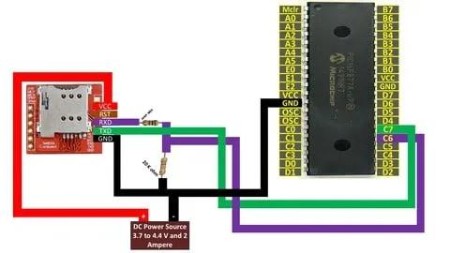
Send/Rec SMS via SIM800L GSM module via PIC16F877A & PC
Published 4/2025
MP4 | Video: h264, 1280x720 | Audio: AAC, 44.1 KHz, 2 Ch
Language: English | Duration: 2h 21m | Size: 1.33 GB
Tutorials on setting up a PIC16F877A microcontroller to send SMS from SIM800L module and to use a PC to do the same.
What you'll learn
They will learn how to use a GSM module .i.e SIM800L with a PIC16F877A microcontroller using MikroC for PIC compiler for coding.
They will learn how to wire up a SIM800L module with a microcontroller.
They will learn how to program a SIM800L module using a microcontroller.
They will learn how to power up and make a safety circuit for the SIM800L module to operate it with microcontrollers.
They will learn how to receive SMS and read them from SIM800L module.
They will learn how to access inbox of your SIM card using SIM800L module to delete and copy stored SMS.
They will learn how to send SMS from SIM800L module.
Requirements
Beginners are welcomed.
Description
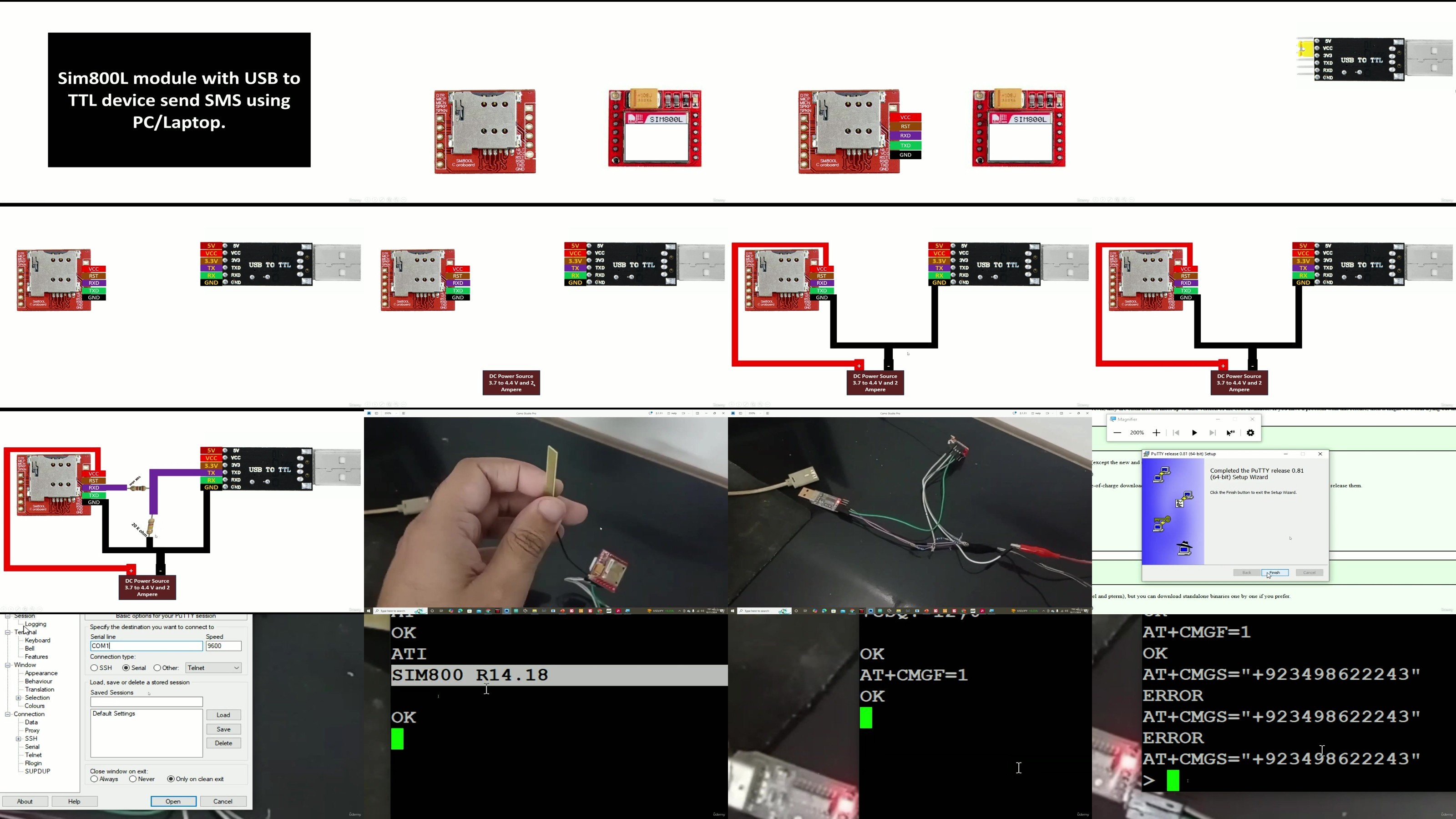
Hello Guys,Welcome to learning microcontrollers. This course focuses on allowing the learners to get hands dirty on SIM800L GSM module. GSM moduels nowadays play a crucial role in automating various of our projects. SIM800L is a leading GSM module in this regard. This course teaches you how to send SMS using a PIC16F877A microcontroller using SIM800L module and also doing the same using a PC by using a USB to TTL device. Moreover, this course will also teach you how you can access the inbox of a inserted SIM card using SIM800L module and how you can use various AT commands to delete and copy SMS. This will also teach you how you can use SIM800L module to receive the SMS directly into a PC/Laptop using USB to TTL device like CH340 or FT232 or any other. Below is the course outline:Section 1: Introduction to PIC16F877A.Lecture 1: Why PIC16F877A microcontroller ?Lecture 2: Introduction to PIC16F877A microcontroller.Lecture 3: Setting up a PIC16F877A microcontroller.Lecture 4: Pins and ports of PIC16F877A.Section 2: Download and installing MikroC for PIC and PICKIT 3 programmer tool.Lecture 5: Downloading and installing MikroC for PIC from offical website.Lecture 6: Downloading and installing PICKIT 3 programmer tool. Link in description.Section 3: SIM800L tutorials.Lecture 7: Operate SIM800L directly from PC using USB to TTL device to send messages.Lecture 8: Operate SIM800L from PIC16F877A to send messages to your cell phone.Lecture 9: Send SMS from PIC16F877A to your cell phone using push button with SIM800L.Lecture 10: Access the inbox of the SIM card using SIM800L directly from PC.Lecture 11: Receive SMS on SIM800L module using a PC.
Who this course is for
Electronic students, electronic hobbyist and anyone with an intrest of making projects using GSM modules and microcontrollers.
AusFile
https://ausfile.com/vd6zmpxsr8b1/yxusj.SendRec.SMS.via.SIM800L.GSM.module.via.PIC16F877A..PC.part1.rar
https://ausfile.com/y5xqqw1tc0ic/yxusj.SendRec.SMS.via.SIM800L.GSM.module.via.PIC16F877A..PC.part2.rar
RapidGator
https://rapidgator.net/file/2da9ed1ea795f072fdff705a9761df0e/yxusj.SendRec.SMS.via.SIM800L.GSM.module.via.PIC16F877A..PC.part1.rar
https://rapidgator.net/file/413ab62eb80ecf96882393b833dd9dfb/yxusj.SendRec.SMS.via.SIM800L.GSM.module.via.PIC16F877A..PC.part2.rar
TurboBit
https://turbobit.net/7m0a84o8bhxp/yxusj.SendRec.SMS.via.SIM800L.GSM.module.via.PIC16F877A..PC.part1.rar.html
https://turbobit.net/pz3s8wopgegf/yxusj.SendRec.SMS.via.SIM800L.GSM.module.via.PIC16F877A..PC.part2.rar.html
We need your support!
Make a donation to help us stay online

Bitcoin (BTC)
bc1q08g9d22cxkawsjlf8etuek2pc9n2a3hs4cdrld

Bitcoin Cash (BCH)
qqvwexzhvgauxq2apgc4j0ewvcak6hh6lsnzmvtkem

Ethereum (ETH)
0xb55513D2c91A6e3c497621644ec99e206CDaf239

Litecoin (LTC)
ltc1qt6g2trfv9tjs4qj68sqc4uf0ukvc9jpnsyt59u

USDT (ERC20)
0xb55513D2c91A6e3c497621644ec99e206CDaf239

USDT (TRC20)
TYdPNrz7v1P9riWBWZ317oBgJueheGjATm
Information |
|||
 |
Users of GUESTS are not allowed to comment this publication. | ||