


Udemy – R Plumber – Building APIs in R from scratch, with hosting
Category: Tutorials
- views: 111
- date: 25 March 2025
- posted by: voska89
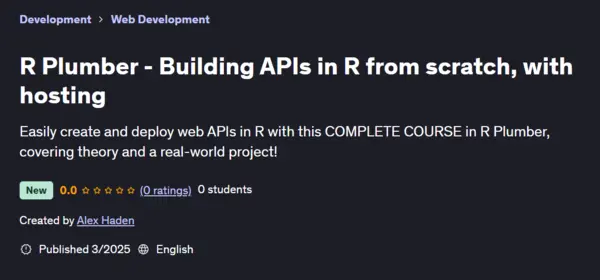
Free Download Udemy – R Plumber – Building APIs in R from scratch, with hosting
Published: 3/2025
Created by: Alex Haden
MP4 | Video: h264, 1280x720 | Audio: AAC, 44.1 KHz, 2 Ch
Level: Beginner | Genre: eLearning | Language: English | Duration: 72 Lectures ( 8h 11m ) | Size: 4.2 GB
Easily create and deploy web APIs in R with this COMPLETE COURSE in R Plumber, covering theory and a real-world project!
What you'll learn
Utilise the R Plumber library to develop a production-grade API, following a real-world use case
Host your API online using 2 of the most popular providers, and debug live deployment issues
Run and test your API locally using a range of tools, focusing on the command line library CURL
Understand security and networking best practices, constantly critiquing and refactoring endpoints
Manage endpoint authorisation via API keys
Handle various API response types, including JSON, images, interactive plots and CSVs
Integrate frontend files to your API to create a fully-fledged website
Build asynchronous functions to improve API performance
Apply request pre-processing tasks using Plumber filters, such as enabling logging, geolocation and gatekeeping
Implement correct API request and response behaviour, including the usage of HTTP method types, status codes and response headers
Issue API requests with many different types of request parameters
Master the groundworks of how REST APIs work, analysing requests in Web Developer Tools
Requirements
Basic R experience
No knowledge of APIs required!
A computer, web browser and some spare disk space to install RStudio and store some CSVs
If you intend on hosting your API online, some knowledge of the command line will be helpful. The two hosting providers that we use require card details, but free tiers are available
Description
Start developing and hosting your own APIs with the Plumber package in R!This course, assuming zero knowledge of APIs, covers all the fundamental concepts behind networking and the R Plumber package, gradually iterating from a blank project, to a production-grade API based on a real-life scenario. You'll get hands-on pretty quickly, with tons of applied coding, testing, quizzes and assignments. Once you have optimised and secured your API, you'll observe first hand its power as you integrate with a pre-built frontend framework. Finally, you will deploy your API live on the internet, using both the Digital Ocean and AWS cloud services, before configuring your custom domain name with Cloudflare.Each practical exercise aims to improve your Plumber knowledge, starting with simple endpoints all the way to handling advanced API requests and features. For example, you'll design endpoints in order to search and book flights, as well as display passenger numbers and visualisations strictly to the airline's internal team only. But the course doesn't simply tell you how to code - we always provide all the theoretical groundings needed for you to understand why and how to implement such functionality, whether that be in the Plumber or REST API world. Support is always there if you need it too, as we'll be actively monitoring the course's Q&A section to answer your queries on Plumber and running the API.We can't wait to see what you can build!Some of the practical use cases to taking this course and creating Plumber APIs include:Gaining knowledge of REST APIs and hosting providersApplication of best practices and conventions for API developmentMoving away from R Shiny whilst keeping the same R code and functionalitySeparation of concerns of frontend and backend components, though allowing for easy integrations between them Building a backend for a personal or business websiteDesigning a company-internal dashboarding platform, such as a Customer Data Platform (CDP)Replacing legacy APIs with modern, secure and sophisticated endpointsDeveloping a quick proof-of-concept to demonstrate new models, algorithms and visualisations built in RAllowing existing R functionality to connect with the internet (such as integrating a Slack command to an R function)The course covers:Basics of REST APIsSending API requests using the command line library CURLSetting up a Plumber projectPlumber endpointsRunning and testing our API locallySwagger API DocumentationHandling parameter data typesQuery / path / body request parametersSerialization (such as HTML, images, interactive plots and CSV formats)REST API method typesResponse status codesAPI securityPre-processing tasks such as logging and gatekeeping using filtersAuthentication via API keysFunction asynchronyIntegration with frontend filesDeploying our API onto Digital Ocean and AWS!Configuring a custom domain
Who this course is for
Any R developer interested in networking and APIs!
Homepage:
https://www.udemy.com/course/r-plumber/DOWNLOAD LINK
AusFile
cszte.R.Plumber..Building.APIs.in.R.from.scratch.with.hosting.part1.rar.html
cszte.R.Plumber..Building.APIs.in.R.from.scratch.with.hosting.part2.rar.html
cszte.R.Plumber..Building.APIs.in.R.from.scratch.with.hosting.part3.rar.html
cszte.R.Plumber..Building.APIs.in.R.from.scratch.with.hosting.part4.rar.html
cszte.R.Plumber..Building.APIs.in.R.from.scratch.with.hosting.part5.rar.html
Rapidgator
cszte.R.Plumber..Building.APIs.in.R.from.scratch.with.hosting.part1.rar.html
cszte.R.Plumber..Building.APIs.in.R.from.scratch.with.hosting.part2.rar.html
cszte.R.Plumber..Building.APIs.in.R.from.scratch.with.hosting.part3.rar.html
cszte.R.Plumber..Building.APIs.in.R.from.scratch.with.hosting.part4.rar.html
cszte.R.Plumber..Building.APIs.in.R.from.scratch.with.hosting.part5.rar.html
Fikper
cszte.R.Plumber..Building.APIs.in.R.from.scratch.with.hosting.part1.rar.html
cszte.R.Plumber..Building.APIs.in.R.from.scratch.with.hosting.part2.rar.html
cszte.R.Plumber..Building.APIs.in.R.from.scratch.with.hosting.part3.rar.html
cszte.R.Plumber..Building.APIs.in.R.from.scratch.with.hosting.part4.rar.html
cszte.R.Plumber..Building.APIs.in.R.from.scratch.with.hosting.part5.rar.html
No Password - Links are Interchangeable
We need your support!
Make a donation to help us stay online

Bitcoin (BTC)
bc1q08g9d22cxkawsjlf8etuek2pc9n2a3hs4cdrld

Bitcoin Cash (BCH)
qqvwexzhvgauxq2apgc4j0ewvcak6hh6lsnzmvtkem

Ethereum (ETH)
0xb55513D2c91A6e3c497621644ec99e206CDaf239

Litecoin (LTC)
ltc1qt6g2trfv9tjs4qj68sqc4uf0ukvc9jpnsyt59u

USDT (ERC20)
0xb55513D2c91A6e3c497621644ec99e206CDaf239

USDT (TRC20)
TYdPNrz7v1P9riWBWZ317oBgJueheGjATm
Information |
|||
 |
Users of GUESTS are not allowed to comment this publication. | ||