


Photoshop Basic Course
Category: Tutorials
- views: 104
- date: 11 March 2025
- posted by: AD-TEAM

Photoshop Basic Course
Published 3/2025
MP4 | Video: h264, 1920x1080 | Audio: AAC, 44.1 KHz
Language: English | Size: 4.92 GB | Duration: 4h 43m
Adobe Photoshop course
What you'll learn
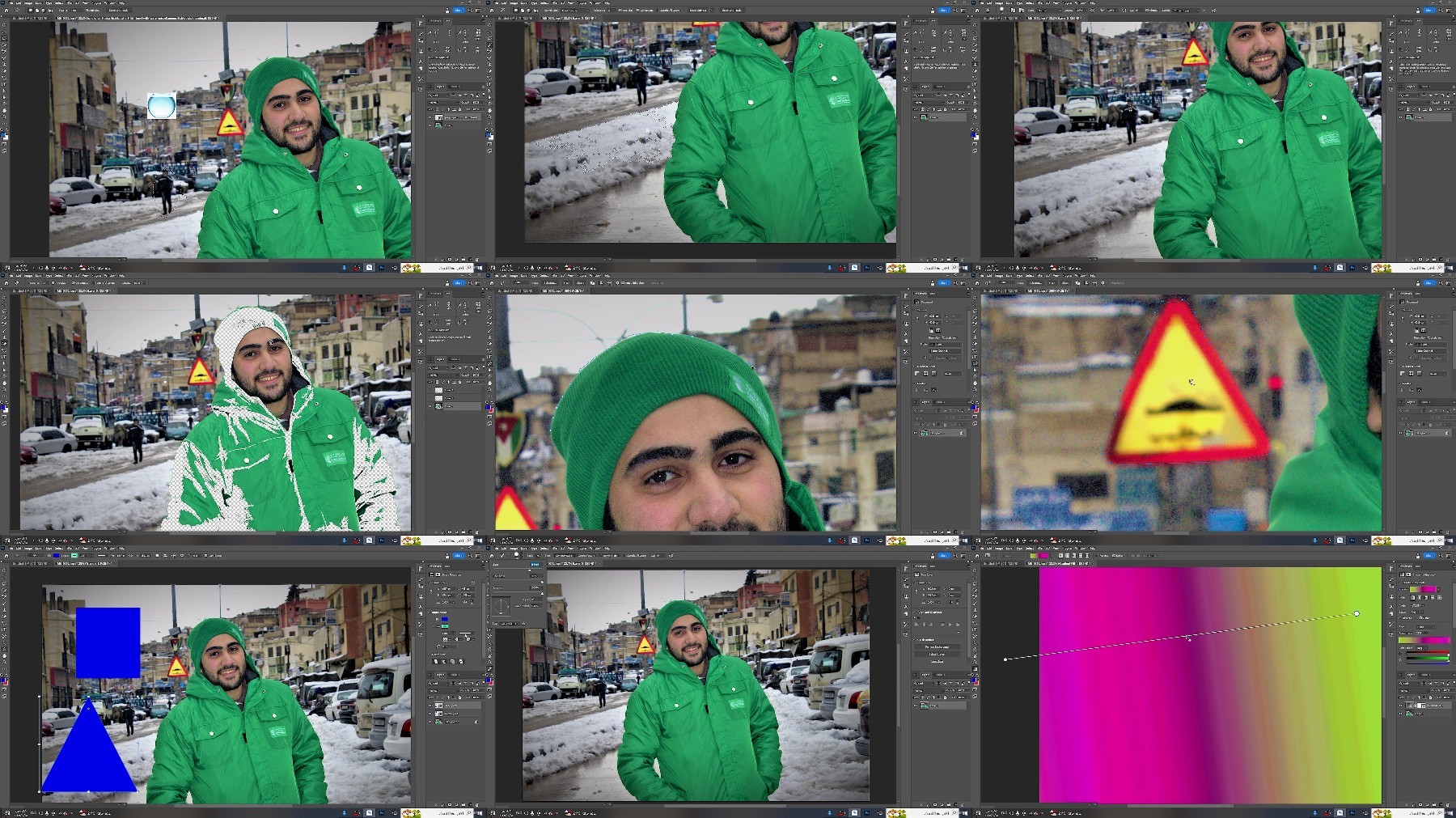
Explanation of the basic interface of Photoshop
Detailed explanation of the tools and how to deal with them
Explaining methods of coloring people, objects, and pictures in general
Working with texts, writing them, and moving them within the workspace
Using artificial intelligence design within Photoshop
Copy, delete or cut people or objects in the image.
Export the image or design in any format such as JPG, PNG, PSD, etc.
Dealing with filters, shadows and layers in a flexible way
Empty images and select, using tools easily and with high accuracy
Put the image inside the mask and focus on the details and deal with them
Requirements
No Photoshop experience required, you will learn everything from the beginning
Description
This is a basic course in Adobe Photoshop, in which you learn all the basics of the program to become able to deal with Photoshop in an easy and flexible way and deal with all the elements inside the program, including texts text size, text type and name, text color and coloring: coloring the image in general or coloring a part or element inside the image and layers dealing with layers in an easy and flexible way and selection explaining all selection tools and ways to deal with them and exporting exporting the project in different formats such as JPG, PNG, PSD In addition, you will learn to place the image inside the mask and focus on the details and deal with them, empty and select images using tools easily and with high accuracy, use artificial intelligence in design inside Photoshop, deal with filters and shadows in a professional way, try to restore old images, whiten teeth and change eye colors, and many, many things inside the program. The course will be easy to explain and simplified and will cover all the basics that a beginner needs to be ready to deal with all the elements and parts inside the Photoshop program.
Overview
Section 1: Introduction
Lecture 1 Lecture 1 - Introduction and definition of the main interface
Lecture 2 Lecture 2 - Tools
Lecture 3 Lecture 3 - LAYERS
Lecture 4 Lecture 4 - Artificial Intelligence
Lecture 5 Lecture 5 - Creating designs, templates and emptying images
Lecture 6 Lecture 6 - Coloring
Lecture 7 Lecture 7 - Text
Lecture 8 Lecture 8 - Filters and Shades
Lecture 9 Lecture 9 - Practical application (Sannan, Flash, Restoration, Delete, Copy, Mov
Lecture 10 Lecture 10 and Final - Putting an image inside a mask and exporting the video
Beginners interested in Photoshop
TurboBit
https://turbobit.net/ctct6v0yklxp/Photoshop.Basic.Course.part1.rar.html
https://turbobit.net/x8qlkc0qcj21/Photoshop.Basic.Course.part2.rar.html
https://turbobit.net/7mfmfooy4izu/Photoshop.Basic.Course.part3.rar.html
https://turbobit.net/xuo7mujta5z0/Photoshop.Basic.Course.part4.rar.html
https://turbobit.net/nb1xk8cpmd05/Photoshop.Basic.Course.part5.rar.html
https://turbobit.net/lsb883kea6a0/Photoshop.Basic.Course.part6.rar.html
RapidGator
https://rapidgator.net/file/65d8dd4f12511ab9b5789f808e1f1e49/Photoshop.Basic.Course.part1.rar
https://rapidgator.net/file/9369fa80bfe7b264cab62d59b5b4a32c/Photoshop.Basic.Course.part2.rar
https://rapidgator.net/file/3c25f8c2ae94d5fd2050f901d4c71794/Photoshop.Basic.Course.part3.rar
https://rapidgator.net/file/ccc203f245e27c205f84111ba8961807/Photoshop.Basic.Course.part4.rar
https://rapidgator.net/file/85573f4881b41ef621c03a4b61f3ecb0/Photoshop.Basic.Course.part5.rar
https://rapidgator.net/file/a886aa98d907dbf4e80e00ad0ef647af/Photoshop.Basic.Course.part6.rar
AlfaFile
FileFactory
We need your support!
Make a donation to help us stay online

Bitcoin (BTC)
bc1q08g9d22cxkawsjlf8etuek2pc9n2a3hs4cdrld

Bitcoin Cash (BCH)
qqvwexzhvgauxq2apgc4j0ewvcak6hh6lsnzmvtkem

Ethereum (ETH)
0xb55513D2c91A6e3c497621644ec99e206CDaf239

Litecoin (LTC)
ltc1qt6g2trfv9tjs4qj68sqc4uf0ukvc9jpnsyt59u

USDT (ERC20)
0xb55513D2c91A6e3c497621644ec99e206CDaf239

USDT (TRC20)
TYdPNrz7v1P9riWBWZ317oBgJueheGjATm
Information |
|||
 |
Users of GUESTS are not allowed to comment this publication. | ||