


Delta Hmi Programming Training In Dopspft Software
Category: Tutorials
- views: 51
- date: 10 December 2024
- posted by: AD-TEAM

Delta Hmi Programming Training In Dopspft Software
Published 10/2024
MP4 | Video: h264, 1280x720 | Audio: AAC, 44.1 KHz
Language: English | Size: 2.96 GB | Duration: 4h 31m
After the end of this course, you can easily start programming Delta HMI in DOPsoft software.
What you'll learn
After the end of this course, you can write a project in DOPsoft software.
Analyze all projects in HMI Delta.
Increased ability to take on new projects.
To get hired, you can add Delta programming to your resume.
Requirements
To learn this course better, it is better to watch the Delta PLC programming training in WPLsoft software first.
Description
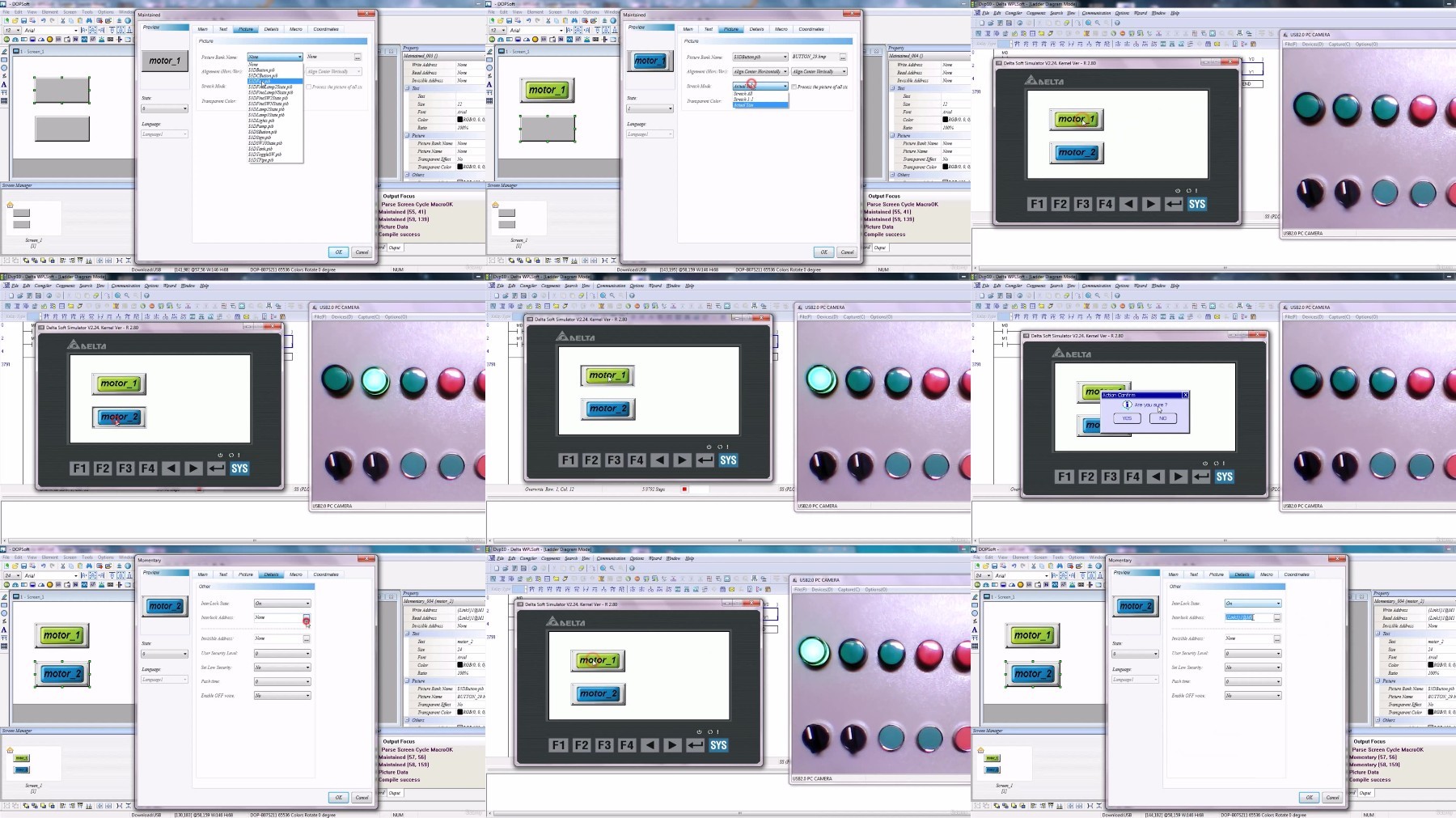
Hello friends, I am very happy that you have chosen this course for your own learning. In this course, Delta hmi training is supposed to be taught to you in simple language. This course contains 24 educational videos and is taught in 4 hours. All the frequently used and important commands available in Delta hmi are taught in this course.In order to learn this course better, it is better to watch the course (Delta PLC programming training in WPLsoft software) in its entirety and make sure you have completed this prerequisite course (Delta PLC programming training in WPLsoft software) to understand this complete course.It has been tried to teach all the commonly used commands in the industry in this course and make you unnecessary from any other course. So be sure to watch all the parts of the course to learn, because the first parts are prerequisites for the next parts of the course.In this course, plc device has been used for better learning. We used laptop as HMI and used PLC as controller device. In this course, we tried to show all the projects in a practical way, and you must have one of the PLC or HMI devices available to run the project. Because one of the devices must be available for simulation, and the laptop must be used for the other device. did
Overview
Section 1: Introduction
Lecture 1 Introduction About DOPsoft Software HMI Delta
Lecture 2 Introduction About HMI Delta
Section 2: 111
Lecture 3 How To Use Momentory Command In DOPsoft Software
Lecture 4 How To Use Set, Reset & Maintained Command In DOPsoft Software
Lecture 5 How To Use Meter Display In DOPsoft Software
Lecture 6 How To Use Maintained Command In DOPsoft Software
Section 3: Teaching basic elements in DOPsoft software
Lecture 7 How To Use Bar Display In DOPsoft Software
Lecture 8 How To Use Indicator Element In DOPsoft Software
Lecture 9 How To Use Multistate Element In DOPsoft Software
Lecture 10 How To Use Increament & Decreament Element In DOPsoft Software
Section 4: Teaching intermediate elements inDOPsoft software
Lecture 11 How To Use Multistate Element In DOPsoft Software
Lecture 12 How To Use Numeric Display Element In DOPsoft Software
Lecture 13 How To Use Numeric Display Element In DOPsoft Software
Lecture 14 How To Use Numeric Display Element In DOPsoft Software
Section 5: Teaching advanced elements in DOPsoft software
Lecture 15 How To Use Clock, Calendar & Text Moving Element In DOPsoft Software
Lecture 16 How To Use Numeric Entry Element In DOPsoft Software
Lecture 17 How To Use Slider Element In DOPsoft Software
Lecture 18 How To Use Screens In DOPsoft Software
Lecture 19 How To Use Historical Trend Graph In DOPsoft Software
Lecture 20 How To Use Password & Access Level In DOPsoft Software
Section 6: How To Use Macro-Programming In DOPsoft Software
Lecture 21 How To Use Macro-Programming In DOPsoft Software Part1
Lecture 22 How To Use Macro-Programming In DOPsoft Software Part2
Lecture 23 How To Use Macro-Programming In DOPsoft Software Part3
Lecture 24 How To Use Macro-Programming In DOPsoft Software Part4
This course is for those who want to learn Delta HMI programming.,If someone is an operator in the industry, this course will help him/her work professionally.
DDownload
https://ddownload.com/c0yb070plobr/Udemy_Delta_HMI_programming_training_in_DOPspft_software_.part1.rar
https://ddownload.com/4dsayit88jta/Udemy_Delta_HMI_programming_training_in_DOPspft_software_.part2.rar
RapidGator
https://rapidgator.net/file/bd278b060b7c24aa01217b3112c8643b/Udemy_Delta_HMI_programming_training_in_DOPspft_software_.part1.rar
https://rapidgator.net/file/b243a8e6d553309e961c5751da52bbce/Udemy_Delta_HMI_programming_training_in_DOPspft_software_.part2.rar
FileStore
TurboBit
https://turbobit.net/ofnwugtpb9y8/Udemy_Delta_HMI_programming_training_in_DOPspft_software_.part1.rar.html
https://turbobit.net/by4s9wzoeako/Udemy_Delta_HMI_programming_training_in_DOPspft_software_.part2.rar.html
FileAxa
https://fileaxa.com/vack2hwr3ana/Udemy_Delta_HMI_programming_training_in_DOPspft_software_.part1.rar
https://fileaxa.com/yfqw3zkg8uz7/Udemy_Delta_HMI_programming_training_in_DOPspft_software_.part2.rar
We need your support!
Make a donation to help us stay online

Bitcoin (BTC)
bc1q08g9d22cxkawsjlf8etuek2pc9n2a3hs4cdrld

Bitcoin Cash (BCH)
qqvwexzhvgauxq2apgc4j0ewvcak6hh6lsnzmvtkem

Ethereum (ETH)
0xb55513D2c91A6e3c497621644ec99e206CDaf239

Litecoin (LTC)
ltc1qt6g2trfv9tjs4qj68sqc4uf0ukvc9jpnsyt59u

USDT (ERC20)
0xb55513D2c91A6e3c497621644ec99e206CDaf239

USDT (TRC20)
TYdPNrz7v1P9riWBWZ317oBgJueheGjATm
Information |
|||
 |
Users of GUESTS are not allowed to comment this publication. | ||