


The Art of Doing: Master NetWorks and NetWork Scanning
Category: Tutorials
- views: 109
- date: 18 November 2024
- posted by: AD-TEAM

The Art of Doing: Master Networks and Network Scanning
Video: .mp4 (1280x720, 30 fps(r)) | Audio: aac, 48000 Hz, 2ch | Size: 3.91 GB
Genre: eLearning Video | Duration: 42 lectures (8 hours, 59 mins) | Language: English
Go from entering "nmap 192.168.1.0/24" to UNDERSTANDING the command
What you'll learn
Learn how to set up your own virtual network of Kali Linux computers and investigate various networking options.
Learn various concepts such as IP addresses, netmasks, MAC address, address resolution protocol, arp tables, routing tables, and firewalls.
Learn about port addresses, services such as FTP, SSH, and HTTP, and communication protocols such as TCP and UDP.
Learn how to use various Linux commands such as ip, arp, ping, macchanger, systemctl, ss, tcpdump and iptables.
Learn how to write your own Bash scripts to scan a network, change your ip/mac address, alert you of port status changes, and quickly set up a firewall.
Learn and understand powerful tools like netcat and nmap.
Requirements
An internet enabled computer.
Students may find it beneficial to know the basics of bash scripting but should be able to follow along easily without.
A USB WiFi adapter (optional), only for the portion of the course on changing your MAC address.
Ability to install software on the computer such as Virtual Box.
Description
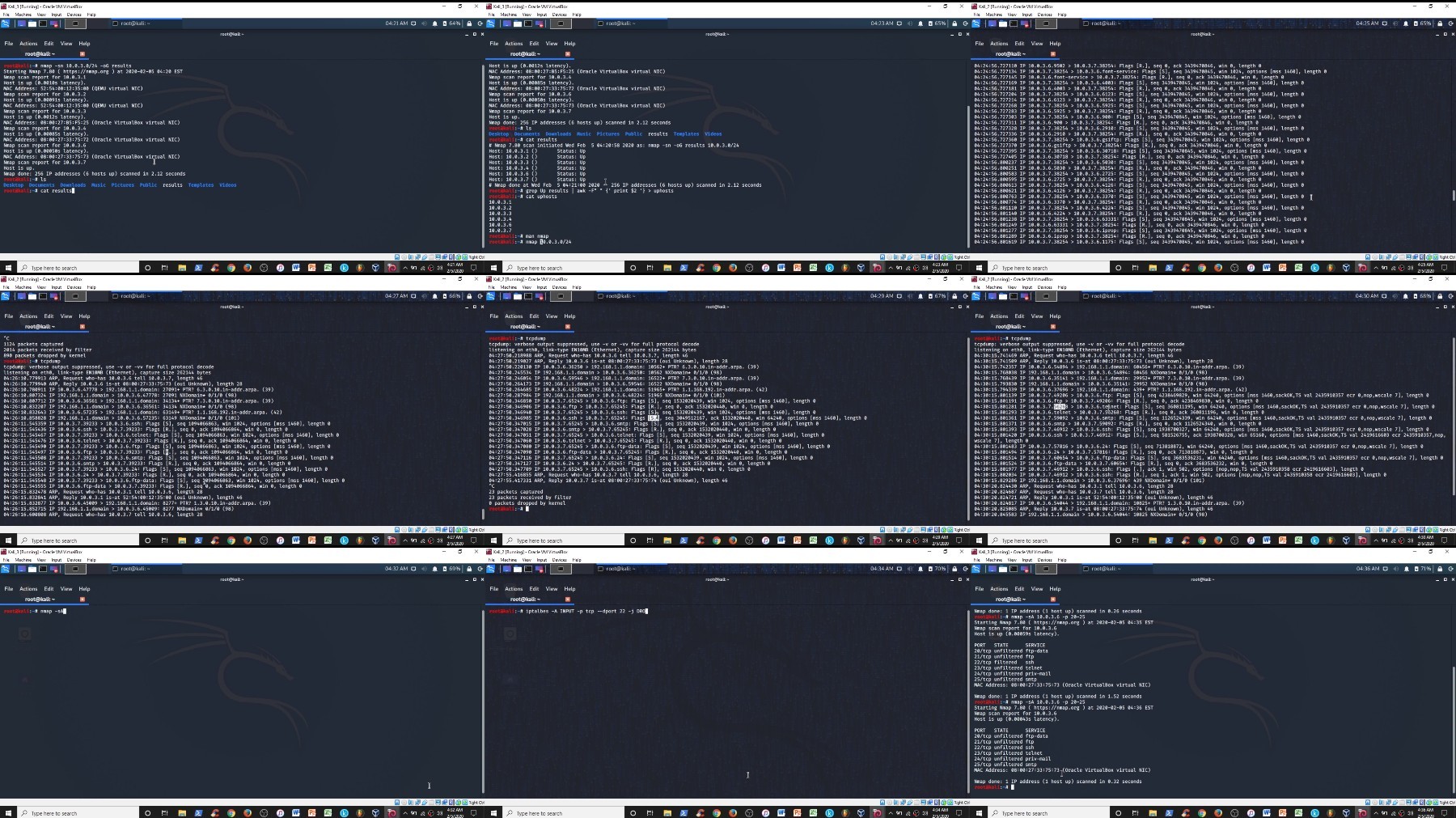
Scanning a network is as easy as entering "nmap 192.168.1.0/24" into the command line. Anyone can do it really; the real question becomes why does it work and what is happening when you hit enter?
When I first started learning Linux, I would find commands online and enter them with AMAZING results.but I never really understood why or how those commands worked. I felt that I didn't own my knowledge or skills.
If you want to gain a better understanding of how devices join, work and communicate across a network then this course is for you!
We'll get set up with our own virtual network of Kali Linux machines using Virtual Box. These machines can run directly inside your windows/mac, so there is no need to install Linux directly! We'll look at different networking options in Virtual Box and see how to run these computers isolated, on a real network, or on a virtual network.
We will learn about various networking concepts such as an IP addresses, netmasks, MAC address, address resolution protocol, arp tables, routing tables, port addresses, firewalls, services such as FTP, SSH, and HTTP, and communication protocols such as TCP and UDP.
We will then look at various Linux commands that utilize the knowledge we gained such as ip, arp, ping, macchanger, systemctl, tcpdump, ss, and iptables.
We will write our own Bash scripts to use our knowledge of concepts and commands.
Our own network scanner which will find all IP/MAC address associations on our network and update our arp table.
A script to hide our identity on our network by changing our IP and MAC address while still giving us a network connection.
Our own port monitoring script that will alert us to any changes in port status by creating a pop up window and showing us the change.
A script to quickly set up a firewall as a defense to nefarious computers trying to attack us.
Of course in doing all of this, we are going to gain an understanding of how and why powerful tools like netcat and nmap work!
By the end of this course you won't just be mindlessly typing in commands into nmap without understanding what is happening. Instead you will have mastered networks and network scanning! With these ideas and skills mastered you are well on your way to learning more about advanced topics like cyber security and ethical hacking!
Who this course is for:
Beginner students who want to understand how computers communicate on a network.
Beginner students who want to learn more about ethical hacking and cyber security.
Anyone learning Linux who is tired of entering in commands without knowing why.
For More Courses Visit & Bookmark Your Preferred Language Blog
From Here: - - - - - - - -
Download Links
FileAxa
https://fileaxa.com/sdt9txuq2rjj/The.Art.of.Doing.Master.Networks.and.Network.Scanning.part1.rar
https://fileaxa.com/w9acat9qen5s/The.Art.of.Doing.Master.Networks.and.Network.Scanning.part2.rar
RapidGator
https://rapidgator.net/file/514a046219e601c1ac04e253125f5dde/The.Art.of.Doing.Master.Networks.and.Network.Scanning.part1.rar
https://rapidgator.net/file/497c3f3e73de8d32636916f341603154/The.Art.of.Doing.Master.Networks.and.Network.Scanning.part2.rar
FileStore
TurboBit
https://turbobit.net/x19607krefnk/The.Art.of.Doing.Master.Networks.and.Network.Scanning.part1.rar.html
https://turbobit.net/dcw1yghdrd7q/The.Art.of.Doing.Master.Networks.and.Network.Scanning.part2.rar.html
We need your support!
Make a donation to help us stay online

Bitcoin (BTC)
bc1q08g9d22cxkawsjlf8etuek2pc9n2a3hs4cdrld

Bitcoin Cash (BCH)
qqvwexzhvgauxq2apgc4j0ewvcak6hh6lsnzmvtkem

Ethereum (ETH)
0xb55513D2c91A6e3c497621644ec99e206CDaf239

Litecoin (LTC)
ltc1qt6g2trfv9tjs4qj68sqc4uf0ukvc9jpnsyt59u

USDT (ERC20)
0xb55513D2c91A6e3c497621644ec99e206CDaf239

USDT (TRC20)
TYdPNrz7v1P9riWBWZ317oBgJueheGjATm
Information |
|||
 |
Users of GUESTS are not allowed to comment this publication. | ||