


Ios Core Concepts
Category: Tutorials
- views: 72
- date: 24 October 2024
- posted by: 0nelove
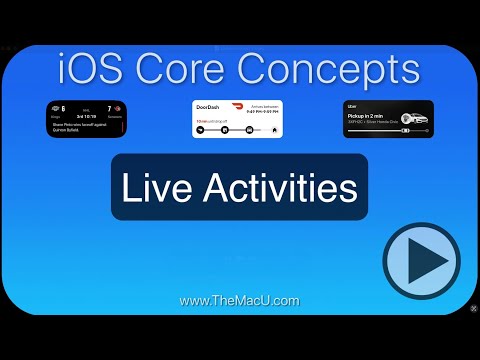
Ios Core Concepts
Published 10/2024
Created by Andrew Swanson
MP4 | Video: h264, 1280x720 | Audio: AAC, 44.1 KHz, 2 Ch
Genre: eLearning | Language: English | Duration: 34 Lectures ( 2h 26m ) | Size: 1.61 GB
Learn how to use all aspects of iOS for iPhone and iPad!
What you'll learn
30+ lessons on topics every iPhone or iPad user should know!
In-depth HD video tutorials on features like Spotlight, Siri, AirDrop, Control Center, Notifications, Screenshots, and more!
See how to use your iPhone/iPad together with other iOS devices as well as Macs using iCloud and continuity features.
Learn ways to customize your devices to operate in the best manner for you.
Requirements
Having access to an iPhone or iPad with the latest iOS Software is recommended but not required.
Description
This iOS Core Concepts Tutorial is a comprehensive video series designed to help users get the most out of their iPhone or iPad1. It covers over 30 essential lessons on various topics, including:Home Screen Interface: How to organize and customize your home screen.Lock Screen: Managing notifications and using widgets.Light/Dark Mode: Switching between modes and customizing appearance.iCloud: Syncing and backing up data across devices.App Store: Finding, downloading, and organizing apps.App Library: Efficiently accessing and managing apps.Widgets: Adding and customizing widgets for quick information.Haptic Touch & 3D Touch: Using pressure-sensitive touch features.Spotlight Search: Quickly finding files, apps, and more.Siri: Setting up and using Siri for voice commands.App Switcher: Switching between apps and managing recent apps.Drag & Drop: Moving content between apps.Notifications: Customizing and managing notifications.Sounds & Haptics: Adjusting sound settings and haptic feedback.Control Center: Accessing and customizing quick settings.Do Not Disturb: Managing focus and notifications.Screen Time: Monitoring and managing device usage.AirDrop: Sharing files wirelessly with other Apple devices.App Handoff: Continuously working across devices.AirPlay & Screen Mirroring: Streaming content to other devices.Personal Hotspot: Sharing your internet connection.iPhone Keyboard: Typing efficiently on your iPhone.iPad Keyboard: Enhanced typing features on iPad.Battery Usage: Monitoring and optimizing battery life.Power Management: Managing power settings.Screenshots & Screen Recordings: Capturing and sharing screen content.Markup: Annotating and editing images and documents.Settings App: Exploring and customizing settings.Wrap Up: A final overview and additional tips.The tutorials are presented in high-definition video format with direct screen recordings, ensuring clear and easy-to-follow instructions. The lessons are designed for both beginners and experienced iOS users, making it a valuable resource for anyone looking to improve their experience with iOS Devices.
Who this course is for
Great for anyone new to iOS or wanting to learn to use your current iOS device more effectively & efficiently.
These lessons are also a great reference tool for long time iOS users!
Homepage
Buy Premium From My Links To Get Resumable Support and Max Speed
https://rapidgator.net/file/ad5275ba3ebb12956cf91a55a5120523/iOS_Core_Concepts.part2.rar.html
https://rapidgator.net/file/d6f15ba9a2ca157b72b5ce519dca0bc8/iOS_Core_Concepts.part1.rar.html
https://nitroflare.com/view/2306ACF71B3C5F9/iOS_Core_Concepts.part2.rar
https://nitroflare.com/view/ACA4C2F3760A910/iOS_Core_Concepts.part1.rar
We need your support!
Make a donation to help us stay online

Bitcoin (BTC)
bc1q08g9d22cxkawsjlf8etuek2pc9n2a3hs4cdrld

Bitcoin Cash (BCH)
qqvwexzhvgauxq2apgc4j0ewvcak6hh6lsnzmvtkem

Ethereum (ETH)
0xb55513D2c91A6e3c497621644ec99e206CDaf239

Litecoin (LTC)
ltc1qt6g2trfv9tjs4qj68sqc4uf0ukvc9jpnsyt59u

USDT (ERC20)
0xb55513D2c91A6e3c497621644ec99e206CDaf239

USDT (TRC20)
TYdPNrz7v1P9riWBWZ317oBgJueheGjATm
Information |
|||
 |
Users of GUESTS are not allowed to comment this publication. | ||