


Make to Order using SAP Variant Configuration
Category: Tutorials
- views: 146
- date: 12 October 2024
- posted by: AD-TEAM
Published 9/2024 MP4 | Video: h264, 1920x1080 | Audio: AAC, 44.1 KHz Language: English | Size: 1.78 GB | Duration: 3h 51m
MTO_UsingLO-VC
What you'll learn
SAP PP Consultants
SAP SD Consultants
Variant Configuration Consultants
Manufacturing staff in Make to Order Scenario
SAP End Users aspiring to learn Make to Order using SAP
Requirements
Conversance with SAP Navigation
Conversance with MM in terms of Master data , BOM and Routing setup
Understanding of BOM and Make to Order Manufacturing Processes
For Hands on Practice, must have access to SAP Application (S4 HANA 202X)
Description
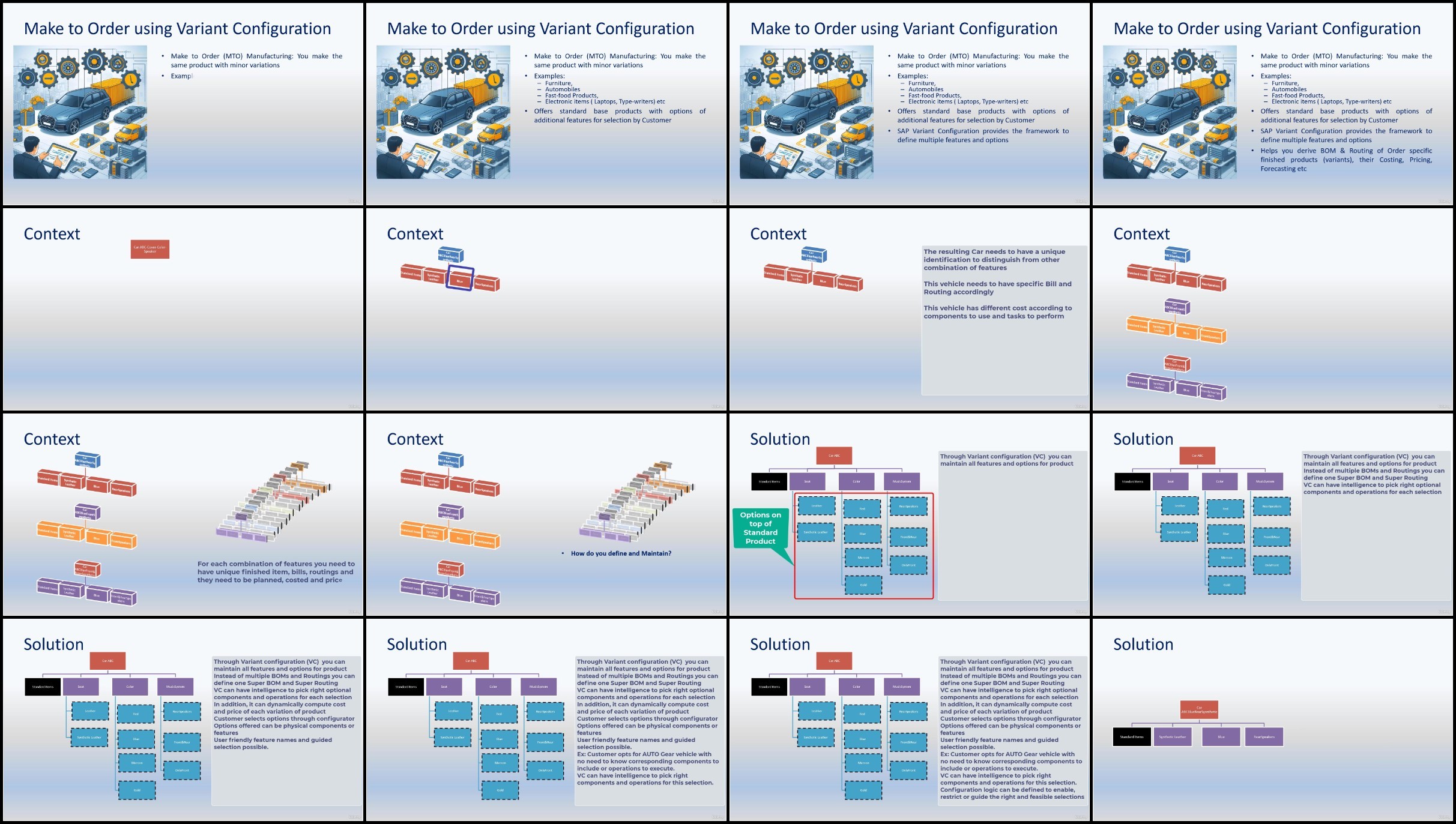
In Make to Order Manufacturing environment, the company makes the products after receiving the order. Make to order can be executed in two scenarios.1. A design of product is in place but product is made only after receiving the order. This is because product is quite experience to make and stock before sales. example: Locomotives. Steam Turbines, Portable offices etc.2. High level design of base product is in place but product may accommodate minor variations according to Customer choice. In such case the customer is presented with a few features and options for each feature to select. Accordingly the customer specific product is made and delivered. With a product having large number of minor variations, you will find it difficult to plan and monitor each finished product with minor changes. Instead you can plan at sub-assembly and component levels. Finished products are determined only after customer chooses the features. SAP has variant configuration as one cross- functional module which eases out the design, planning, costing, pricing and sales / purchase of such Products. This course will go through the concepts as well as demos on how SAP enables Make to Order Manufacturing and sales. In addition, you will get off-line reading material for your reference. You will also go through quiz items to check your knowledge
Overview
Section 1: Introduction
Lecture 1 Introduction
Section 2: Business Case for DEMO
Lecture 2 Business Case
Section 3: Demo- Characteristics (Features)
Lecture 3 Create Characteristics - initial screen
Lecture 4 Create Characteristics - Define Basic data & descriptions
Lecture 5 Create Characteristics - Additional data and restrictions
Lecture 6 Create Characteristics - All Characteristics
Lecture 7 Create Characteristics - Reports
Section 4: Create Class
Lecture 8 Create Class - Introduction
Lecture 9 Create Class - Creation of Class in SAP
Section 5: Define Materials for demo
Lecture 10 Define Materials - Create Configurable Material
Lecture 11 Define Materials - Create Component Materials
Section 6: Define SuperBOM and Routing
Lecture 12 Define Configurable BOM and Routing - Create Super BOM
Lecture 13 Define Configurable BOM and Routing - Create Super Routing
Section 7: Define Configuration Profile
Lecture 14 Define Configuration Profile - Briefing
Lecture 15 Define Configuration Profile - Basic Data
Lecture 16 Define Configuration Profile - Configuration Parameters
Lecture 17 Define Configuration Profile - UsetInterf Parameters
Lecture 18 Define Configuration Profile - Language and Display attributes
Lecture 19 Define Configuration Profile - Scope attributes
Lecture 20 Define Configuration Profile - Pricing and Default attributes
Lecture 21 Define Configuration Profile - Variant Matching attributes
Section 8: Selection Conditions for Components and Operations
Lecture 22 Selection Conditions - Briefing
Lecture 23 Selection Conditions - Walkthrough Object Dependency
Lecture 24 Selection Conditions - BOM Components RAM and HDD
Lecture 25 Selection Conditions - BOM Components OS
Lecture 26 Selection Conditions - Routing Operations
Section 9: Configuration Simulation
Lecture 27 Configuration Simulation for BOM Selection Conditions
Section 10: Preconditions and Procedures
Lecture 28 Preconditions - Review of Requirements
Lecture 29 Preconditions - Enable Windows Version
Lecture 30 Preconditions - Disable Lower RAM and HDD
Lecture 31 Procedures - Restrict Screen Size
Lecture 32 Procedures - Default a value to HDD based on RAM selection
Lecture 33 Preconditions and Procedures - Verify Solution
Section 11: Business Transactions of Configurable Materials in MTP
Lecture 34 Production Order - Additional setup
Lecture 35 Production Order - Execution of Standalone Order
Section 12: Sales Price configuration for MTO Products
Lecture 36 Sales Price Configuration - Review Price requirements
Lecture 37 Sales Price Configuration - Write procedures to assign values to Variant keys
Lecture 38 Sales Price Configuration - Validate Procedures assigning Values to Variant Keys
Lecture 39 Sales Price Configuration - Define Surcharges and Discounts in Price Conditions
Lecture 40 Sales Price Configuration - Execute Sales Order with Pricing setup
Aspirants who want to learn Variant Configuration,SAP PP, SD and MM Consultants who want to learn Variant Configuration,Domain experts in Planning, Production and Sales in the Make to / Assemble to Order Industries,Engineering Students in the discipline of Production, Mechanical engineering and Automobiles etc,Students of Industrial engineering with aspiration to learn SAP
without You and Your Support We Can't Continue
Thanks for Buying Premium From My Links for Support
Click >>here & Visit My Blog Daily for More Udemy Tutorial. If You Need Update or Links Dead Don't Wait Just Pm Me or Leave Comment at This Post
Download
RapidGator
FileStore
DDownload
TurboBit
RapidGator
FileStore
DDownload
TurboBit
We need your support!
Make a donation to help us stay online

Bitcoin (BTC)
bc1q08g9d22cxkawsjlf8etuek2pc9n2a3hs4cdrld

Bitcoin Cash (BCH)
qqvwexzhvgauxq2apgc4j0ewvcak6hh6lsnzmvtkem

Ethereum (ETH)
0xb55513D2c91A6e3c497621644ec99e206CDaf239

Litecoin (LTC)
ltc1qt6g2trfv9tjs4qj68sqc4uf0ukvc9jpnsyt59u

USDT (ERC20)
0xb55513D2c91A6e3c497621644ec99e206CDaf239

USDT (TRC20)
TYdPNrz7v1P9riWBWZ317oBgJueheGjATm
Information |
|||
 |
Users of GUESTS are not allowed to comment this publication. | ||