


Autocad (2025) Basics For Beginners With Practical Assignment
Category: Tutorials
- views: 117
- date: 9 October 2024
- posted by: AD-TEAM

Autocad 2025 Basics For Beginners With Practical Assignment
Published 8/2024
MP4 | Video: h264, 1920x1080 | Audio: AAC, 44.1 KHz
Language: English | Size: 1.64 GB | Duration: 4h 1m
Learn AutoCAD 2025 from Scratch with Practical Assignment in Last Section
What you'll learn
Understanding the AutoCAD Interface: Master the AutoCAD interface, including ribbon navigation, and zooming/panning for effective workspace control.
Developing Essential Drawing Commands: Gain proficiency in key drawing commands (line, polyline, arc, circle) and object snap.
Proficiency in Object Selection and Modification: Develop skills in selecting and modifying objects using commands like move, copy, rotate, mirror, and scale
Layer Management and Organization: Learn layer management in AutoCAD, including creating and adjusting layer properties for better drawing organization.
Creating Text and Dimension Styles: Create and tailor text styles and dimension styles using annotative scale.
Navigating Paperspace and Viewports: Explore paperspace and viewports usage in AutoCAD, learning to accurately set scales and plot drawings for professional use
Requirements
You will need to have AutoCAD installed
Basic knowledge of how to use a computer
Description
Welcome to AutoCAD 2025 Basics for Beginners with Practical Assignment! This course is designed to equip you with essential AutoCAD skills by teaching you the basics and then applying them in a practical, real-world assignment in the final section. Perfect for beginners and those looking to refresh their knowledge, you will learn to navigate the AutoCAD interface, use drawing commands, modify objects, and apply the skills learned in a hands-on assignment.Key Learnings:AutoCAD Interface: Understand the basic tools, commands, and workspace customization.Drawing: Learn how to use drawing commands and different methods of input in AutoCAD (Absolute, Relative, Polar).Layer Management: Learn how to create layers and understand their properties such as line weight, line type, colour, etc.Annotation and Dimensions: Learn how to create text and dimension styles using the annotative feature.Practical Assignment: Apply the skills you learned in a hands-on, real-world assignment.Why Enroll:Hands-On Practice: Gain experience with practical assignments designed to reinforce learning.Expert Guidance: Follow clear, step-by-step instructions from an experienced instructor.Flexible Learning: Access course materials at your own pace, anytime and anywhere.Ideal For:Beginners: No prior AutoCAD experience required.Students and Educators: Enhance your AutoCAD 2D skills for academic purposes.Professionals: Refresh and update your AutoCAD knowledge for career advancement.
Overview
Section 1: Introduction
Lecture 1 Introduction (How to Navigate the Course)
Lecture 2 Downloading AutoCAD (options)
Lecture 3 Opening and Saving Your Drawing
Lecture 4 Basic Navigation and Interface
Lecture 5 Basic Tools and Commands
Lecture 6 Zoom & Pan
Section 2: Learning Drawing Commands
Lecture 7 Introduction to Coordinate Systems (Absolute, relative, and polar coordinates)
Lecture 8 Drawing Using Absolute Coordinates
Lecture 9 Drawing Using Relative Coordinates
Lecture 10 Drawing Using Polar Coordinates
Lecture 11 Essential Drawing Commands
Lecture 12 Object Snap and Selection Methods (Part 1)
Lecture 13 Object Snap and Selection Methods (Part 2)
Lecture 14 Object Snap and Selection Methods (Part 3)
Section 3: Modifying Objects
Lecture 15 Move & Copy
Lecture 16 Rotate & Align
Lecture 17 Trim & Extend
Lecture 18 Mirror
Lecture 19 Scale
Lecture 20 Fillet
Lecture 21 Break & Break at point
Lecture 22 Explode & Join
Lecture 23 Offset
Section 4: Practical Assignment
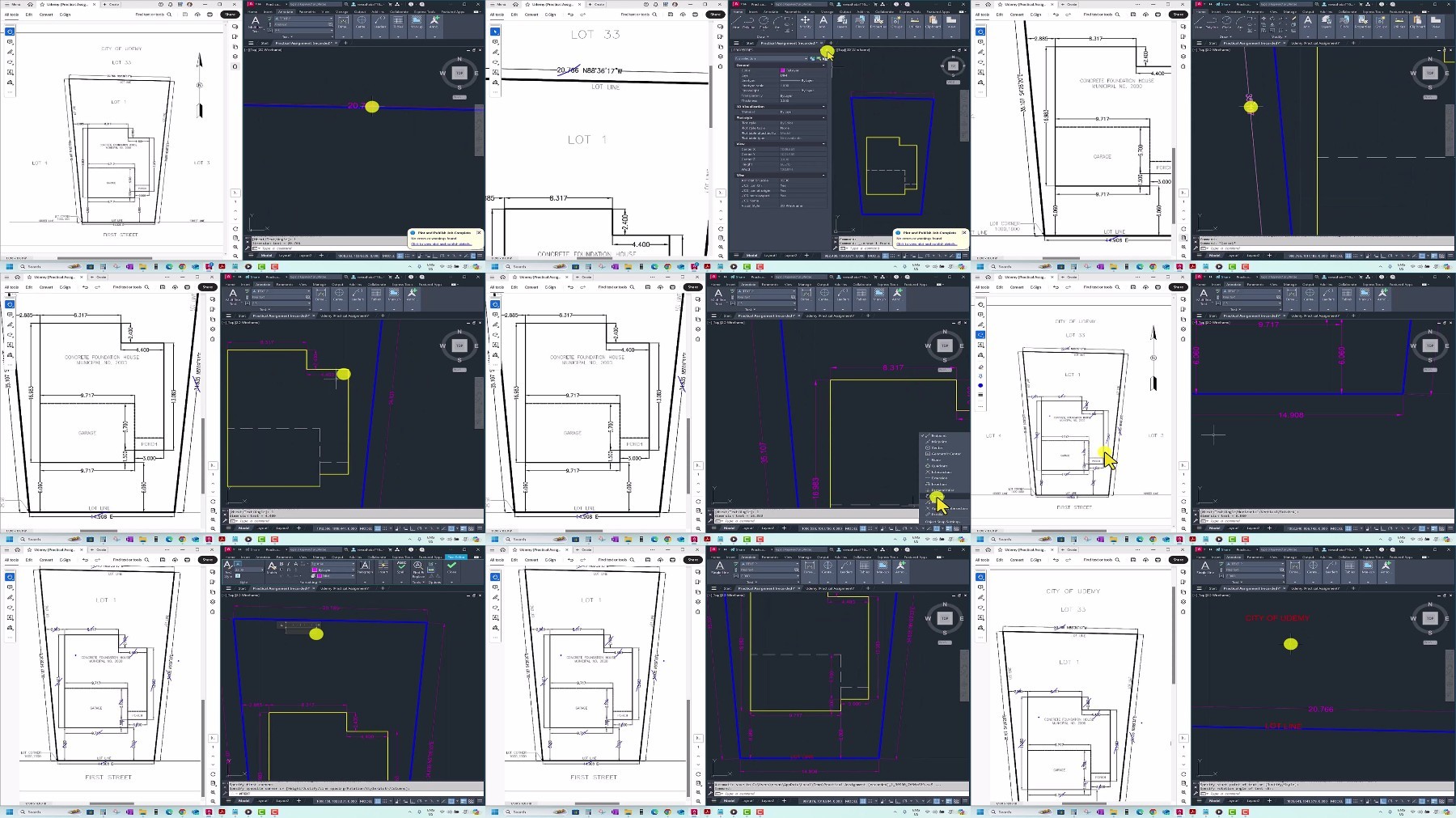
Lecture 24 Introduction to the Property Plan Assignment
Lecture 25 Setting Up Your Drawing Environment
Lecture 26 Drawing Property Boundaries Using Bearings and Distances
Lecture 27 Creating and Managing Layers
Lecture 28 Accurately Placing the House
Lecture 29 Setting Up Viewports and Page Layout
Lecture 30 Setting Text & Dimensions Styles
Lecture 31 Apply Text & Dimensions Styles
Lecture 32 Finalizing Text, Adding Multileader and North Arrow Block & etc.
Lecture 33 Plotting the Final Drawing
Lecture 34 Extra
Beginners in AutoCAD: Individuals with little to no prior experience in AutoCAD will benefit from a comprehensive introduction to the interface.,Students and Educators: Students in technical or design-related fields and educators looking to integrate AutoCAD into their curriculum.
https://ddownload.com/11k8rs9r7gze/.AutoCAD.2025.Basics.for.Beginners.with.Practical.Assignment.part1.rar
https://ddownload.com/nj8vdcwmua06/.AutoCAD.2025.Basics.for.Beginners.with.Practical.Assignment.part2.rar
https://rapidgator.net/file/9050225b029beb3f765eb42f828c851e/.AutoCAD.2025.Basics.for.Beginners.with.Practical.Assignment.part1.rar
https://rapidgator.net/file/b0834c8014cec8a58f3800276faf6c46/.AutoCAD.2025.Basics.for.Beginners.with.Practical.Assignment.part2.rar
https://turbobit.net/837v0uxvsxdw/.AutoCAD.2025.Basics.for.Beginners.with.Practical.Assignment.part1.rar.html
https://turbobit.net/unknown 93c421cbbedb09994df655097b8d419d .AutoCAD.2025.Basics.for.Beginners.with.Practical.Assignment.part2.rar/.AutoCAD.2025.Basics.for.Beginners.with.Practical.Assignment.part2.rar.html
What you'll learn
Understanding the AutoCAD Interface: Master the AutoCAD interface, including ribbon navigation, and zooming/panning for effective workspace control.
Developing Essential Drawing Commands: Gain proficiency in key drawing commands (line, polyline, arc, circle) and object snap.
Proficiency in Object Selection and Modification: Develop skills in selecting and modifying objects using commands like move, copy, rotate, mirror, and scale
Layer Management and Organization: Learn layer management in AutoCAD, including creating and adjusting layer properties for better drawing organization.
Creating Text and Dimension Styles: Create and tailor text styles and dimension styles using annotative scale.
Navigating Paperspace and Viewports: Explore paperspace and viewports usage in AutoCAD, learning to accurately set scales and plot drawings for professional use
Requirements
You will need to have AutoCAD installed
Basic knowledge of how to use a computer
Description
Welcome to AutoCAD 2025 Basics for Beginners with Practical Assignment! This course is designed to equip you with essential AutoCAD skills by teaching you the basics and then applying them in a practical, real-world assignment in the final section. Perfect for beginners and those looking to refresh their knowledge, you will learn to navigate the AutoCAD interface, use drawing commands, modify objects, and apply the skills learned in a hands-on assignment.Key Learnings:AutoCAD Interface: Understand the basic tools, commands, and workspace customization.Drawing: Learn how to use drawing commands and different methods of input in AutoCAD (Absolute, Relative, Polar).Layer Management: Learn how to create layers and understand their properties such as line weight, line type, colour, etc.Annotation and Dimensions: Learn how to create text and dimension styles using the annotative feature.Practical Assignment: Apply the skills you learned in a hands-on, real-world assignment.Why Enroll:Hands-On Practice: Gain experience with practical assignments designed to reinforce learning.Expert Guidance: Follow clear, step-by-step instructions from an experienced instructor.Flexible Learning: Access course materials at your own pace, anytime and anywhere.Ideal For:Beginners: No prior AutoCAD experience required.Students and Educators: Enhance your AutoCAD 2D skills for academic purposes.Professionals: Refresh and update your AutoCAD knowledge for career advancement.
Overview
Section 1: Introduction
Lecture 1 Introduction (How to Navigate the Course)
Lecture 2 Downloading AutoCAD (options)
Lecture 3 Opening and Saving Your Drawing
Lecture 4 Basic Navigation and Interface
Lecture 5 Basic Tools and Commands
Lecture 6 Zoom & Pan
Section 2: Learning Drawing Commands
Lecture 7 Introduction to Coordinate Systems (Absolute, relative, and polar coordinates)
Lecture 8 Drawing Using Absolute Coordinates
Lecture 9 Drawing Using Relative Coordinates
Lecture 10 Drawing Using Polar Coordinates
Lecture 11 Essential Drawing Commands
Lecture 12 Object Snap and Selection Methods (Part 1)
Lecture 13 Object Snap and Selection Methods (Part 2)
Lecture 14 Object Snap and Selection Methods (Part 3)
Section 3: Modifying Objects
Lecture 15 Move & Copy
Lecture 16 Rotate & Align
Lecture 17 Trim & Extend
Lecture 18 Mirror
Lecture 19 Scale
Lecture 20 Fillet
Lecture 21 Break & Break at point
Lecture 22 Explode & Join
Lecture 23 Offset
Section 4: Practical Assignment
Lecture 24 Introduction to the Property Plan Assignment
Lecture 25 Setting Up Your Drawing Environment
Lecture 26 Drawing Property Boundaries Using Bearings and Distances
Lecture 27 Creating and Managing Layers
Lecture 28 Accurately Placing the House
Lecture 29 Setting Up Viewports and Page Layout
Lecture 30 Setting Text & Dimensions Styles
Lecture 31 Apply Text & Dimensions Styles
Lecture 32 Finalizing Text, Adding Multileader and North Arrow Block & etc.
Lecture 33 Plotting the Final Drawing
Lecture 34 Extra
Beginners in AutoCAD: Individuals with little to no prior experience in AutoCAD will benefit from a comprehensive introduction to the interface.,Students and Educators: Students in technical or design-related fields and educators looking to integrate AutoCAD into their curriculum.
https://ddownload.com/11k8rs9r7gze/.AutoCAD.2025.Basics.for.Beginners.with.Practical.Assignment.part1.rar
https://ddownload.com/nj8vdcwmua06/.AutoCAD.2025.Basics.for.Beginners.with.Practical.Assignment.part2.rar
https://rapidgator.net/file/9050225b029beb3f765eb42f828c851e/.AutoCAD.2025.Basics.for.Beginners.with.Practical.Assignment.part1.rar
https://rapidgator.net/file/b0834c8014cec8a58f3800276faf6c46/.AutoCAD.2025.Basics.for.Beginners.with.Practical.Assignment.part2.rar
https://turbobit.net/837v0uxvsxdw/.AutoCAD.2025.Basics.for.Beginners.with.Practical.Assignment.part1.rar.html
https://turbobit.net/unknown 93c421cbbedb09994df655097b8d419d .AutoCAD.2025.Basics.for.Beginners.with.Practical.Assignment.part2.rar/.AutoCAD.2025.Basics.for.Beginners.with.Practical.Assignment.part2.rar.html
We need your support!
Make a donation to help us stay online

Bitcoin (BTC)
bc1q08g9d22cxkawsjlf8etuek2pc9n2a3hs4cdrld

Bitcoin Cash (BCH)
qqvwexzhvgauxq2apgc4j0ewvcak6hh6lsnzmvtkem

Ethereum (ETH)
0xb55513D2c91A6e3c497621644ec99e206CDaf239

Litecoin (LTC)
ltc1qt6g2trfv9tjs4qj68sqc4uf0ukvc9jpnsyt59u

USDT (ERC20)
0xb55513D2c91A6e3c497621644ec99e206CDaf239

USDT (TRC20)
TYdPNrz7v1P9riWBWZ317oBgJueheGjATm
Information |
|||
 |
Users of GUESTS are not allowed to comment this publication. | ||