


Python Excel (Openpyxl) Programming With Coding Exercises
Category: Tutorials
- views: 138
- date: 8 October 2024
- posted by: AD-TEAM

Python Excel (Openpyxl) Programming With Coding Exercises
Published 9/2024
MP4 | Video: h264, 1920x1080 | Audio: AAC, 44.1 KHz
Language: English | Size: 365.78 MB | Duration: 2h 46m
Automate Excel Tasks and Enhance Data Handling with Python's openpyxl
What you'll learn
How to use the openpyxl library to automate Excel tasks efficiently.
Techniques for creating, modifying, and formatting Excel files with Python.
Methods for automating data entry, calculations, and report generation.
Practical skills in handling complex Excel functions and integrating them with Python.
Requirements
Basic understanding of Python programming.
Familiarity with Excel and its basic functionalities.
Description
In today's data-driven world, the ability to efficiently handle and manipulate Excel files is crucial for professionals across various industries. Python Excel (openpyxl) Programming with Coding Exercises is a comprehensive course designed to teach you how to harness the power of Python's openpyxl library to automate Excel tasks and streamline data processing workflows. Whether you're a data analyst, financial professional, or a programmer, this course will equip you with the skills needed to automate repetitive tasks, handle large datasets, and generate reports dynamically.The need for this course arises from the widespread use of Excel in business environments and the growing demand for automation to save time and reduce errors. While Excel is a powerful tool, performing repetitive tasks manually can be time-consuming and prone to mistakes. By leveraging Python with openpyxl, you can automate processes such as data entry, report generation, and complex calculations, freeing up time for more strategic work.Throughout the course, you'll engage in hands-on coding exercises covering essential topics, including:Introduction to the openpyxl library and its functionalitiesCreating and manipulating Excel workbooks, sheets, and cellsAutomating data entry and calculationsFormatting Excel sheets, including styling cells, rows, and columnsHandling complex Excel functions and formulas with PythonReading and writing data from/to Excel filesGenerating dynamic reports with Python automationEach exercise is designed to build your proficiency in Python and Excel integration, preparing you to tackle real-world challenges with confidence.Instructor Introduction: Your instructor, Faisal Zamir, is a seasoned Python developer with over 7 years of teaching experience. Faisal's deep understanding of Python programming and his practical approach to teaching ensure that you'll gain valuable skills that are immediately applicable in your professional work.30 Days Money-Back Guarantee: We are confident in the value this course provides, which is why we offer a 30-day money-back guarantee. If you're not completely satisfied, you can request a full refund—no questions asked.Certificate at the End of the Course: Upon completing the course, you'll receive a certificate that validates your expertise in Python and Excel automation, making it a valuable addition to your professional credentials.
Overview
Section 1: Introduction to Openpyxl
Lecture 1 Introduction to Openpyxl
Lecture 2 Lesson 01
Lecture 3 Coding Exercises with Solutions
Section 2: Basic Cell Operations
Lecture 4 Basic Cell Operations
Lecture 5 Lesson 02
Lecture 6 Coding Exercises with Solutions
Section 3: Formatting Cells
Lecture 7 Formatting Cells
Lecture 8 Lesson 03
Lecture 9 Coding Exercises with Solutions
Section 4: Working with Formulas and Functions
Lecture 10 Working with Formulas and Functions
Lecture 11 Lesson 04
Lecture 12 Coding Exercises with Solutions
Section 5: Manipulating Data with Python
Lecture 13 Manipulating Data with Python
Lecture 14 Lesson 05
Lecture 15 Coding Exercises with Solutions
Section 6: Working with Charts
Lecture 16 Working with Charts
Lecture 17 Lesson 06
Lecture 18 Coding Exercises with Solutions
Section 7: Advanced Excel Operations
Lecture 19 Advanced Excel Operations
Lecture 20 Lesson 07
Lecture 21 Coding Exercises with Solutions
Section 8: Automating Excel Tasks
Lecture 22 Automating Excel Tasks
Lecture 23 Lesson 08
Lecture 24 Coding Exercises with Solutions
Section 9: Integrating Openpyxl with Other Libraries
Lecture 25 Integrating Openpyxl with Other Libraries
Lecture 26 Lesson 09
Lecture 27 Coding Exercises with Solutions
Section 10: Real-World Projects
Lecture 28 Real-World Projects
Lecture 29 Lesson 10
Lecture 30 Coding Exercises with Solutions
Data analysts and financial professionals looking to automate Excel tasks.,Python developers seeking to expand their skills in data manipulation.,Professionals who regularly work with Excel and want to improve their efficiency through automation.
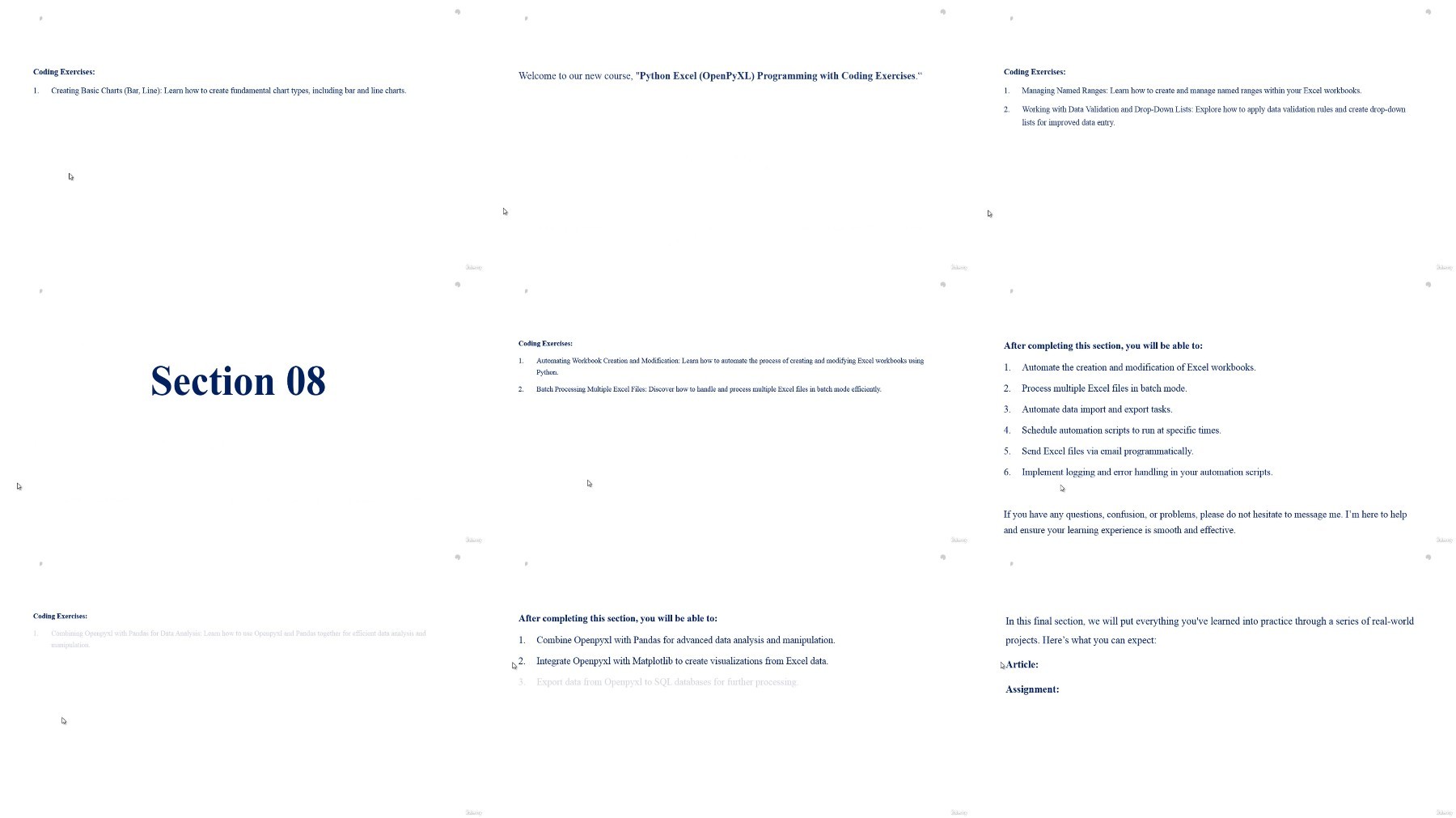
What you'll learn
How to use the openpyxl library to automate Excel tasks efficiently.
Techniques for creating, modifying, and formatting Excel files with Python.
Methods for automating data entry, calculations, and report generation.
Practical skills in handling complex Excel functions and integrating them with Python.
Requirements
Basic understanding of Python programming.
Familiarity with Excel and its basic functionalities.
Description
In today's data-driven world, the ability to efficiently handle and manipulate Excel files is crucial for professionals across various industries. Python Excel (openpyxl) Programming with Coding Exercises is a comprehensive course designed to teach you how to harness the power of Python's openpyxl library to automate Excel tasks and streamline data processing workflows. Whether you're a data analyst, financial professional, or a programmer, this course will equip you with the skills needed to automate repetitive tasks, handle large datasets, and generate reports dynamically.The need for this course arises from the widespread use of Excel in business environments and the growing demand for automation to save time and reduce errors. While Excel is a powerful tool, performing repetitive tasks manually can be time-consuming and prone to mistakes. By leveraging Python with openpyxl, you can automate processes such as data entry, report generation, and complex calculations, freeing up time for more strategic work.Throughout the course, you'll engage in hands-on coding exercises covering essential topics, including:Introduction to the openpyxl library and its functionalitiesCreating and manipulating Excel workbooks, sheets, and cellsAutomating data entry and calculationsFormatting Excel sheets, including styling cells, rows, and columnsHandling complex Excel functions and formulas with PythonReading and writing data from/to Excel filesGenerating dynamic reports with Python automationEach exercise is designed to build your proficiency in Python and Excel integration, preparing you to tackle real-world challenges with confidence.Instructor Introduction: Your instructor, Faisal Zamir, is a seasoned Python developer with over 7 years of teaching experience. Faisal's deep understanding of Python programming and his practical approach to teaching ensure that you'll gain valuable skills that are immediately applicable in your professional work.30 Days Money-Back Guarantee: We are confident in the value this course provides, which is why we offer a 30-day money-back guarantee. If you're not completely satisfied, you can request a full refund—no questions asked.Certificate at the End of the Course: Upon completing the course, you'll receive a certificate that validates your expertise in Python and Excel automation, making it a valuable addition to your professional credentials.
Overview
Section 1: Introduction to Openpyxl
Lecture 1 Introduction to Openpyxl
Lecture 2 Lesson 01
Lecture 3 Coding Exercises with Solutions
Section 2: Basic Cell Operations
Lecture 4 Basic Cell Operations
Lecture 5 Lesson 02
Lecture 6 Coding Exercises with Solutions
Section 3: Formatting Cells
Lecture 7 Formatting Cells
Lecture 8 Lesson 03
Lecture 9 Coding Exercises with Solutions
Section 4: Working with Formulas and Functions
Lecture 10 Working with Formulas and Functions
Lecture 11 Lesson 04
Lecture 12 Coding Exercises with Solutions
Section 5: Manipulating Data with Python
Lecture 13 Manipulating Data with Python
Lecture 14 Lesson 05
Lecture 15 Coding Exercises with Solutions
Section 6: Working with Charts
Lecture 16 Working with Charts
Lecture 17 Lesson 06
Lecture 18 Coding Exercises with Solutions
Section 7: Advanced Excel Operations
Lecture 19 Advanced Excel Operations
Lecture 20 Lesson 07
Lecture 21 Coding Exercises with Solutions
Section 8: Automating Excel Tasks
Lecture 22 Automating Excel Tasks
Lecture 23 Lesson 08
Lecture 24 Coding Exercises with Solutions
Section 9: Integrating Openpyxl with Other Libraries
Lecture 25 Integrating Openpyxl with Other Libraries
Lecture 26 Lesson 09
Lecture 27 Coding Exercises with Solutions
Section 10: Real-World Projects
Lecture 28 Real-World Projects
Lecture 29 Lesson 10
Lecture 30 Coding Exercises with Solutions
Data analysts and financial professionals looking to automate Excel tasks.,Python developers seeking to expand their skills in data manipulation.,Professionals who regularly work with Excel and want to improve their efficiency through automation.
We need your support!
Make a donation to help us stay online

Bitcoin (BTC)
bc1q08g9d22cxkawsjlf8etuek2pc9n2a3hs4cdrld

Bitcoin Cash (BCH)
qqvwexzhvgauxq2apgc4j0ewvcak6hh6lsnzmvtkem

Ethereum (ETH)
0xb55513D2c91A6e3c497621644ec99e206CDaf239

Litecoin (LTC)
ltc1qt6g2trfv9tjs4qj68sqc4uf0ukvc9jpnsyt59u

USDT (ERC20)
0xb55513D2c91A6e3c497621644ec99e206CDaf239

USDT (TRC20)
TYdPNrz7v1P9riWBWZ317oBgJueheGjATm
Information |
|||
 |
Users of GUESTS are not allowed to comment this publication. | ||