


Salesforce Admin Project Master Class For Beginners
Category: Tutorials
- views: 289
- date: 30 September 2024
- posted by: oaxino
Salesforce Admin Project Master Class For Beginners

Published 9/2024
MP4 | Video: h264, 1920x1080 | Audio: AAC, 44.1 KHz
Language: English | Size: 7.00 GB | Duration: 8h 1m
MP4 | Video: h264, 1920x1080 | Audio: AAC, 44.1 KHz
Language: English | Size: 7.00 GB | Duration: 8h 1m
Become Master in Salesforce Admin Skills : Understand Salesforce Admin Project Flow Pass Salesforce Admin Exam Easily
What you'll learn
Mini Salesforce Admin Project for Beginners
How a Salesforce Project Starts
57 Steps Creating Admin Project
Step by Step Salesforce User Stories
Downloadable PDF Document for Salesforce Mini Project
Requirements
Salesforce Administration
Description
Salesforce Cerfications and Salesforce Project Experience are adding most value to IT Job SeekersMany Companies are using Salesforce to manage their business, all industry domain companies require Salesforce Professionals. You can complete this course and work for Fortune 500 CompaniesSalesforce is Top 5 on Demand Course in IT IndustryLearn to create Salesforce Application by understanding how to work on a Mini Salesforce ProjectThis is a quick start journey for Salesforce Aspirants to work on Project.Jira Sprints has been explained by Covering Course Step by Step with 57 Steps Whoever have Basic Admin Knowledge they can enroll for this course and complete this projectTopics Covered in this Project 01. Salesforce Project Introduction and Configurations App Object Fields Record Types Validation Rules Formula Fields Page Layout Compact Layout02. Data Model Overview Controlling Picklist Dependent Picklist 03. Jira Sprint WorkFlow Jira Sprint Cycle Creating Records 04. Working on Sprint 3 Tabs Creating Records 05. Schema Builder Duplicate Rules Flexi Page 06. Feed Tracking, Reports and Dashboards Feed Tracking List View Quick Menu Actions Reports Dashboards 07. Profile Vs Permission Set Reports Dashboard Profile Permission Set 08. Security Model OWD Permission set Profile Public Groups Sharing Rules
Overview
Section 1: Introduction
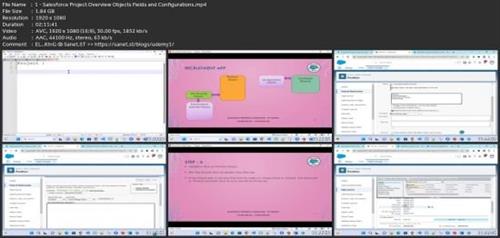
Lecture 1 Salesforce Project Overview, Objects, Fields, and Configurations
Lecture 2 Data Model Overview: Controlling and Dependent Picklists
Lecture 3 Jira Workflow: Sprint Cycle, Real-Time Collaboration, and Record Creation
Lecture 4 Sprint 3 Tasks: Managing Tabs and Creating Records
Lecture 5 Schema Builder : Duplicate Rules and Flexi Page Setup
Lecture 6 Feed Tracking, List Views, Quick Menu Actions, Reports, and Dashborads
Lecture 7 Reports, Dashboards, Profiles, and Permission Sets
Lecture 8 Security: OWD, Permission Sets, Profiles, Groups & Sharing
Salesforce Administrators, Salesforce Developers
Screenshots
rapidgator.net:
https://rapidgator.net/file/50042c8d388ec776468b207a2cab97ba/eygzx.Salesforce.Admin.Project.Master.Class.For.Beginners.part1.rar.html
https://rapidgator.net/file/b4373647365d6359ef1395b104c7e034/eygzx.Salesforce.Admin.Project.Master.Class.For.Beginners.part2.rar.html
https://rapidgator.net/file/4608d75e237658a1724c55a376e95bdf/eygzx.Salesforce.Admin.Project.Master.Class.For.Beginners.part3.rar.html
https://rapidgator.net/file/46c4b5e452c4e478305f14f5b11287de/eygzx.Salesforce.Admin.Project.Master.Class.For.Beginners.part4.rar.html
https://rapidgator.net/file/68a312d59cbb4fc50a8a49086a96bcc7/eygzx.Salesforce.Admin.Project.Master.Class.For.Beginners.part5.rar.html
https://rapidgator.net/file/01879e1d28f58b7c2e61bbd9b28c7f93/eygzx.Salesforce.Admin.Project.Master.Class.For.Beginners.part6.rar.html
https://rapidgator.net/file/64b818f69c23e57d7048f287e37ae8d9/eygzx.Salesforce.Admin.Project.Master.Class.For.Beginners.part7.rar.html
https://rapidgator.net/file/447d156202c8fc8a7bcf4e6531c2915c/eygzx.Salesforce.Admin.Project.Master.Class.For.Beginners.part8.rar.html
ddownload.com:
https://ddownload.com/2fxz3bext50a/eygzx.Salesforce.Admin.Project.Master.Class.For.Beginners.part1.rar
https://ddownload.com/xix5ryy80bj6/eygzx.Salesforce.Admin.Project.Master.Class.For.Beginners.part2.rar
https://ddownload.com/f3q64sf8o0qp/eygzx.Salesforce.Admin.Project.Master.Class.For.Beginners.part3.rar
https://ddownload.com/1bpp7rk1xhj7/eygzx.Salesforce.Admin.Project.Master.Class.For.Beginners.part4.rar
https://ddownload.com/ygfdxnsqo5ly/eygzx.Salesforce.Admin.Project.Master.Class.For.Beginners.part5.rar
https://ddownload.com/0tl2jtcqjwwr/eygzx.Salesforce.Admin.Project.Master.Class.For.Beginners.part6.rar
https://ddownload.com/gdiibrfgg4rm/eygzx.Salesforce.Admin.Project.Master.Class.For.Beginners.part7.rar
https://ddownload.com/zg4cveb0ewca/eygzx.Salesforce.Admin.Project.Master.Class.For.Beginners.part8.rar
We need your support!
Make a donation to help us stay online

Bitcoin (BTC)
bc1q08g9d22cxkawsjlf8etuek2pc9n2a3hs4cdrld

Bitcoin Cash (BCH)
qqvwexzhvgauxq2apgc4j0ewvcak6hh6lsnzmvtkem

Ethereum (ETH)
0xb55513D2c91A6e3c497621644ec99e206CDaf239

Litecoin (LTC)
ltc1qt6g2trfv9tjs4qj68sqc4uf0ukvc9jpnsyt59u

USDT (ERC20)
0xb55513D2c91A6e3c497621644ec99e206CDaf239

USDT (TRC20)
TYdPNrz7v1P9riWBWZ317oBgJueheGjATm
Information |
|||
 |
Users of GUESTS are not allowed to comment this publication. | ||