


Create Youtube Thumbnails Express With Krea Ai & Photoshop
Category: Tutorials
- views: 96
- date: 19 September 2024
- posted by: oaxino
Create Youtube Thumbnails Express With Krea Ai & Photoshop
Published 9/2024
MP4 | Video: h264, 1920x1080 | Audio: AAC, 44.1 KHz
Language: English | Size: 331.34 MB | Duration: 0h 31m
Create your first thumbnails in record time, with Krea AI for YouTube and get more views
MP4 | Video: h264, 1920x1080 | Audio: AAC, 44.1 KHz
Language: English | Size: 331.34 MB | Duration: 0h 31m
Create your first thumbnails in record time, with Krea AI for YouTube and get more views
What you'll learn
Create images with AI
Techniques used for YouTube thumbnails
You will learn the regulatory measurements of thumbnails for YouTube
Quickly create your first thumbnails.
Requirements
A computer with a good internet connection
Description
Welcome to the class: Create Your First YouTube Thumbnails with Krea AI and Adobe Photoshop.In this class, students will learn how to create their first YouTube thumbnails using Krea AI to generate high-quality images. Then, with Adobe Photoshop, we'll edit the text and colors to make the thumbnails stand out. We'll also use tools like Remove BG to remove backgrounds and BIGjpg to upscale images without losing quality. By the end of the course, you'll be able to create eye-catching thumbnails that make your videos shine!With the skills learned in this class, you should be able to:Create high-quality images using generative AI with Krea.Edit text and colors in your images using Adobe Photoshop.Remove backgrounds from your images using Remove BG.Upscale your images using BIGjpg.You should create a project to improve your YouTube thumbnail skills.Create a YouTube thumbnail using Krea to generate a high-quality image.Use Adobe Photoshop to edit the text and colors of the thumbnail.Remove the background of your image with Remove BG.Upscale your image with BIGjpg to improve its resolution.Design the thumbnail in your own style, applying the techniques learned.Once finished, upload your completed thumbnail to your YouTube channel, following the steps demonstrated in the class.
Overview
Section 1: introduction
Lecture 1 Welcome to the class
Lecture 2 We make our first entry into Krea AI and YouTube thumbnails.
Lecture 3 We into Photoshop and create our first thumbnail for YouTubube
Lecture 4 We edit our first image in Photoshop
Lecture 5 We improve our thumbnail and upload it to YouTube
Lecture 6 We create more images in Krea AI.
Lecture 7 We edit our new image in Photoshop and remove the background with remove BG
Lecture 8 We see remove BG again, we scale the image with BigJPG.
Section 2: Reinforcement lesson (new lessons that emerge will be added here)
Lecture 9 Let's see a little more about Krea (Flux) and Photoshop.
Graphic designers,influencers,Social media experts,General public
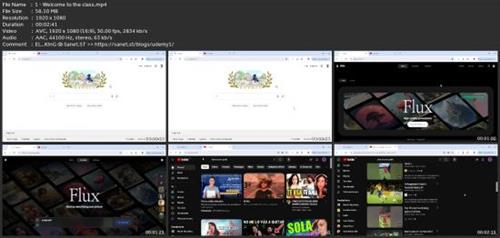
Screenshots
rapidgator.net:
ddownload.com:
We need your support!
Make a donation to help us stay online

Bitcoin (BTC)
bc1q08g9d22cxkawsjlf8etuek2pc9n2a3hs4cdrld

Bitcoin Cash (BCH)
qqvwexzhvgauxq2apgc4j0ewvcak6hh6lsnzmvtkem

Ethereum (ETH)
0xb55513D2c91A6e3c497621644ec99e206CDaf239

Litecoin (LTC)
ltc1qt6g2trfv9tjs4qj68sqc4uf0ukvc9jpnsyt59u

USDT (ERC20)
0xb55513D2c91A6e3c497621644ec99e206CDaf239

USDT (TRC20)
TYdPNrz7v1P9riWBWZ317oBgJueheGjATm
Information |
|||
 |
Users of GUESTS are not allowed to comment this publication. | ||