


Computer Basic Skills and Digital Literacy for PC Beginners
Category: Tutorials
- views: 100
- date: 19 September 2024
- posted by: oaxino
Computer Basic Skills and Digital Literacy for PC Beginners
Last updated 9/2024
MP4 | Video: h264, 1280x720 | Audio: AAC, 44.1 KHz, 2 Ch
Language: English | Duration: 42m | Size: 340 MB
Master Computer Basics and Digital Literacy Course: Learn Windows Operating System, and Online Safety Skills for Success
What you'll learn
Understand basic computer components and their functions, enabling efficient navigation and usage of various devices.
Navigate Windows effectively, including file management, settings, and essential system tools.
Utilize internet skills to browse safely, search for information, and recognize online security threats.
Master Word and Excel Basics: Learners will be equipped with basic skills in Microsoft Word and Excel for creating documents and managing data.
Requirements
No Prior Knowledge Required: This course is designed for beginners, so no prior knowledge of computers or software is necessary.
Willingness to Learn: An eagerness to learn new skills and concepts related to computers and digital literacy is essential for success in the course.
Description
Unlock the power of technology with our "Computer Basic Skills and Digital Literacy for PC Beginners" course! This comprehensive program is designed for absolute beginners and those looking to refresh their computer skills.In this course, you'll learn the fundamentals of using a computer, including navigating Windows, managing files, and understanding essential software applications like Microsoft Word and Excel. We'll also cover critical topics such as online safety, ensuring you can browse the internet securely and confidently.Course Outline:Section 1: Introduction to ComputersLecture 1: What is a Computer?Lecture 2: Types of ComputersLecture 3: Basic Computer ComponentsSection 2: Operating Systems BasicsLecture 4: Understanding Operating SystemsLecture 5: Navigating WindowsLecture 6: File Management and OrganizationSection 3: Internet and Web SkillsLecture 7: Introduction to the InternetLecture 8: Using Web Browsers EffectivelyLecture 9: Online Safety and SecuritySection 4: Productivity SoftwareLecture 10: Basics of Microsoft Word and ExcelWhat You Will Learn:· Computer Basics: Gain a foundational understanding of computer components and their functions.· Navigating Windows: Master the Windows operating system and learn to manage files effectively.· Microsoft Word & Excel Skills: Create and format documents in Word and use Excel for data management and analysis.· Online Safety Practices: Develop essential skills to identify secure websites and protect yourself from online threats.Whether you're a student, a professional, or a senior learner, this course will equip you with the digital literacy skills needed for today's technology-driven world. Enroll now and start your journey towards becoming a confident computer user!
Who this course is for
Absolute Beginners: Individuals with little to no experience using computers who want to build foundational skills.
Students: Those seeking to enhance their computer literacy for academic purposes or personal projects.
Homepage:
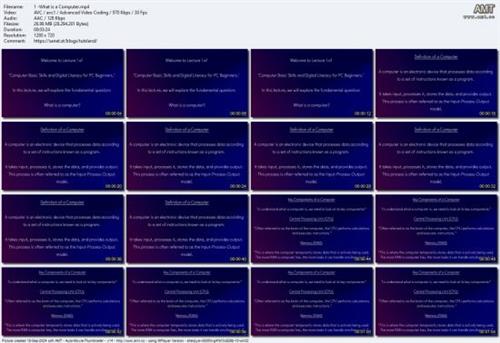
https://www.udemy.com/course/computer-basic-skills-and-digital-literacy-for-pc-beginners/Screenshots
Download link
rapidgator.net:
ddownload.com:
We need your support!
Make a donation to help us stay online

Bitcoin (BTC)
bc1q08g9d22cxkawsjlf8etuek2pc9n2a3hs4cdrld

Bitcoin Cash (BCH)
qqvwexzhvgauxq2apgc4j0ewvcak6hh6lsnzmvtkem

Ethereum (ETH)
0xb55513D2c91A6e3c497621644ec99e206CDaf239

Litecoin (LTC)
ltc1qt6g2trfv9tjs4qj68sqc4uf0ukvc9jpnsyt59u

USDT (ERC20)
0xb55513D2c91A6e3c497621644ec99e206CDaf239

USDT (TRC20)
TYdPNrz7v1P9riWBWZ317oBgJueheGjATm
Information |
|||
 |
Users of GUESTS are not allowed to comment this publication. | ||