


VRay And Ai Rendering In Revit 2025
Category: Tutorials
- views: 191
- date: 14 September 2024
- posted by: AD-TEAM
Vray And Ai Rendering In Revit 2025
Published 8/2024
MP4 | Video: h264, 1920x1080 | Audio: AAC, 44.1 KHz
Language: English | Size: 1.22 GB | Duration: 1h 12m
Learn fast and easy rendering techniques using Vray for Revit 2025
What you'll learn
Learn the basics of Vray for Revit
Learn Rendering Types of Vray for Revit
Learn Vray Material for Revit
Learn Vray Lighting Types for Revit
Learn how to use AI rendering in Revit
Requirements
Computer with Revit 2019 or above
Description
Unlock the full potential of your architectural visualizations with our comprehensive course on Vray and Artificial Intelligence (AI) Rendering in Revit 2025. Designed for professionals and enthusiasts looking to enhance their rendering skills, this course provides an in-depth exploration of Vray's powerful tools and the innovative AI features integrated into Revit 2025.Course Highlights:Installation and Setup: Begin with a step-by-step guide on how to install Vray for Revit, ensuring a smooth setup process and an optimal working environment for your rendering projects.User Interface Mastery: Gain familiarity with Vray's user interface, learning how to navigate and utilize its features efficiently to streamline your workflow and enhance productivity.Render Types Exploration: Discover various rendering types available in Vray, including their applications and how to choose the right one for different project needs.Assets and Vray Materials: Dive into Vray's extensive library of assets and materials. Learn how to apply and customize Vray materials to achieve realistic textures and finishes in your renders.Lighting Techniques: Understand the different types of Vray lighting and how to use them effectively to create dynamic and well-lit scenes that bring your architectural visions to life.AI Rendering Integration: Explore the cutting-edge AI rendering capabilities in Revit 2025. Learn how to leverage AI to enhance render quality, optimize performance, and accelerate the rendering process.By the end of this course, you will have a solid grasp of both traditional and AI-enhanced rendering techniques, empowering you to produce stunning, high-quality visualizations that stand out in the field of architecture and design.
Overview
Section 1: Introduction
Lecture 1 How to Install Vray for Revit
Lecture 2 User Interface
Section 2: Render
Lecture 3 Render Types
Section 3: Assets
Lecture 4 Chaos Cosmos
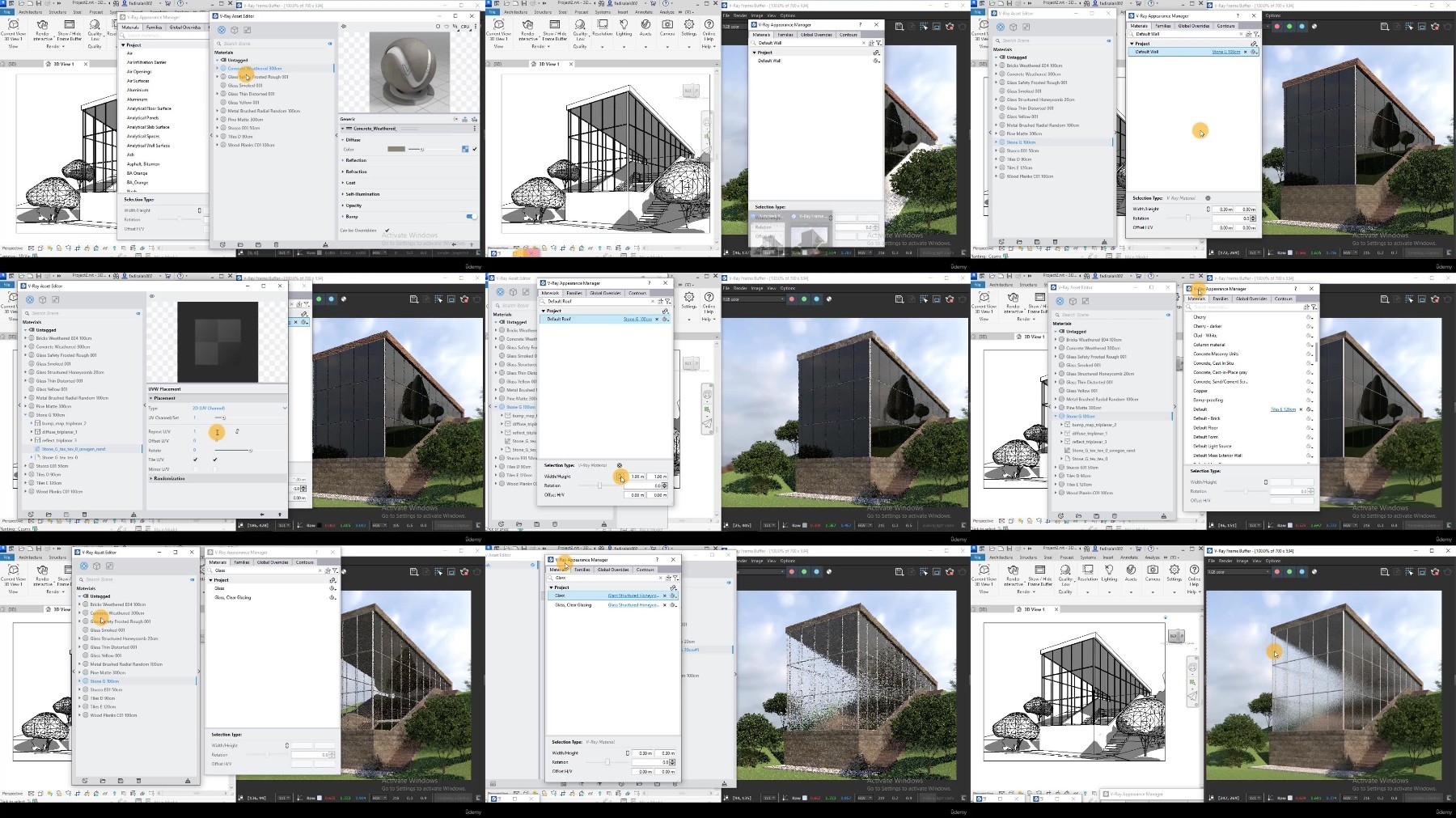
Lecture 5 Vray Materials (Asset editor- Appearance Manager)
Section 4: Vray Lighting
Lecture 6 Sunlight
Lecture 7 Light Gen
Lecture 8 Image-Based Lighting (HDRI)
Lecture 9 Artifical Lighting
Lecture 10 Light and Color Correction
Section 5: AI Rendering in Revit
Lecture 11 AI Render- Veras Plug-in
Vray for Revit, Rendering, Vray Material, Lighting types, Light and Render Corrections, AI rendering in Revit.
What you'll learn
Learn the basics of Vray for Revit
Learn Rendering Types of Vray for Revit
Learn Vray Material for Revit
Learn Vray Lighting Types for Revit
Learn how to use AI rendering in Revit
Requirements
Computer with Revit 2019 or above
Description
Unlock the full potential of your architectural visualizations with our comprehensive course on Vray and Artificial Intelligence (AI) Rendering in Revit 2025. Designed for professionals and enthusiasts looking to enhance their rendering skills, this course provides an in-depth exploration of Vray's powerful tools and the innovative AI features integrated into Revit 2025.Course Highlights:Installation and Setup: Begin with a step-by-step guide on how to install Vray for Revit, ensuring a smooth setup process and an optimal working environment for your rendering projects.User Interface Mastery: Gain familiarity with Vray's user interface, learning how to navigate and utilize its features efficiently to streamline your workflow and enhance productivity.Render Types Exploration: Discover various rendering types available in Vray, including their applications and how to choose the right one for different project needs.Assets and Vray Materials: Dive into Vray's extensive library of assets and materials. Learn how to apply and customize Vray materials to achieve realistic textures and finishes in your renders.Lighting Techniques: Understand the different types of Vray lighting and how to use them effectively to create dynamic and well-lit scenes that bring your architectural visions to life.AI Rendering Integration: Explore the cutting-edge AI rendering capabilities in Revit 2025. Learn how to leverage AI to enhance render quality, optimize performance, and accelerate the rendering process.By the end of this course, you will have a solid grasp of both traditional and AI-enhanced rendering techniques, empowering you to produce stunning, high-quality visualizations that stand out in the field of architecture and design.
Overview
Section 1: Introduction
Lecture 1 How to Install Vray for Revit
Lecture 2 User Interface
Section 2: Render
Lecture 3 Render Types
Section 3: Assets
Lecture 4 Chaos Cosmos
Lecture 5 Vray Materials (Asset editor- Appearance Manager)
Section 4: Vray Lighting
Lecture 6 Sunlight
Lecture 7 Light Gen
Lecture 8 Image-Based Lighting (HDRI)
Lecture 9 Artifical Lighting
Lecture 10 Light and Color Correction
Section 5: AI Rendering in Revit
Lecture 11 AI Render- Veras Plug-in
Vray for Revit, Rendering, Vray Material, Lighting types, Light and Render Corrections, AI rendering in Revit.
We need your support!
Make a donation to help us stay online

Bitcoin (BTC)
bc1q08g9d22cxkawsjlf8etuek2pc9n2a3hs4cdrld

Bitcoin Cash (BCH)
qqvwexzhvgauxq2apgc4j0ewvcak6hh6lsnzmvtkem

Ethereum (ETH)
0xb55513D2c91A6e3c497621644ec99e206CDaf239

Litecoin (LTC)
ltc1qt6g2trfv9tjs4qj68sqc4uf0ukvc9jpnsyt59u

USDT (ERC20)
0xb55513D2c91A6e3c497621644ec99e206CDaf239

USDT (TRC20)
TYdPNrz7v1P9riWBWZ317oBgJueheGjATm
Information |
|||
 |
Users of GUESTS are not allowed to comment this publication. | ||