


Mastering Playcanvas For Beginners
Category: Tutorials
- views: 84
- date: 11 September 2024
- posted by: AD-TEAM
Mastering Playcanvas For Beginners
Published 7/2024
MP4 | Video: h264, 1920x1080 | Audio: AAC, 44.1 KHz
Language: English | Size: 3.28 GB | Duration: 2h 53m
Learn PlayCanvas from Scratch: A Step-by-Step Guide to Creating with PlayCanvas
What you'll learn
Gain familiarity with the PlayCanvas editor interface, including project setup, scene management, and workspace customization.
Develop a foundational understanding of jаvascript as it applies to PlayCanvas, including creating and attaching scripts to objects, controlling game logic, and
Learn how to import, manage, and optimize assets such as models, textures, and sounds within PlayCanvas, ensuring efficient use of resources.
Gain skills in creating and manipulating 3D objects, including setting up materials, animations, and interactions within the game environment.
Apply your knowledge to build a basic interactive experience or game, integrating elements like character movement, camera controls, and user interfaces.
Understand the basics of project optimization, testing, and deployment, including preparing your game for publication on the web or other platforms.
Requirements
While the course is designed for beginners, a basic understanding of programming concepts such as loops and variables is recommended
Description
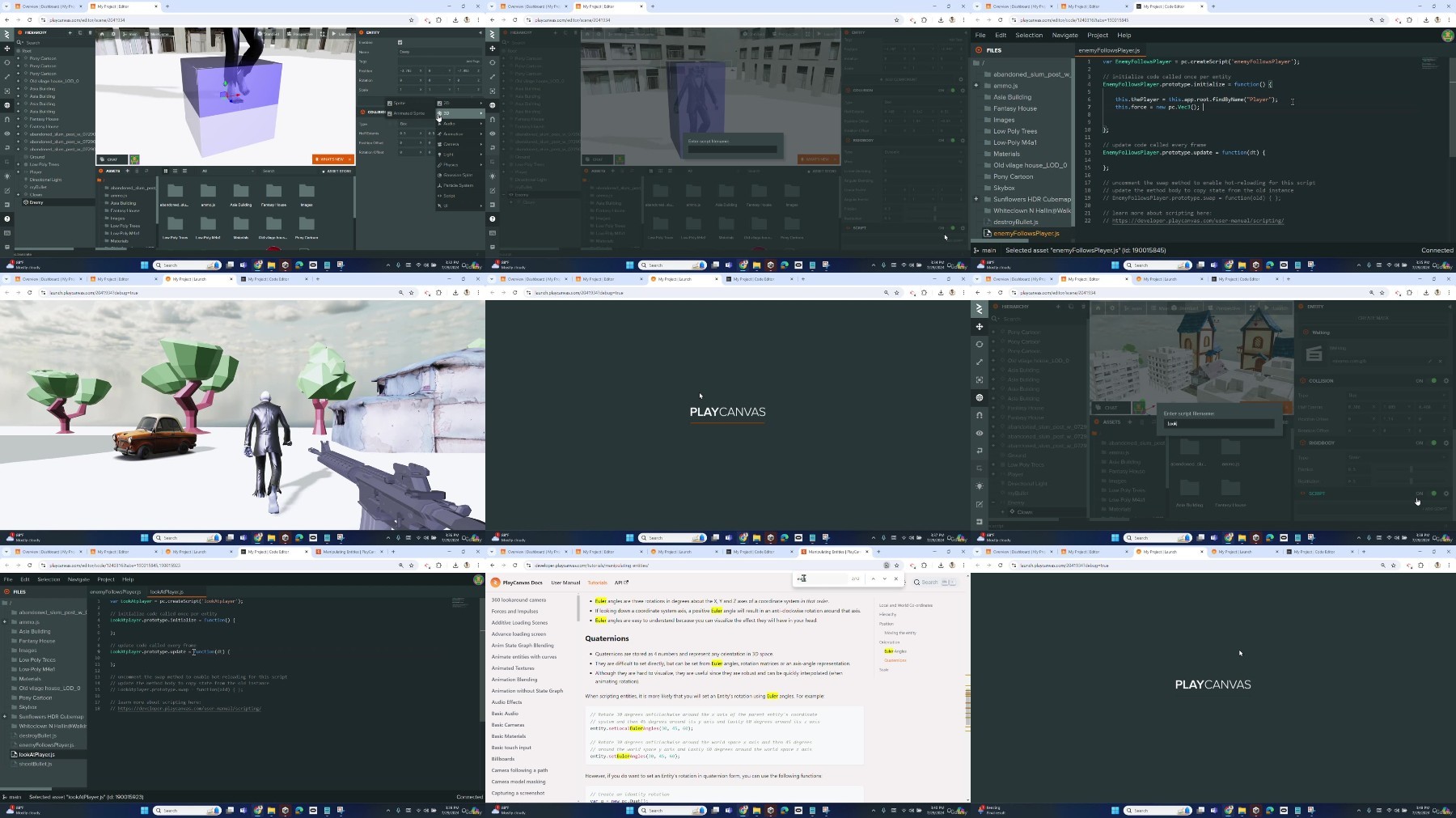
Welcome to "Mastering PlayCanvas for Beginners"! This course is your gateway to the exciting world of PlayCanvas, a versatile and powerful WebGL game engine. Whether you're just starting out in game development or looking to expand your skill set, these tutorials are tailored to help you create immersive and interactive 3D experiences directly in your browser.In this series, we'll start from the basics, guiding you through the essential steps of setting up projects, understanding the PlayCanvas interface, and organizing your work. You'll learn the fundamentals of scripting, using jаvascript to bring your projects to life with dynamic interactions and behaviors. We'll also dive into asset management, covering how to import, organize, and optimize 3D models, textures, and sounds to ensure smooth performance and a seamless user experience as we create a 3D first person shooter game.Each tutorial is designed to be engaging and practical, offering hands-on examples and clear explanations to help you grasp key concepts. As you progress through the series, you'll gain the confidence and skills needed to tackle more complex projects, whether you're interested in game development, simulations, or other interactive media.By the end of this playlist, you'll not only understand the core features of PlayCanvas but also how to apply them creatively to your own projects. So, get ready to unleash your creativity and transform your ideas into reality. Join us in "Mastering PlayCanvas for Beginners" and start your journey into the fascinating world of 3D game development today!
Overview
Section 1: Introduction
Lecture 1 Introduction
Section 2: Creating your First 3D Environment
Lecture 2 Interface and Navigation
Lecture 3 Creating Internal 3D objects and Materials
Lecture 4 Changing Material Properties
Lecture 5 Importing External 3D objects
Lecture 6 Checkpoints, Collaborations and Skyboxes
Lecture 7 Lighting your Scene
Section 3: Adding a First Person Player
Lecture 8 Adding a First Person Player Part 1
Lecture 9 Adding a First Person Player Part 2
Lecture 10 Collisions and Rigidbodies
Section 4: Basic to Advance Coding
Lecture 11 Basic Coding
Lecture 12 Keyboard Controls
Lecture 13 Customizing your Gun
Lecture 14 Gun Codes Part 1
Lecture 15 Gun Codes Part 2
Lecture 16 Gun Codes Part 3
Lecture 17 Gun Codes Part 4
Section 5: Adding Enemies
Lecture 18 Enemis Part 1
Lecture 19 Enemies Part 2
Lecture 20 Enemies Part 3
Section 6: Sounds and User Interface
Lecture 21 Adding Sounds
Lecture 22 Adding Scores
Lecture 23 Adding User Interface and Title Screen
Section 7: Publishing your Game
Lecture 24 Publishing your Game
Aspiring Game Developers,Hobbyists and Enthusiasts,Complete Beginners,Students and Educators
https://rapidgator.net/file/6faa0f7a6cd8035eab6dc7199a7d0496/Udemy_Mastering_PlayCanvas_for_Beginners_2024-7.part1.rar
https://rapidgator.net/file/4ce64e08cafe7a0885b1bd5157c9dff4/Udemy_Mastering_PlayCanvas_for_Beginners_2024-7.part2.rar
https://filestore.me/61l8hhsvzgy7/Udemy_Mastering_PlayCanvas_for_Beginners_2024-7.part1.rar
https://filestore.me/woybcb8h3ia7/Udemy_Mastering_PlayCanvas_for_Beginners_2024-7.part2.rar
What you'll learn
Gain familiarity with the PlayCanvas editor interface, including project setup, scene management, and workspace customization.
Develop a foundational understanding of jаvascript as it applies to PlayCanvas, including creating and attaching scripts to objects, controlling game logic, and
Learn how to import, manage, and optimize assets such as models, textures, and sounds within PlayCanvas, ensuring efficient use of resources.
Gain skills in creating and manipulating 3D objects, including setting up materials, animations, and interactions within the game environment.
Apply your knowledge to build a basic interactive experience or game, integrating elements like character movement, camera controls, and user interfaces.
Understand the basics of project optimization, testing, and deployment, including preparing your game for publication on the web or other platforms.
Requirements
While the course is designed for beginners, a basic understanding of programming concepts such as loops and variables is recommended
Description
Welcome to "Mastering PlayCanvas for Beginners"! This course is your gateway to the exciting world of PlayCanvas, a versatile and powerful WebGL game engine. Whether you're just starting out in game development or looking to expand your skill set, these tutorials are tailored to help you create immersive and interactive 3D experiences directly in your browser.In this series, we'll start from the basics, guiding you through the essential steps of setting up projects, understanding the PlayCanvas interface, and organizing your work. You'll learn the fundamentals of scripting, using jаvascript to bring your projects to life with dynamic interactions and behaviors. We'll also dive into asset management, covering how to import, organize, and optimize 3D models, textures, and sounds to ensure smooth performance and a seamless user experience as we create a 3D first person shooter game.Each tutorial is designed to be engaging and practical, offering hands-on examples and clear explanations to help you grasp key concepts. As you progress through the series, you'll gain the confidence and skills needed to tackle more complex projects, whether you're interested in game development, simulations, or other interactive media.By the end of this playlist, you'll not only understand the core features of PlayCanvas but also how to apply them creatively to your own projects. So, get ready to unleash your creativity and transform your ideas into reality. Join us in "Mastering PlayCanvas for Beginners" and start your journey into the fascinating world of 3D game development today!
Overview
Section 1: Introduction
Lecture 1 Introduction
Section 2: Creating your First 3D Environment
Lecture 2 Interface and Navigation
Lecture 3 Creating Internal 3D objects and Materials
Lecture 4 Changing Material Properties
Lecture 5 Importing External 3D objects
Lecture 6 Checkpoints, Collaborations and Skyboxes
Lecture 7 Lighting your Scene
Section 3: Adding a First Person Player
Lecture 8 Adding a First Person Player Part 1
Lecture 9 Adding a First Person Player Part 2
Lecture 10 Collisions and Rigidbodies
Section 4: Basic to Advance Coding
Lecture 11 Basic Coding
Lecture 12 Keyboard Controls
Lecture 13 Customizing your Gun
Lecture 14 Gun Codes Part 1
Lecture 15 Gun Codes Part 2
Lecture 16 Gun Codes Part 3
Lecture 17 Gun Codes Part 4
Section 5: Adding Enemies
Lecture 18 Enemis Part 1
Lecture 19 Enemies Part 2
Lecture 20 Enemies Part 3
Section 6: Sounds and User Interface
Lecture 21 Adding Sounds
Lecture 22 Adding Scores
Lecture 23 Adding User Interface and Title Screen
Section 7: Publishing your Game
Lecture 24 Publishing your Game
Aspiring Game Developers,Hobbyists and Enthusiasts,Complete Beginners,Students and Educators
https://rapidgator.net/file/6faa0f7a6cd8035eab6dc7199a7d0496/Udemy_Mastering_PlayCanvas_for_Beginners_2024-7.part1.rar
https://rapidgator.net/file/4ce64e08cafe7a0885b1bd5157c9dff4/Udemy_Mastering_PlayCanvas_for_Beginners_2024-7.part2.rar
https://filestore.me/61l8hhsvzgy7/Udemy_Mastering_PlayCanvas_for_Beginners_2024-7.part1.rar
https://filestore.me/woybcb8h3ia7/Udemy_Mastering_PlayCanvas_for_Beginners_2024-7.part2.rar
We need your support!
Make a donation to help us stay online

Bitcoin (BTC)
bc1q08g9d22cxkawsjlf8etuek2pc9n2a3hs4cdrld

Bitcoin Cash (BCH)
qqvwexzhvgauxq2apgc4j0ewvcak6hh6lsnzmvtkem

Ethereum (ETH)
0xb55513D2c91A6e3c497621644ec99e206CDaf239

Litecoin (LTC)
ltc1qt6g2trfv9tjs4qj68sqc4uf0ukvc9jpnsyt59u

USDT (ERC20)
0xb55513D2c91A6e3c497621644ec99e206CDaf239

USDT (TRC20)
TYdPNrz7v1P9riWBWZ317oBgJueheGjATm
Information |
|||
 |
Users of GUESTS are not allowed to comment this publication. | ||