


Complete Pygame Tutorial - Create A Dungeon Crawler
Category: Tutorials
- views: 176
- date: 9 September 2024
- posted by: AD-TEAM
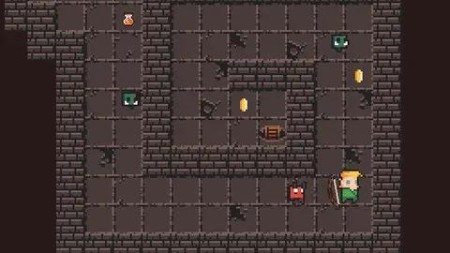
Complete Pygame Tutorial - Create A Dungeon Crawler
Published 8/2022
MP4 | Video: h264, 1280x720 | Audio: AAC, 44.1 KHz
Language: English | Size: 2.94 GB | Duration: 6h 43m
Learn how to create a full game in Python from scratch
What you'll learn
Create a game loop and learn the fundamentals of the pygame module
Work with spritesheets to create various animations
Work with Classes using Object Oriented Programming
Create characters with AI
Use tilemaps to create various game levels
Add collision between the characters and the game level
Requirements
Knowledge and familiarity with Python will be helpful
Description
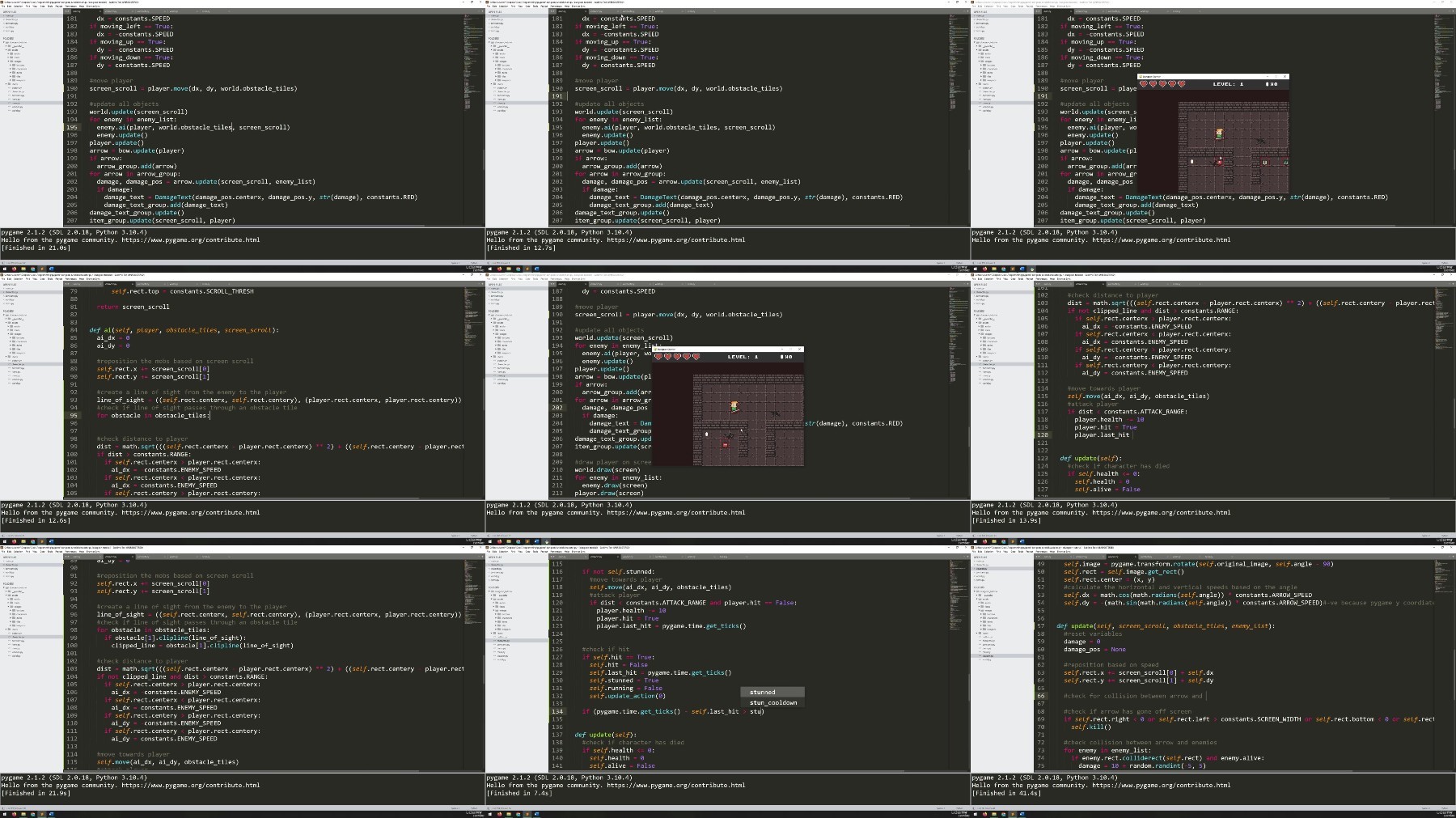
In this course you will learn how to use the very popular Pygame module by coding a dungeon crawler game completely from scratch. Since this is a Python module, we will also cover a lot of the fundamentals of Python in the process. This will include different types of loops, lists and even working with files on the computer.The course will cover the fundamentals such as the game loop, keyboard inputs and drawings shapes and images onto the screen. This will give an introduction to Pygame and a refresher of Python if you haven't used it in a while.After that the course will move onto more advanced topics such as animation and level tilemaps.We will also tackle AI within this project, by gradually building up layers of intelligence for the enemies, starting with simpler logic, such as having the enemies always run towards the player, to more advanced logic, where the enemies need to see the player before they can chase him.The course includes a set of starter files to help you get the folder structure setup correctly from the beginning. Additionally, I have included my custom level editor so you can edit the levels and even create your own ones to add to the game.
Overview
Section 1: Game Mechanics
Lecture 1 Introduction
Lecture 2 Project Setup
Lecture 3 Setting up the Game Loop
Lecture 4 Creating the Player
Lecture 5 Keyboard Input and Player Movement
Lecture 6 Sprites and Animation
Lecture 7 Adding Multiple Animation Types
Lecture 8 Additional Characters
Lecture 9 Adding a Bow
Lecture 10 Shooting Arrows
Lecture 11 Creating Enemies
Lecture 12 Damage Text
Lecture 13 Player Health Display
Lecture 14 Coins & Potions
Section 2: Working with game levels
Lecture 15 Introduction to Tilemaps
Lecture 16 Loading Data from Files
Lecture 17 Scrolling Camera
Lecture 18 Automated Level Generation
Lecture 19 Collision
Section 3: Artificial Intelligence
Lecture 20 Building different stages of AI for the enemies
Lecture 21 Boss Enemy AI
Section 4: Additional Game Features
Lecture 22 Working with Multiple Game Levels
Lecture 23 Screen Fade Effect
Lecture 24 Game Over Screen
Lecture 25 Buttons
Lecture 26 Game Menu
Lecture 27 Music and Sounds
Beginner Python developers who would like to learn game development
https://rapidgator.net/file/0037a61f90f2986f1393d6e617b0c77d/Udemy_Complete_Pygame_Tutorial_Create_a_Dungeon_Crawler_.part1.rar
https://rapidgator.net/file/5036061a47f64366c6898a80a17e24e8/Udemy_Complete_Pygame_Tutorial_Create_a_Dungeon_Crawler_.part2.rar
https://rapidgator.net/file/6bc732d6ee601c1eafde1a4b021048d0/Udemy_Complete_Pygame_Tutorial_Create_a_Dungeon_Crawler_.part3.rar
https://filestore.me/0os054tohilj/Udemy_Complete_Pygame_Tutorial_Create_a_Dungeon_Crawler_.part1.rar
https://filestore.me/fo5cgrdxrkhq/Udemy_Complete_Pygame_Tutorial_Create_a_Dungeon_Crawler_.part2.rar
https://filestore.me/2osrxm5trbpr/Udemy_Complete_Pygame_Tutorial_Create_a_Dungeon_Crawler_.part3.rar
What you'll learn
Create a game loop and learn the fundamentals of the pygame module
Work with spritesheets to create various animations
Work with Classes using Object Oriented Programming
Create characters with AI
Use tilemaps to create various game levels
Add collision between the characters and the game level
Requirements
Knowledge and familiarity with Python will be helpful
Description
In this course you will learn how to use the very popular Pygame module by coding a dungeon crawler game completely from scratch. Since this is a Python module, we will also cover a lot of the fundamentals of Python in the process. This will include different types of loops, lists and even working with files on the computer.The course will cover the fundamentals such as the game loop, keyboard inputs and drawings shapes and images onto the screen. This will give an introduction to Pygame and a refresher of Python if you haven't used it in a while.After that the course will move onto more advanced topics such as animation and level tilemaps.We will also tackle AI within this project, by gradually building up layers of intelligence for the enemies, starting with simpler logic, such as having the enemies always run towards the player, to more advanced logic, where the enemies need to see the player before they can chase him.The course includes a set of starter files to help you get the folder structure setup correctly from the beginning. Additionally, I have included my custom level editor so you can edit the levels and even create your own ones to add to the game.
Overview
Section 1: Game Mechanics
Lecture 1 Introduction
Lecture 2 Project Setup
Lecture 3 Setting up the Game Loop
Lecture 4 Creating the Player
Lecture 5 Keyboard Input and Player Movement
Lecture 6 Sprites and Animation
Lecture 7 Adding Multiple Animation Types
Lecture 8 Additional Characters
Lecture 9 Adding a Bow
Lecture 10 Shooting Arrows
Lecture 11 Creating Enemies
Lecture 12 Damage Text
Lecture 13 Player Health Display
Lecture 14 Coins & Potions
Section 2: Working with game levels
Lecture 15 Introduction to Tilemaps
Lecture 16 Loading Data from Files
Lecture 17 Scrolling Camera
Lecture 18 Automated Level Generation
Lecture 19 Collision
Section 3: Artificial Intelligence
Lecture 20 Building different stages of AI for the enemies
Lecture 21 Boss Enemy AI
Section 4: Additional Game Features
Lecture 22 Working with Multiple Game Levels
Lecture 23 Screen Fade Effect
Lecture 24 Game Over Screen
Lecture 25 Buttons
Lecture 26 Game Menu
Lecture 27 Music and Sounds
Beginner Python developers who would like to learn game development
https://rapidgator.net/file/0037a61f90f2986f1393d6e617b0c77d/Udemy_Complete_Pygame_Tutorial_Create_a_Dungeon_Crawler_.part1.rar
https://rapidgator.net/file/5036061a47f64366c6898a80a17e24e8/Udemy_Complete_Pygame_Tutorial_Create_a_Dungeon_Crawler_.part2.rar
https://rapidgator.net/file/6bc732d6ee601c1eafde1a4b021048d0/Udemy_Complete_Pygame_Tutorial_Create_a_Dungeon_Crawler_.part3.rar
https://filestore.me/0os054tohilj/Udemy_Complete_Pygame_Tutorial_Create_a_Dungeon_Crawler_.part1.rar
https://filestore.me/fo5cgrdxrkhq/Udemy_Complete_Pygame_Tutorial_Create_a_Dungeon_Crawler_.part2.rar
https://filestore.me/2osrxm5trbpr/Udemy_Complete_Pygame_Tutorial_Create_a_Dungeon_Crawler_.part3.rar
We need your support!
Make a donation to help us stay online

Bitcoin (BTC)
bc1q08g9d22cxkawsjlf8etuek2pc9n2a3hs4cdrld

Bitcoin Cash (BCH)
qqvwexzhvgauxq2apgc4j0ewvcak6hh6lsnzmvtkem

Ethereum (ETH)
0xb55513D2c91A6e3c497621644ec99e206CDaf239

Litecoin (LTC)
ltc1qt6g2trfv9tjs4qj68sqc4uf0ukvc9jpnsyt59u

USDT (ERC20)
0xb55513D2c91A6e3c497621644ec99e206CDaf239

USDT (TRC20)
TYdPNrz7v1P9riWBWZ317oBgJueheGjATm
Information |
|||
 |
Users of GUESTS are not allowed to comment this publication. | ||