


Copilot for Microsoft 365: Elevate Your Efficiency with AI
Category: Tutorials
- views: 185
- date: 28 August 2024
- posted by: mitsumi
Copilot for Microsoft 365: Elevate Your Efficiency with AI

Published 8/2024
Duration: 38m | Video: .MP4, 1920x1080 30 fps | Audio: AAC, 44.1 kHz, 2ch | Size: 594 MB
Genre: eLearning | Language: English
Duration: 38m | Video: .MP4, 1920x1080 30 fps | Audio: AAC, 44.1 kHz, 2ch | Size: 594 MB
Genre: eLearning | Language: English
Master Microsoft Copilot in 365: Boost communication, document management, data analysis, and presentations with AI
What you'll learn
Use Copilot in Teams to ask questions, generate summaries, and create to-dos based on group chats and meetings.
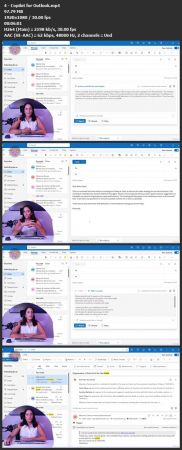
Leverage Copilot in Outlook to summarize long email threads and automate email writing.
Utilize Copilot in Word to ask questions about documents and create content from prompts.
Employ Copilot in PowerPoint to craft and edit persuasive presentations.
Harness Copilot in Excel to generate formulas, tables, graphs, and conduct data analysis.
Requirements
Basic familiarity with Microsoft 365 applications (Teams, Outlook, Word, PowerPoint, Excel).
Access to Microsoft 365 with Copilot enabled for hands-on practice. (Not required but encouraged in order to get the most out of the course and try Copilot yourself).
Curiosity and willingness to explore and experiment with Copilot!
Description
This course will teach you how to apply
Microsoft Copilot
across key areas of business productivity within Microsoft 365, such as communication, document management, and data analysis. Through a
100% practical approach
, you'll see specific examples of how to use Copilot. From asking questions to your AI assistant during meetings in Teams and summarizing lengthy email threads in Outlook, to creating attractive, persuasive presentations in PowerPoint and generating complex formulas in Excel, you'll experience how this AI tool can streamline processes, automate tasks, and enhance decision-making.
Throughout the course, you'll gain firsthand experience with how this
artificial intelligence tool can transform
your daily work routines. You'll learn to
effectively
use Copilot's features to boost collaboration, increase productivity, and reduce manual workload. Whether you have previous experience with AI or are just beginning to explore its potential, this course is designed to equip you with the
skills and knowledge
necessary to integrate Copilot into your business environment seamlessly.
By the end of the course, you will have a comprehensive understanding of what Copilot can do for you at work and you'll be better prepared to leverage Microsoft's AI assistant to enhance your efficiency, innovate your processes, and achieve your business goals. Additionally, you will be able to confidently demonstrate the benefits of Copilot to your team and stakeholders, making you a
valuable asset
in any technology-driven workplace.
Who this course is for
The course is designed for professionals who use Microsoft 365 in their daily work and want to incorporate Copilot to improve efficiency. Participants include professionals who want to learn how to use Copilot to automate tasks, enhance communication, and facilitate project and data management. It also included strategic executives who are evaluating whether to purchase Copilot or not for their teams.
Homepage:
https://www.udemy.com/course/copilot-for-microsoft-365-elevate-your-efficiency-with-ai/Screenshots
Download link
rapidgator.net:
nitroflare.com:
We need your support!
Make a donation to help us stay online

Bitcoin (BTC)
bc1q08g9d22cxkawsjlf8etuek2pc9n2a3hs4cdrld

Bitcoin Cash (BCH)
qqvwexzhvgauxq2apgc4j0ewvcak6hh6lsnzmvtkem

Ethereum (ETH)
0xb55513D2c91A6e3c497621644ec99e206CDaf239

Litecoin (LTC)
ltc1qt6g2trfv9tjs4qj68sqc4uf0ukvc9jpnsyt59u

USDT (ERC20)
0xb55513D2c91A6e3c497621644ec99e206CDaf239

USDT (TRC20)
TYdPNrz7v1P9riWBWZ317oBgJueheGjATm
Information |
|||
 |
Users of GUESTS are not allowed to comment this publication. | ||