


Master Color Grading In Davinci Resolve 18.6
Category: Tutorials
- views: 264
- date: 16 August 2024
- posted by: AD-TEAM
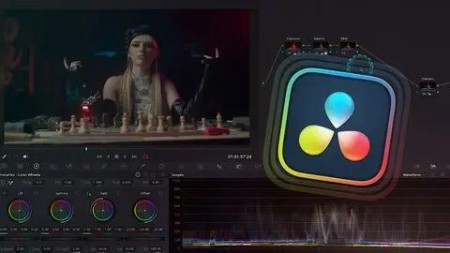
Master Color Grading In Davinci Resolve 18.6
Published 12/2023
MP4 | Video: h264, 1920x1080 | Audio: AAC, 44.1 KHz
Language: English | Size: 3.00 GB | Duration: 2h 6m
Brand New Color Grading Course
What you'll learn
You will be able to learn DaVinci Resolve - one of the most professional color grading softwares
Wou will get an in-depth knowledge about the Primary & Secondary Color Correction and you will be able to Create multiple film looks
You will be able to take a grading project from start to finish and deliver to a professional standard
You will develop a sense of style and be able to examine other films to inform your own practice
You will be able to confidently continue to develop your skills as a colorist
Requirements
* A computer with DaVinci Resolve 18.6 installed (Free or Studio version)
* Download of the video footage for hands-on practice
* Basic understanding of video editing concepts (recommended)
Description
This course is designed to teach you the art and science of color grading using DaVinci Resolve 18.6, a professional-grade color grading software used in the film and video industry. You will learn from a seasoned film colorist with a passion for transforming visuals into captivating cinematic experiences. With over 10 years of hands-on experience in the industry, I've had the privilege of working on a diverse range of projects, from feature films to commercials, each contributing to my extensive understanding of the art and science of color grading.Whether you're a beginner or an experienced video creator, this course will take you from the basics of color correction to advanced color grading techniques, helping you enhance the visual impact of your projects.Get ready to roll up your sleeves! My courses are crafted to provide hands-on training, allowing you to practice and apply your skills in real-world scenarios. What you will learn:1. How to effectively utilize Industry-Standard Color Grading Software - DaVinci Resolve2. In-depth Color Management3. Primary & Secondary Color Correction4. Techniques for Achieving Consistent and Creative Looks5. Workflow Optimization and Best Practices6. You will gain sense of style & confidence using the Color Page in DaVinci ResolveIncludes all video lessons & downloadable assets!
Overview
Section 1: Module 1 - Introduction
Lecture 1 Welcome to Mastering Color Grading with DaVinci Resolve (links to the footage)
Lecture 2 Importing & Organising footage + the overview of the Color Page
Lecture 3 In-depth Color Management
Section 2: Module 2 - Primary Color Correction
Lecture 4 Basic Color Correction (exposure, contrast, balance + reading scopes
Lecture 5 Denoising the footage the right way
Section 3: Module 3 - Secondary Color Correction
Lecture 6 NODES explained - creating looks with different types of nodes
Lecture 7 Isolating and Correcting Specific Colors - HSL Curves
Lecture 8 Isolating and Correcting Specific Colors - Color Warper
Lecture 9 Using Masks for Precise Corrections - Power Windows
Lecture 10 Using Masks for Precise Corrections - Magic Mask
Lecture 11 Using LOG wheels
Section 4: Module 4 - Creative Color Grading & Advanced Grading techniques
Lecture 12 Building B&W Film Looks
Lecture 13 Creating Teal & Orange Look Variations
Lecture 14 Creating famous Bleach Bypass Look
Lecture 15 The correct way of performing Skin Tone adjustments
Lecture 16 Using Resolve Effects to create a Soft, Dreamy Look
from Beginners to Experienced Video creators

What you'll learn
You will be able to learn DaVinci Resolve - one of the most professional color grading softwares
Wou will get an in-depth knowledge about the Primary & Secondary Color Correction and you will be able to Create multiple film looks
You will be able to take a grading project from start to finish and deliver to a professional standard
You will develop a sense of style and be able to examine other films to inform your own practice
You will be able to confidently continue to develop your skills as a colorist
Requirements
* A computer with DaVinci Resolve 18.6 installed (Free or Studio version)
* Download of the video footage for hands-on practice
* Basic understanding of video editing concepts (recommended)
Description
This course is designed to teach you the art and science of color grading using DaVinci Resolve 18.6, a professional-grade color grading software used in the film and video industry. You will learn from a seasoned film colorist with a passion for transforming visuals into captivating cinematic experiences. With over 10 years of hands-on experience in the industry, I've had the privilege of working on a diverse range of projects, from feature films to commercials, each contributing to my extensive understanding of the art and science of color grading.Whether you're a beginner or an experienced video creator, this course will take you from the basics of color correction to advanced color grading techniques, helping you enhance the visual impact of your projects.Get ready to roll up your sleeves! My courses are crafted to provide hands-on training, allowing you to practice and apply your skills in real-world scenarios. What you will learn:1. How to effectively utilize Industry-Standard Color Grading Software - DaVinci Resolve2. In-depth Color Management3. Primary & Secondary Color Correction4. Techniques for Achieving Consistent and Creative Looks5. Workflow Optimization and Best Practices6. You will gain sense of style & confidence using the Color Page in DaVinci ResolveIncludes all video lessons & downloadable assets!
Overview
Section 1: Module 1 - Introduction
Lecture 1 Welcome to Mastering Color Grading with DaVinci Resolve (links to the footage)
Lecture 2 Importing & Organising footage + the overview of the Color Page
Lecture 3 In-depth Color Management
Section 2: Module 2 - Primary Color Correction
Lecture 4 Basic Color Correction (exposure, contrast, balance + reading scopes
Lecture 5 Denoising the footage the right way
Section 3: Module 3 - Secondary Color Correction
Lecture 6 NODES explained - creating looks with different types of nodes
Lecture 7 Isolating and Correcting Specific Colors - HSL Curves
Lecture 8 Isolating and Correcting Specific Colors - Color Warper
Lecture 9 Using Masks for Precise Corrections - Power Windows
Lecture 10 Using Masks for Precise Corrections - Magic Mask
Lecture 11 Using LOG wheels
Section 4: Module 4 - Creative Color Grading & Advanced Grading techniques
Lecture 12 Building B&W Film Looks
Lecture 13 Creating Teal & Orange Look Variations
Lecture 14 Creating famous Bleach Bypass Look
Lecture 15 The correct way of performing Skin Tone adjustments
Lecture 16 Using Resolve Effects to create a Soft, Dreamy Look
from Beginners to Experienced Video creators
We need your support!
Make a donation to help us stay online

Bitcoin (BTC)
bc1q08g9d22cxkawsjlf8etuek2pc9n2a3hs4cdrld

Bitcoin Cash (BCH)
qqvwexzhvgauxq2apgc4j0ewvcak6hh6lsnzmvtkem

Ethereum (ETH)
0xb55513D2c91A6e3c497621644ec99e206CDaf239

Litecoin (LTC)
ltc1qt6g2trfv9tjs4qj68sqc4uf0ukvc9jpnsyt59u

USDT (ERC20)
0xb55513D2c91A6e3c497621644ec99e206CDaf239

USDT (TRC20)
TYdPNrz7v1P9riWBWZ317oBgJueheGjATm
Information |
|||
 |
Users of GUESTS are not allowed to comment this publication. | ||