


Introduction to Google Calendar
Category: Tutorials
- views: 130
- date: 23 July 2024
- posted by: AD-TEAM
Introduction to Google Calendar
Published 5/2024
Duration: 33m | .MP4 1280x720, 30 fps(r) | AAC, 44100 Hz, 2ch | 219 MB
Genre: eLearning | Language: English
Learn to manage your schedule and boost productivity with Google Calendar's essential tools and features.
What you'll learn
Apply Google Calendar settings that increase day-to-day ease of use.
Use built-in Google Calendar event features to efficiently organize, collaborate, and communicate with others.
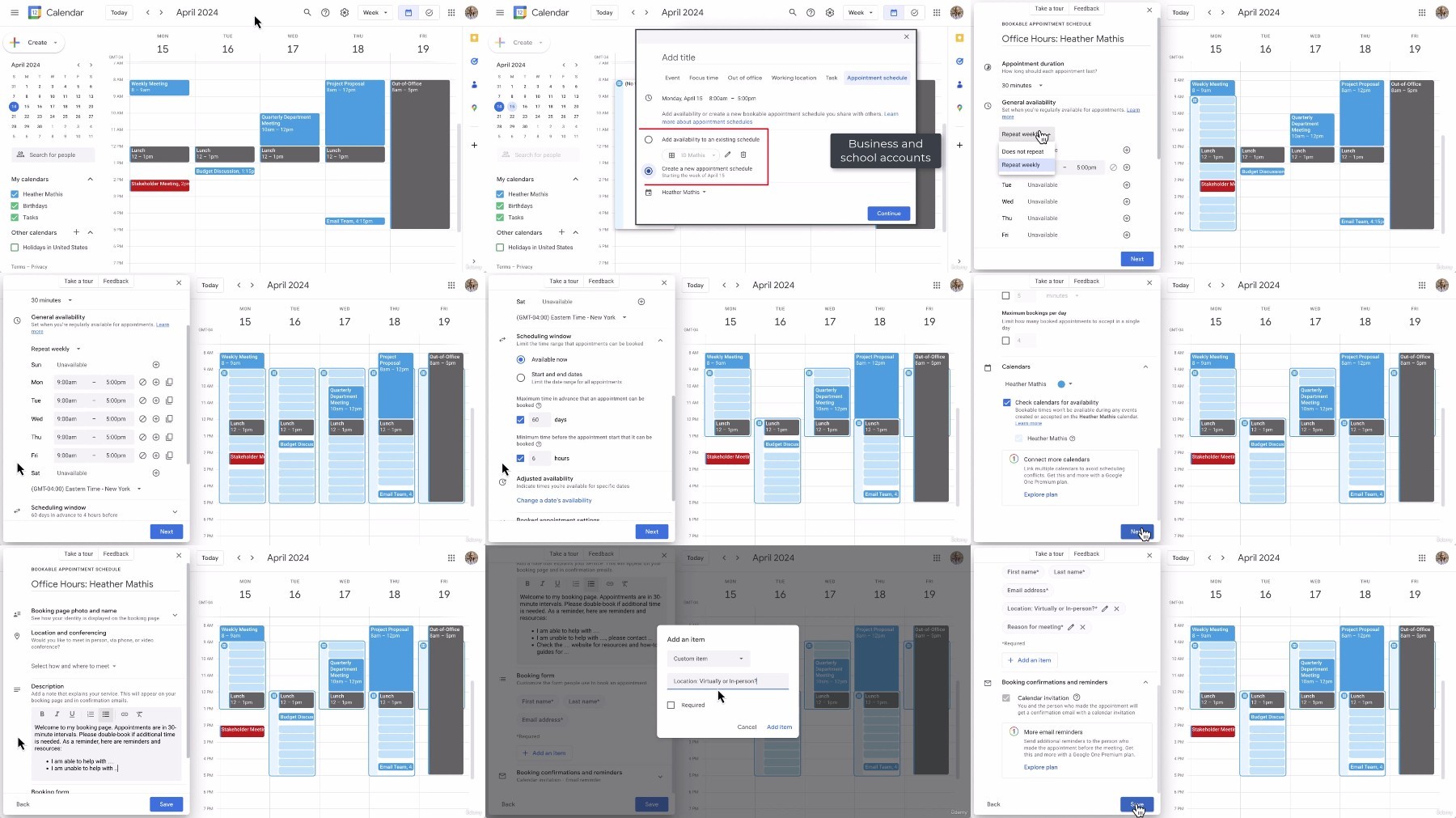
Use Google Calendar's Appointment Schedule.
Optimize your scheduling process.
Requirements
A Google account is beneficial to follow along.
This course is suitable for complete beginners, no prior knowledge is required.
Description
Welcome to this Introduction to Google Calendar course. This course teaches you how to use Google Calendar effectively to manage your time and schedule. Many find email and calendars stressful, but you can boost your productivity with the right tools.
You'll start by exploring basic settings and features that will set you up for success. Throughout the course, you'll delve into creating events, optimizing your scheduling process, and utilizing tools like appointment schedules. By mastering Google Calendar, you'll save time, work more efficiently, and communicate clearly with others. With features like repeating events, "Find a Time," and appointment schedules, you'll streamline your workflow and reduce unnecessary emails and meetings.
By the end of the course, you should have the tools to organize your schedule effectively, prioritize tasks, and collaborate seamlessly with colleagues and clients. Whether you're a student, professional, or anyone looking to improve their productivity, this course equips you with essential skills for success in the digital age.
Join us on this journey to unlock the full potential of Google Calendar and transform how you manage your time.
In the course, you will be able to:
Apply Google Calendar settings that increase day-to-day ease of use.
Use built-in Google Calendar event features to efficiently organize, collaborate, and communicate with others.
Use Google Calendar's Appointment Schedule.
This course includes:
32 minutes
of video tutorials
7 individual video
lectures
Certificate
of completion
Who this course is for:
Anyone who uses Google Calendar and wants to maximize their productivity and manage their schedule better.
Professionals who want to streamline meetings, deadlines, and work tasks.
Those who are brand new to Google Calendar and want to learn more.
More Info
What you'll learn
Apply Google Calendar settings that increase day-to-day ease of use.
Use built-in Google Calendar event features to efficiently organize, collaborate, and communicate with others.
Use Google Calendar's Appointment Schedule.
Optimize your scheduling process.
Requirements
A Google account is beneficial to follow along.
This course is suitable for complete beginners, no prior knowledge is required.
Description
Welcome to this Introduction to Google Calendar course. This course teaches you how to use Google Calendar effectively to manage your time and schedule. Many find email and calendars stressful, but you can boost your productivity with the right tools.
You'll start by exploring basic settings and features that will set you up for success. Throughout the course, you'll delve into creating events, optimizing your scheduling process, and utilizing tools like appointment schedules. By mastering Google Calendar, you'll save time, work more efficiently, and communicate clearly with others. With features like repeating events, "Find a Time," and appointment schedules, you'll streamline your workflow and reduce unnecessary emails and meetings.
By the end of the course, you should have the tools to organize your schedule effectively, prioritize tasks, and collaborate seamlessly with colleagues and clients. Whether you're a student, professional, or anyone looking to improve their productivity, this course equips you with essential skills for success in the digital age.
Join us on this journey to unlock the full potential of Google Calendar and transform how you manage your time.
In the course, you will be able to:
Apply Google Calendar settings that increase day-to-day ease of use.
Use built-in Google Calendar event features to efficiently organize, collaborate, and communicate with others.
Use Google Calendar's Appointment Schedule.
This course includes:
32 minutes
of video tutorials
7 individual video
lectures
Certificate
of completion
Who this course is for:
Anyone who uses Google Calendar and wants to maximize their productivity and manage their schedule better.
Professionals who want to streamline meetings, deadlines, and work tasks.
Those who are brand new to Google Calendar and want to learn more.
More Info
We need your support!
Make a donation to help us stay online

Bitcoin (BTC)
bc1q08g9d22cxkawsjlf8etuek2pc9n2a3hs4cdrld

Bitcoin Cash (BCH)
qqvwexzhvgauxq2apgc4j0ewvcak6hh6lsnzmvtkem

Ethereum (ETH)
0xb55513D2c91A6e3c497621644ec99e206CDaf239

Litecoin (LTC)
ltc1qt6g2trfv9tjs4qj68sqc4uf0ukvc9jpnsyt59u

USDT (ERC20)
0xb55513D2c91A6e3c497621644ec99e206CDaf239

USDT (TRC20)
TYdPNrz7v1P9riWBWZ317oBgJueheGjATm
Information |
|||
 |
Users of GUESTS are not allowed to comment this publication. | ||