


Figma for Busy People: Mastering Auto LaYout
Category: Tutorials
- views: 102
- date: 22 July 2024
- posted by: AD-TEAM

Figma for Busy People: Mastering Auto Layout
Published 6/2024
Duration: 1h14m | .MP4 1280x720, 30 fps(r) | AAC, 44100 Hz, 2ch | 0.98 GB
Genre: eLearning | Language: English
Master Figma's Auto Layout with me! Turn complex designs into simple, fun lessons for all skill levels.
What you'll learn
Different ways of adding Auto Layout to a frame
How to add, duplicate, and remove objects inside an Auto Layout frame
How to arrange and reorder objects inside an Auto Layout frame
Auto Layout nesting techniques
How to change the direction of objects inside an Auto Layout frame
How to position objects absolutely
The importance and use cases of canvas stacking order
How to change the gap between items
When and how to use negative spacing
How to add padding to objects
How to set alignment on child objects
How to use the text baseline alignment
The power of using minimum and maximum dimensions
How to set fixed dimensions
How to set frames to perfectly fit their content
How to set frames to occupy the entire available space within their parent container
Requirements
You don't need extensive Figma experience, but a certain familiarity with the Figma UI will make the class easier to follow.
This course is all about making Auto Layout fun and easy, no matter where you're starting from.
We'll exclusively use Figma for our work, so all you need is a browser and a free Figma account. Whether you're on a laptop or desktop computer, running Mac, Windows, or Linux, you're all set to dive in.
Description
Why Take This Class
This is a
concise
yet
comprehensive
class, made specifically for
busy people
who don't have a lot of time to spare but still want to learn something
valuable
. By the end of this class you'll be able to build Figma layouts much faster than before and use the Auto Layout feature like a
true pro
.
Class Overview
I'll start by showing you how to
add Auto Layout
and how to organize and arrange objects. Then I'll teach you how to work with
nested frames
, how to set the
direction
and element
positioning
, how to work with
gaps
and
paddings
, how to
align
elements properly and how to use
resizing options
to create adaptive designs.
What You'll Learn
Different ways of adding Auto Layout to a frame
How to add, duplicate, and remove objects inside an Auto Layout frame
How to arrange and reorder objects inside an Auto Layout frame
How to remove Auto Layout
Auto Layout nesting techniques
How to change the direction of objects inside an Auto Layout frame
How to position objects absolutely
The importance and use cases of canvas stacking order
How to change the gap between items
When and how to use negative spacing
How to add padding to objects
How to set alignment on child objects
How to use the text baseline alignment
The power of using minimum and maximum dimensions
How to set fixed dimensions
How to set frames to perfectly fit their content
How to set frames to occupy the entire available space within their parent container
Practical Applications
This class isn't just about theory. Each main lesson is accompanied by
practical applications
where we'll re-create layouts from
real websites
, giving you valuable hands-on experience.
Plus, there are
assignments
for each major lesson, providing you with the opportunity to practice and reinforce your newfound skills. The asignments also come with
written instructions
.
Is This Course for You?
Absolutely! This class will be valuable for
total beginners
but
also seasoned designers
. You don't need extensive Figma experience, but a certain familiarity with the Figma UI will make the class easier to follow. This is all about making Auto Layout
fun and easy
, no matter where you're starting from.
What You'll Need
We'll exclusively use Figma for our work, so all you need is a browser and a free Figma account. Whether you're on a laptop or desktop computer, running Mac, Windows, or Linux, you're all set to dive in.
Who this course is for:
This course will be valuable for total beginners but also seasoned designers.
This is a concise yet comprehensive course, made specifically for busy creatives who don't have a lot of time to spare but still want to learn something valuable. By the end of this class you'll be able to build Figma layouts much faster than before and use the Auto Layout feature like a true pro.
More Info
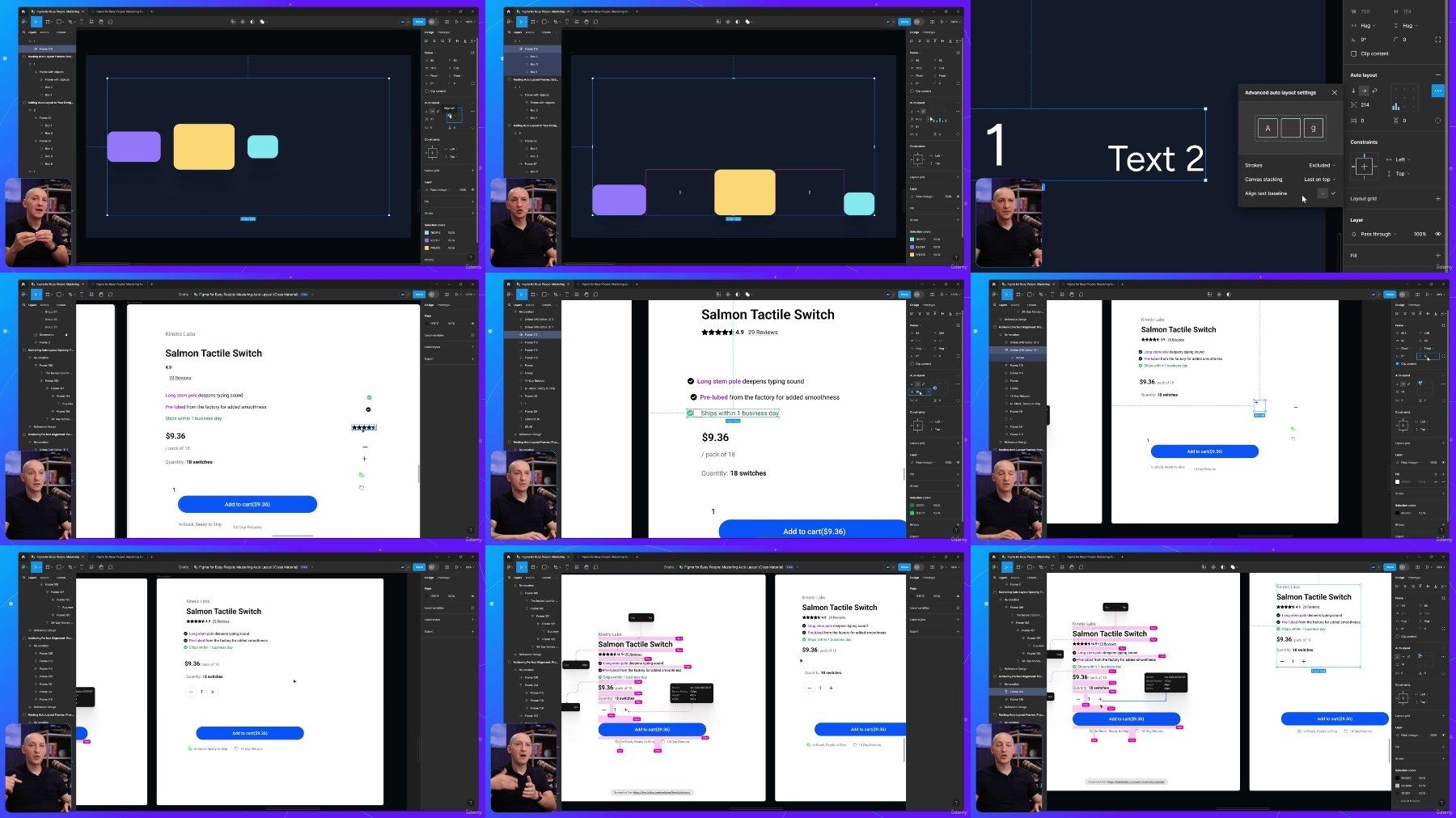
What you'll learn
Different ways of adding Auto Layout to a frame
How to add, duplicate, and remove objects inside an Auto Layout frame
How to arrange and reorder objects inside an Auto Layout frame
Auto Layout nesting techniques
How to change the direction of objects inside an Auto Layout frame
How to position objects absolutely
The importance and use cases of canvas stacking order
How to change the gap between items
When and how to use negative spacing
How to add padding to objects
How to set alignment on child objects
How to use the text baseline alignment
The power of using minimum and maximum dimensions
How to set fixed dimensions
How to set frames to perfectly fit their content
How to set frames to occupy the entire available space within their parent container
Requirements
You don't need extensive Figma experience, but a certain familiarity with the Figma UI will make the class easier to follow.
This course is all about making Auto Layout fun and easy, no matter where you're starting from.
We'll exclusively use Figma for our work, so all you need is a browser and a free Figma account. Whether you're on a laptop or desktop computer, running Mac, Windows, or Linux, you're all set to dive in.
Description
Why Take This Class
This is a
concise
yet
comprehensive
class, made specifically for
busy people
who don't have a lot of time to spare but still want to learn something
valuable
. By the end of this class you'll be able to build Figma layouts much faster than before and use the Auto Layout feature like a
true pro
.
Class Overview
I'll start by showing you how to
add Auto Layout
and how to organize and arrange objects. Then I'll teach you how to work with
nested frames
, how to set the
direction
and element
positioning
, how to work with
gaps
and
paddings
, how to
align
elements properly and how to use
resizing options
to create adaptive designs.
What You'll Learn
Different ways of adding Auto Layout to a frame
How to add, duplicate, and remove objects inside an Auto Layout frame
How to arrange and reorder objects inside an Auto Layout frame
How to remove Auto Layout
Auto Layout nesting techniques
How to change the direction of objects inside an Auto Layout frame
How to position objects absolutely
The importance and use cases of canvas stacking order
How to change the gap between items
When and how to use negative spacing
How to add padding to objects
How to set alignment on child objects
How to use the text baseline alignment
The power of using minimum and maximum dimensions
How to set fixed dimensions
How to set frames to perfectly fit their content
How to set frames to occupy the entire available space within their parent container
Practical Applications
This class isn't just about theory. Each main lesson is accompanied by
practical applications
where we'll re-create layouts from
real websites
, giving you valuable hands-on experience.
Plus, there are
assignments
for each major lesson, providing you with the opportunity to practice and reinforce your newfound skills. The asignments also come with
written instructions
.
Is This Course for You?
Absolutely! This class will be valuable for
total beginners
but
also seasoned designers
. You don't need extensive Figma experience, but a certain familiarity with the Figma UI will make the class easier to follow. This is all about making Auto Layout
fun and easy
, no matter where you're starting from.
What You'll Need
We'll exclusively use Figma for our work, so all you need is a browser and a free Figma account. Whether you're on a laptop or desktop computer, running Mac, Windows, or Linux, you're all set to dive in.
Who this course is for:
This course will be valuable for total beginners but also seasoned designers.
This is a concise yet comprehensive course, made specifically for busy creatives who don't have a lot of time to spare but still want to learn something valuable. By the end of this class you'll be able to build Figma layouts much faster than before and use the Auto Layout feature like a true pro.
More Info
We need your support!
Make a donation to help us stay online

Bitcoin (BTC)
bc1q08g9d22cxkawsjlf8etuek2pc9n2a3hs4cdrld

Bitcoin Cash (BCH)
qqvwexzhvgauxq2apgc4j0ewvcak6hh6lsnzmvtkem

Ethereum (ETH)
0xb55513D2c91A6e3c497621644ec99e206CDaf239

Litecoin (LTC)
ltc1qt6g2trfv9tjs4qj68sqc4uf0ukvc9jpnsyt59u

USDT (ERC20)
0xb55513D2c91A6e3c497621644ec99e206CDaf239

USDT (TRC20)
TYdPNrz7v1P9riWBWZ317oBgJueheGjATm
Information |
|||
 |
Users of GUESTS are not allowed to comment this publication. | ||