


Copilot Essentials in Microsoft Office
Category: Tutorials
- views: 342
- date: 16 July 2024
- posted by: AD-TEAM

Copilot Essentials in Microsoft Office
Published 5/2024
Duration: 51m | .MP4 1280x720, 30 fps(r) | AAC, 44100 Hz, 2ch | 629 MB
Genre: eLearning | Language: English
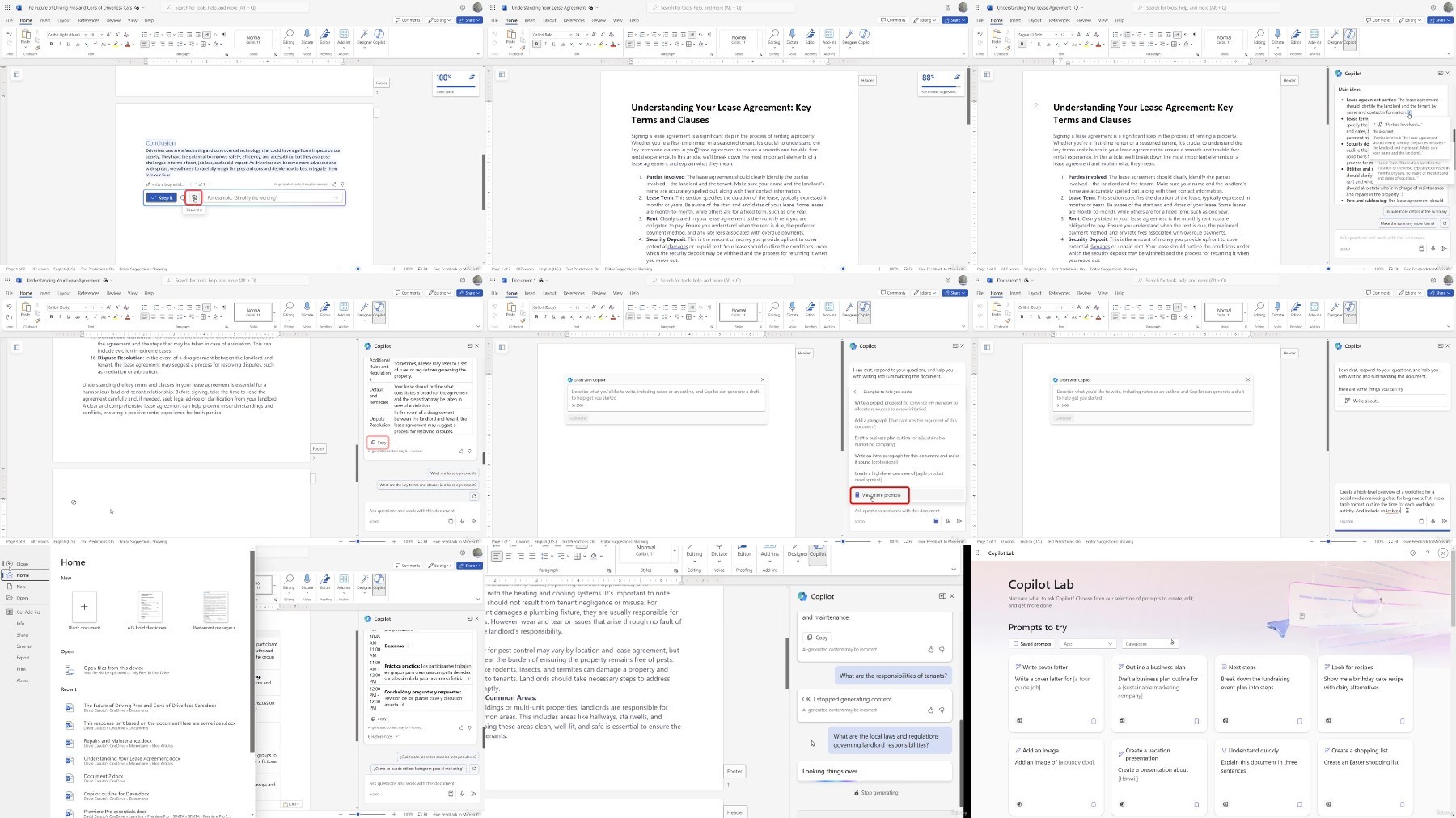
Master the power of Copilot Pro to improve your workflow across the Microsoft Office suite and boost your productivity.
What you'll learn
Integrate Copilot Pro across Microsoft Office suite for increased productivity.
Streamline tasks and workflows using Copilot Pro features across applications.
Write polished documents using Copilot Pro in Word.
Analyze data and create charts in Excel with Copilot Pro.
Design captivating presentations with Copilot Pro in PowerPoint.
Efficiently manage emails and compose professional messages in Outlook with Copilot Pro.
Generate custom graphics and enhance visual content in Image Creator/Designer using Copilot Pro.
Requirements
Access to Copilot and Microsoft 365 applications is beneficial to follow along.
No prior experience needed, the course is for complete beginners.
Description
**This course includes downloadable course files to work with and follow along.
Welcome to Copilot Essentials in Microsoft Office, where you'll dive into the world of Microsoft Copilot Pro, an AI-powered assistant revolutionizing your workflow. This course will guide you through integrating Copilot Pro across your Microsoft Office suite, empowering you to work more efficiently and unleash your full productivity potential.
With Copilot Pro in Word, you'll learn how to elevate your document creation with intelligent writing assistance. Copilot Pro helps you refine your tone, style, and accuracy, ensuring your documents are polished and impactful.
In Copilot Pro in Excel, discover how to unlock the full potential of your spreadsheets with data analysis and visualization features. With Copilot Pro, you can effortlessly uncover insights, create stunning charts, and automate complex calculations.
With Copilot Pro in PowerPoint, you'll breathe new life into your presentations with expert design assistance. Craft visually stunning slides and incorporate multimedia elements to captivate your audience.
Copilot Pro in Outlook streamlines your email communication, helping you compose professional messages, analyze emails, and manage your inbox efficiently.
Finally, unleash your creativity with image generation capabilities with Copilot Pro in Image Creator/Designer. Learn to create custom graphics and enhance your visual content effortlessly.
By completing this course, you should gain valuable skills to work more efficiently across various Microsoft Office applications. Join us on this transformative journey and discover how Microsoft Copilot Pro can revolutionize the way you work. Enroll now and unlock your full productivity potential.
In the course, you will be able to:
Integrate Copilot Pro across the Microsoft Office suite for increased productivity.
Streamline tasks and workflows using Copilot Pro features across applications.
Write polished documents using Copilot Pro in Word.
Analyze data and create charts in Excel with Copilot Pro.
Design captivating presentations with Copilot Pro in PowerPoint.
Efficiently manage emails and compose professional messages in Outlook with Copilot Pro.
Generate custom graphics and enhance visual content in Image Creator/Designer using Copilot Pro.
This course includes:
49 minutes
of video tutorials
8 individual video
lectures
Course files
to follow along
Certificate of completion
Who this course is for:
Anyone who wants to learn Microsoft Copilot and its integration with Microsoft 365 suite of applications
Professionals who want to be more productive by using AI tools.
More Info
What you'll learn
Integrate Copilot Pro across Microsoft Office suite for increased productivity.
Streamline tasks and workflows using Copilot Pro features across applications.
Write polished documents using Copilot Pro in Word.
Analyze data and create charts in Excel with Copilot Pro.
Design captivating presentations with Copilot Pro in PowerPoint.
Efficiently manage emails and compose professional messages in Outlook with Copilot Pro.
Generate custom graphics and enhance visual content in Image Creator/Designer using Copilot Pro.
Requirements
Access to Copilot and Microsoft 365 applications is beneficial to follow along.
No prior experience needed, the course is for complete beginners.
Description
**This course includes downloadable course files to work with and follow along.
Welcome to Copilot Essentials in Microsoft Office, where you'll dive into the world of Microsoft Copilot Pro, an AI-powered assistant revolutionizing your workflow. This course will guide you through integrating Copilot Pro across your Microsoft Office suite, empowering you to work more efficiently and unleash your full productivity potential.
With Copilot Pro in Word, you'll learn how to elevate your document creation with intelligent writing assistance. Copilot Pro helps you refine your tone, style, and accuracy, ensuring your documents are polished and impactful.
In Copilot Pro in Excel, discover how to unlock the full potential of your spreadsheets with data analysis and visualization features. With Copilot Pro, you can effortlessly uncover insights, create stunning charts, and automate complex calculations.
With Copilot Pro in PowerPoint, you'll breathe new life into your presentations with expert design assistance. Craft visually stunning slides and incorporate multimedia elements to captivate your audience.
Copilot Pro in Outlook streamlines your email communication, helping you compose professional messages, analyze emails, and manage your inbox efficiently.
Finally, unleash your creativity with image generation capabilities with Copilot Pro in Image Creator/Designer. Learn to create custom graphics and enhance your visual content effortlessly.
By completing this course, you should gain valuable skills to work more efficiently across various Microsoft Office applications. Join us on this transformative journey and discover how Microsoft Copilot Pro can revolutionize the way you work. Enroll now and unlock your full productivity potential.
In the course, you will be able to:
Integrate Copilot Pro across the Microsoft Office suite for increased productivity.
Streamline tasks and workflows using Copilot Pro features across applications.
Write polished documents using Copilot Pro in Word.
Analyze data and create charts in Excel with Copilot Pro.
Design captivating presentations with Copilot Pro in PowerPoint.
Efficiently manage emails and compose professional messages in Outlook with Copilot Pro.
Generate custom graphics and enhance visual content in Image Creator/Designer using Copilot Pro.
This course includes:
49 minutes
of video tutorials
8 individual video
lectures
Course files
to follow along
Certificate of completion
Who this course is for:
Anyone who wants to learn Microsoft Copilot and its integration with Microsoft 365 suite of applications
Professionals who want to be more productive by using AI tools.
More Info
We need your support!
Make a donation to help us stay online

Bitcoin (BTC)
bc1q08g9d22cxkawsjlf8etuek2pc9n2a3hs4cdrld

Bitcoin Cash (BCH)
qqvwexzhvgauxq2apgc4j0ewvcak6hh6lsnzmvtkem

Ethereum (ETH)
0xb55513D2c91A6e3c497621644ec99e206CDaf239

Litecoin (LTC)
ltc1qt6g2trfv9tjs4qj68sqc4uf0ukvc9jpnsyt59u

USDT (ERC20)
0xb55513D2c91A6e3c497621644ec99e206CDaf239

USDT (TRC20)
TYdPNrz7v1P9riWBWZ317oBgJueheGjATm
Information |
|||
 |
Users of GUESTS are not allowed to comment this publication. | ||