


Microsoft Excel 365 Advanced
Category: Tutorials
- views: 427
- date: 10 July 2024
- posted by: AD-TEAM
Microsoft Excel 365 Advanced
Published 5/2024
Duration: 6h24m | .MP4 1280x720, 30 fps(r) | AAC, 44100 Hz, 2ch | 3.5 GB
Genre: eLearning | Language: English
Unlock the power of advanced Excel 365 features and boost your data analysis and productivity skills.
What you'll learn
Extract and count unique entries using Dynamic Array Functions.
Differentiate between unique and distinct values in Excel spreadsheets.
Utilize SORT and SORTBY functions for data organization and analysis.
Employ FILTER functions with logical operators for precise data filtration.
Generate random arrays and values with RANDARRAY and RANDBETWEEN functions.
Perform complex lookups efficiently using XLOOKUP and XMATCH functions.
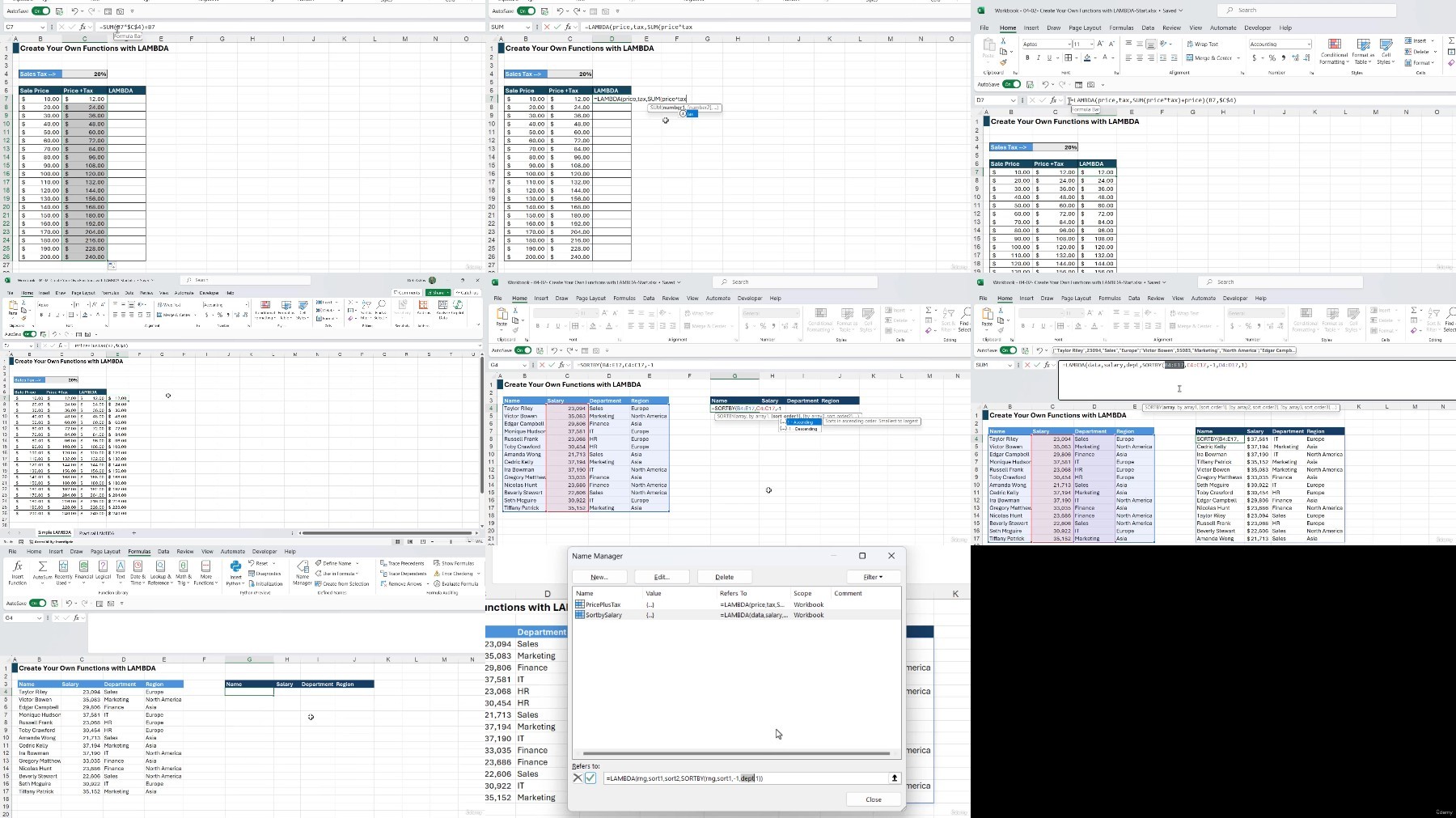
Develop custom formulas with LET and LAMBDA functions for tailored analysis.
Create and manage data models with Power Pivot, including table relationships.
Clean and manipulate data effectively using Power Query functionalities.
Automate repetitive tasks and customize Excel with macros and VBA.
Requirements
An active Microsoft 365 account to access Excel is beneficial to follow along.
An intermediate-level knowledge of Excel. This is an advanced course.
Description
**This course includes downloadable course instructor files and exercise files to work with and follow along.**
Welcome to the Microsoft Excel 365 Advanced course. In this course, you will delve into advanced features of Excel 365 to enhance your data analysis and productivity skills.
You'll explore dynamic array formulas, unlocking the power of functions like SORT, FILTER, and XLOOKUP to manipulate data efficiently. Learn to perform complex lookups and reference functions, even with multiple criteria and duplicate values. Moreover, you'll discover how to create your own functions using LET and LAMBDA, empowering you to tailor formulas to your needs.
Master Power Pivot and Power Query to manage and analyze vast datasets effortlessly. Gain insights into advanced PivotTable and Pivot Chart techniques, including customization and dynamic labels, and harness the potential of form controls and checkboxes to create interactive Excel applications.
Then, delve into Excel macros and VBA to automate repetitive tasks and customize Excel functionalities. Finally, experience the future of Excel with AI tools like Microsoft Copilot and ChatGPT, enabling you to generate datasets, seek assistance, and streamline your workflow efficiently.
By the end of this course, you should have the proficiency to utilize the advanced features of Microsoft Excel 365, empowering you to tackle complex data analysis tasks with confidence. Join us in this comprehensive journey and unlock new productivity levels in your spreadsheet endeavors.
In the course, you will be able to:
Extract and count unique entries using Dynamic Array Functions.
Differentiate between unique and distinct values in Excel spreadsheets.
Utilize SORT and SORTBY functions for data organization and analysis.
Employ FILTER functions with logical operators for precise data filtration.
Generate random arrays and values with RANDARRAY and RANDBETWEEN functions.
Perform complex lookups efficiently using XLOOKUP and XMATCH functions.
Develop custom formulas with LET and LAMBDA functions for tailored analysis.
Create and manage data models with Power Pivot, including table relationships.
Clean and manipulate data effectively using Power Query functionalities.
Automate repetitive tasks and customize Excel with macros and VBA.
This course includes:
6+ hours
of video tutorials
73 individual video
lectures
Course and exercise files
to follow along
Certificate
of completion
Who this course is for:
Users with intermediate knowledge of Excel and those coming from an older stand-alone version of Excel.
Finance professionals who wants to improve financial modeling and analysis capabilities.
Users who have Microsoft Excel foundation and seeking to advance their Excel knowledge.
More Info
https://rapidgator.net/file/1d1b5977e1160bb87d06e8854789ae13/Udemy_Microsoft_Excel_365_Advanced_2024-5.part1.rar
https://rapidgator.net/file/259055845177a4202c323b55109db9b3/Udemy_Microsoft_Excel_365_Advanced_2024-5.part2.rar
https://filestore.me/tyvw8s6lp6ad/Udemy_Microsoft_Excel_365_Advanced_2024-5.part1.rar
https://filestore.me/uu6uxb5aylg0/Udemy_Microsoft_Excel_365_Advanced_2024-5.part2.rar
What you'll learn
Extract and count unique entries using Dynamic Array Functions.
Differentiate between unique and distinct values in Excel spreadsheets.
Utilize SORT and SORTBY functions for data organization and analysis.
Employ FILTER functions with logical operators for precise data filtration.
Generate random arrays and values with RANDARRAY and RANDBETWEEN functions.
Perform complex lookups efficiently using XLOOKUP and XMATCH functions.
Develop custom formulas with LET and LAMBDA functions for tailored analysis.
Create and manage data models with Power Pivot, including table relationships.
Clean and manipulate data effectively using Power Query functionalities.
Automate repetitive tasks and customize Excel with macros and VBA.
Requirements
An active Microsoft 365 account to access Excel is beneficial to follow along.
An intermediate-level knowledge of Excel. This is an advanced course.
Description
**This course includes downloadable course instructor files and exercise files to work with and follow along.**
Welcome to the Microsoft Excel 365 Advanced course. In this course, you will delve into advanced features of Excel 365 to enhance your data analysis and productivity skills.
You'll explore dynamic array formulas, unlocking the power of functions like SORT, FILTER, and XLOOKUP to manipulate data efficiently. Learn to perform complex lookups and reference functions, even with multiple criteria and duplicate values. Moreover, you'll discover how to create your own functions using LET and LAMBDA, empowering you to tailor formulas to your needs.
Master Power Pivot and Power Query to manage and analyze vast datasets effortlessly. Gain insights into advanced PivotTable and Pivot Chart techniques, including customization and dynamic labels, and harness the potential of form controls and checkboxes to create interactive Excel applications.
Then, delve into Excel macros and VBA to automate repetitive tasks and customize Excel functionalities. Finally, experience the future of Excel with AI tools like Microsoft Copilot and ChatGPT, enabling you to generate datasets, seek assistance, and streamline your workflow efficiently.
By the end of this course, you should have the proficiency to utilize the advanced features of Microsoft Excel 365, empowering you to tackle complex data analysis tasks with confidence. Join us in this comprehensive journey and unlock new productivity levels in your spreadsheet endeavors.
In the course, you will be able to:
Extract and count unique entries using Dynamic Array Functions.
Differentiate between unique and distinct values in Excel spreadsheets.
Utilize SORT and SORTBY functions for data organization and analysis.
Employ FILTER functions with logical operators for precise data filtration.
Generate random arrays and values with RANDARRAY and RANDBETWEEN functions.
Perform complex lookups efficiently using XLOOKUP and XMATCH functions.
Develop custom formulas with LET and LAMBDA functions for tailored analysis.
Create and manage data models with Power Pivot, including table relationships.
Clean and manipulate data effectively using Power Query functionalities.
Automate repetitive tasks and customize Excel with macros and VBA.
This course includes:
6+ hours
of video tutorials
73 individual video
lectures
Course and exercise files
to follow along
Certificate
of completion
Who this course is for:
Users with intermediate knowledge of Excel and those coming from an older stand-alone version of Excel.
Finance professionals who wants to improve financial modeling and analysis capabilities.
Users who have Microsoft Excel foundation and seeking to advance their Excel knowledge.
More Info
https://rapidgator.net/file/1d1b5977e1160bb87d06e8854789ae13/Udemy_Microsoft_Excel_365_Advanced_2024-5.part1.rar
https://rapidgator.net/file/259055845177a4202c323b55109db9b3/Udemy_Microsoft_Excel_365_Advanced_2024-5.part2.rar
https://filestore.me/tyvw8s6lp6ad/Udemy_Microsoft_Excel_365_Advanced_2024-5.part1.rar
https://filestore.me/uu6uxb5aylg0/Udemy_Microsoft_Excel_365_Advanced_2024-5.part2.rar
We need your support!
Make a donation to help us stay online

Bitcoin (BTC)
bc1q08g9d22cxkawsjlf8etuek2pc9n2a3hs4cdrld

Bitcoin Cash (BCH)
qqvwexzhvgauxq2apgc4j0ewvcak6hh6lsnzmvtkem

Ethereum (ETH)
0xb55513D2c91A6e3c497621644ec99e206CDaf239

Litecoin (LTC)
ltc1qt6g2trfv9tjs4qj68sqc4uf0ukvc9jpnsyt59u

USDT (ERC20)
0xb55513D2c91A6e3c497621644ec99e206CDaf239

USDT (TRC20)
TYdPNrz7v1P9riWBWZ317oBgJueheGjATm
Information |
|||
 |
Users of GUESTS are not allowed to comment this publication. | ||